And the crazy part is: just like this article, everyone overlooks it.
Pay attention, and you'll notice it. (sorry to everyone who had blanked it out). Think about how long it takes/ho many steps it takes to put quotes around a chunk of text; to correct a misspelling; to rearrange some words. It's agonizing once you think about it, and Apple (nor Google, as far as I know) has done zero to fix it in years (a decade?).
(PSA: if the recent change annoys you to no end, as it did me, you can get back the previous editing behavior by turning off spellchecker in OS settings.)
Not counting source code, I type more text on a screen on either iPad or iPhone these days than any other way. If it was not convenient, I wouldn’t be doing it.
> Think about how long it takes/ho many steps it takes to put quotes around a chunk of text; to correct a misspelling; to rearrange some words.
None of those are slow. You know you can:
1) tap anywhere in text to move the cursor?
2) long tap (and drag if desired) to do the same ignoring word boundaries?
3) hold spacebar to move the cursor around the text?
Finally, you know if you type a lot you can connect your favorite mechanical keyboard and it will work just like it does on Mac, with Emacs-like movement combos and all?
Yes, if you like pain and insist on typing on a screen keyboard (I guess I do), certain text adjustments would be marginally slower than with a hardware keyboard, but on the other hand if you normally type English then swipe-typing more than compensates for that.
This behaviour is a mess, IME. iOS makes arbitrary judgements about the word boundary it thinks I'm aiming at and is about 50% wrong. I regularly find words or lines it will refuse to position the cursor into, instead insisting on moving to the line above or below. Line breaks seem to confuse it too. I often have to position the cursor the word before the line break, insert my new text and then reposition to delete the old text.
2) + 3) The rhythm to engage this vs the one to engage selection is completely opaque to me. I still don't know how to engage selection intentionally, successfully. I've owned iPhones since the 3s.
Yes you would just like a lot of other people do - because the device is truly portable, so you can suffer more inconvenience to use it everywhere to communicate in immediate mode
> Finally, you know if you type a lot you can connect your favorite mechanical keyboard and it will work just like it does on Mac, with Emacs-like movement combos and all?
No it won't, I've changed those bad defaults with macos-only apps
> You know you can
Yes I do, and still agree with the OP that the software support is bad and none of the things you list are properly engineered despite the fact that direct analogue finger input has great potential
Every iPhone super user I'm surrounded by (everyone) never talks about how awful the typing experience is and makes me feel like a luddite for not doing it well. I wasn't sure if they were just used to it or they just know how to use it correctly and I don't.
It's horrible. It's helped me a lot to stop pulling my phone out to use social media/web etc to pass time because if I can't click it, if i have to type in a URL or anything like that, I just don't want to even try.
Spoiler -- the cursor will be before the word "going," after the space. It's possible to select after "is" -- for example, you can select after "going" if you're careful (I'd say you have to tap around the "n")
Of course I know about the long tap -- as I said, I've been doing roughly that since at least the deep press days. Open Safari, go to a typically long Amazon URL, and try to get to the end of the URL to edit something. Depending on the URL length, it requires:
1. Tap quickly so the whole URL isn't selected (otherwise you'll drag it)
Then multiple cycles of:
1. Long tap 2. Drag to the right 3. Reach the end of the screen, but not the URL 4. Back to (1)
The spacebar is the same as the long tap. It's better than nothing, but not sufficient.
And adding a keyboard doesn't fix the fundamental issue that Apple hasn't thought deeply about this.
Swipe-typing is a blessing and a curse. Think about what you have to do if:
1. You want to add an "s" to pluralize something 2. You just need to change the last letter or two 3. You want to add any other character right after the word besides the limited set Apple has deemed worthy of special treatment
And that is:
1. Type space 2. Type backspace 3. Type the actual thing you want to type
That's three actions to do one thing. And that doesn't even begin to cover how swipe typing handles alternatives: backspace and do it over? Really? How about automatically popping up alternatives for selection (and then dismissing if the user keeps swiping)?
I'm happy for you that you're happy. I'm not. Apple: hire me and I'll make this better. :-)
Wouldn't be as big of a problem if the spellchecker was not absolute garbage and handled multi-language text input, or just worked well for a single language. Honestly, I don't think the team working on the keyboard at apple has any linguists or any kind of diversity to pay attention to nothing but the most milktoast of English language use.
For me, the iPad is mostly a surface for writing on, general admin tasks and basic image editing. The Apple Pencil is the best input device I find. It's not a complete replacement device - it's complementary. Also my 11" iPad Pro is smaller than any laptop and charges off the same charger as my phone so it goes everywhere with me. I'm about to jump on a plane and it has a week's worth of entertainment, music, textbooks, notepad and Lightroom on it and a pencil stuck on the side. This is just perfect for me. But try and replace a macOS machine with it and you might as well chop your fingers off.
The keyboard case is mostly ok but I just never use it. I should probably bounce it on eBay at some point but I keep it around "just in case".
Edit: most of the people I know who use iPads got them mostly for the Apple Pencil support.
> For me, the iPad is mostly a surface for writing on, general admin tasks and basic image editing.
I think that's pretty much what the business model grew into and is now cultivated and enforced. There is no Macbook convenient for consumption and no tablet convenient for processing. Either one can do both, but it's cumbersome.
Apple knows they can get their target group to buy both products, so they take care to keep those territories isolated.
And that's also revealing the general handicap the iPad Pro has: It is a product designed to close this gap, running on a OS designed to consciously maintain this gap.
Had 2 pencils, broke both within 1 week when they rolled of the table…
There's no technical problem for Apple. It's ONLY that they don't want us to use macOS on iPads. There's really no excuse.
I'm not sure where this aesthetic comes from — that somehow traditional desktop/laptops are an outmoded way of computing and that touchy, file-manager-less, terminal-less, tool-less computer use is the way we all ought to be doing things.
I have reached the point where I believe it is a fundamental flaw in _all_ touch-screen interfaces. I would certainly love to see better alternatives.
1. Bring back deep presses, which isn't very discoverable, but it's memorable once you get used to it, and make it immediately position the cursor. 2. Allow touching with two fingers. If they're next to each other, immediately position the cursor. Spread them and the selection widens. 3. Allow double-tap to select a word. 4. Double-tap and drag to select word by word. 5. Pinch on a selection to cut. 6. Deep press on a selection and drag-swipe in different directions to copy, cut, and formatting options. 7. Deep press on an unselected spot and drag-swipe in different directions to paste and other options.
It can be reduced in portrait mode, but should be there in landscape at least. That gives intuitive and ultra precise navigation, standard copy/paste, word by word navigation, fast and precise selection etc.
And it's also super helpful for selection even outside of text fields.
Perhaps, like the dying art of handwriting in cursive or the decline in knowing how to drive manual transmission, this just how things will be?
If this were truly such a fundamental problem, why hasn’t some enterprising Android vendor found success with smartphones using Blackberry-style hardware keyboards?
Fwiw, I used Blackberries back before the 2007 iPhone launch and never found it addicting the way others did.
My older iPad gave up the ghost recently and my old MacBook Pro is pretty heavy by today's standards to travel by air with. I don't really work on trips any longer so when I get home, I'll likely get one of the new iPad Airs with accessories and just traveling with a Macbook. (My lightweight Chromebook also went so far out of support, it doesn't work any longer--about 12 years old.
On iOS/iPadOS, touch-hold the virtual space bar and it becomes a trackpad for fine positioning of the cursor.
Magic Keyboard is a laptop-quality input device where capslock can be remapped to Esc for vim editing in ssh.
"add a keyboard" isn't an answer.
Demo - https://twitter.com/ashconnor/status/1776689029700075749/vid...
I have my own keyboard layout that I use since at least 2011, with drivers for macOS, windows, and Linux. I have no way to make it available on my iPad.
iPhone however? I've given up on the sub-word level. And it's amazing because they could simply copy Androids logic.
I don't know, it always worked fine for me, and I edit text a lot (writing on the iPad, not coding).
>And the crazy part is: just like this article, everyone overlooks it
Given the above, maybe not so crazy? Maybe you're too fussy?
>Think about how long it takes/ho many steps it takes to put quotes around a chunk of text;
Why not put them when as you write it, in which case it's quote text quote? Is that not what one does 90% of the time?
And if you remembered it later, how slow it is to just move the cursor to start and end of segment? With the spacebar cursor-move mode it's almost as fact as having a mouse.
>to correct a misspelling
Tap on squiggly-underlined word, accept correct spelling from suggestions?
>and Apple (nor Google, as far as I know) has done zero to fix it in years (a decade?)
Do what exactly? What fancy UI you have in mind that solves it?
And if you do that much writing, why don't you just hook a bluetooth keyboard? Then with some shortcuts to jump by whole words/start-end of line/etc, you can fly, as you would on a laptop.
Do you genuinely believe your response is helpful? Just like the OC, I too have noticed the atrocious editing and word manipulation in iOS and, just like OC, I have been text editing for my entire life. iOS is objectively bad at it, in many specific ways. The only way to improve it is for us to be honest about how it can be better and go from there. Coping with the issues as if they dont even exist is not a good path forward.
You: why no [type correctly in the first place so editing isn't necessary]?
How does that even remotely answer the original objection?
You: With the spacebar cursor-move mode it's almost as fact as having a mouse.
I just did a quick check: with a mouse in this comment I can select insert points about once a second, maybe a bit faster. Before words in iOS I can do better than that: maybe 0.75 of a second? So yay! Then after: works for long words, fails for short words. Then in the words: tap-hold-drag to the spot, maybe once every two seconds. Then there was the time when iOS for no apparent reason selected the word instead of before the word. Then no amount of tapping will fix that until I tap <somewhere else> and then tap back where I want the insertion point. That took 3-4 seconds. Then there was the time when the tap-hold-drag option zoomed several lines above where my finger actually was, and I futzed with it trying to make it right, and eventually managed to not insert the cursor where I wanted. That took over five seconds and then I had to do it again to make it right. The logic of when the little zoom bubble shows up feels arbitrary.
If the misspelling bit worked correctly, that would be great. Sometimes it just wants to select the word.
So yeah, editing is broken.
I agree with the parent. "You're holding it wrong." /s
How would you implement it instead?
> Think about how long it takes/ho many steps it takes to put quotes around a chunk of text
4 taps - beginning of word, quote, end of word quote.
> to correct a misspelling
double tap on word, start typing the correct one. Double tap the word, and use the "replace" dropdown. Or, tap and use spacebar as a cursor to selectively edit a single word. This is certainly no worse than a mouse, but it is sub par to a physical keyboard.
> to rearrange some words
I'm not sure what you mean here, as I can't say that I find myself doing this often, so maybe I'm not your target audience here.
Why can't I select the correct location and just backspace one or two characters instead? Android handles it perfectly fine, and has for more than a decade.
> I'm not sure what you mean here, as I can't say that I find myself doing this often, so maybe I'm not your target audience here.
Copy-paste menu is very finicky. Sometimes it appears, sometimes it doesn't, the selection marks seem to miss the mark occasionally as well.
Its as if there aren’t real people at Apple actually using and testing what they release (although I know that’s not the case) For now my work around is long pressing the spacebar to get the cursor to where you want. :(
IIRC editing text was barely even possible when the phone first came out. No cut/paste! I think it arrived in the same software release as the app store.
I frequently give up on writing things on my phone, saving them either for when I am at a computer with a real keyboard, or just not at all in many cases.
It’s such a goddamn chore.
I think of iPhones as personal devices, where each person may have their own. But iPads are more likely to be shared for personal use in families. The fact that each person using it cannot have their own user profiles, app data, etc., is a huge drawback. Apple has supported this for a long time (though probably not in the best way) for education, but it’s not available to others. Even tvOS supports switching between user profiles quickly.
Apple enforcing the idea that iPad (with iPadOS) should also be a personal device — one device per person — makes the user experience quite poor.
https://support.apple.com/guide/deployment/shared-ipad-overv...
So basically only schools or businesses can use the feature. It’s really galling that the feature is already implemented but they won’t give it to us because of an obvious attempt at a money grab.
Guided access covers some of that, but I really don't think it's the whole story. Rather than locking everything to a single app, I'd rather something more like a guest session that sees all the apps, just all of them in a logged-out state... no messages, no emails, no calendar, no banking info, no history for Google Maps or open tabs/autocomplete in the browser, none of it.
But perhaps that feature is really just a subset of the broader users/profiles request that is being made here, because then I could have separate users for "primary" and "family" on my phone, and the "family" user would still enjoy continuity from session to session (game progress, previously visited YouTube videos, whatever) but in a separate universe from the continuity of the primary user.
> Even tvOS supports switching between user profiles quickly.
I wonder if somebody had to justify that in an internal meeting at some point? "Most TVs have multiple HDMI ports, wouldn't it be only fair to expect families to buy one Apple TV per–"...
Iwatch was a master class in that bullshit. Took long enough but people did eventually realize it’s a shittier smaller phone lol (but we’re talking genuine levels of shittier).
It’s the lightest laptop ever made I could find at the time and a similar form factor and weight to an iPad with keyboard.
If Apple ever released a 12” MacBook again with Apple silicon I’d go pick one up immediately, and likely use it more than my MacBook Pro.
Having a super light full desktop experience without the time required to tap extra gestures was much better.
iPad also was a pretend computer for a long time until it got mouse support, then specifically built in to the keyboard.
That was a very important step forward. Now, it is a pretend computer with mouse support.
It's laughably bad, since Photos doesn't even support more than one iCloud photo library per TV, so switching just makes the Photos app not work.
Apple has an API so that third party apps can tie profiles to appletv user ids (iCloud ids) but I haven’t seen a single 3P app that uses it. Apple could make it mandatory at some point I suppose but the UX for connecting the two in each app would likely be tedious.
Also there is no password protection with changing user ids so kids can accidentally screw up your watch history / preferences. And without any passwords you don’t want to connect photos or anything like that to the tv.
It’s pretty much a botch, just like the cases described in this article.
if they made ipad's multiuser capable (it's is perfectly easy to do it technically) ipad sales would tank.
they will never do that to their sales figures.
the single user nature of the ipad is not a deficiency but a feature.
For example, if you log out of a secondary profile and log back in, all your widgets will be gone. I don't have the bug link handy but IIRC, it's been open since 2021.
I'd even argue that children that aren't old enough to have their own device (IMO before high school) don't need a personal profile. And on that tangent, kids shouldn't even use phones/tablets device unless they can responsibly use them.
However, user switching seems to be a features more on lower priced budget devices for world markets where individual people cant afford their own devices. When you are rich enough to live in the western world and buy Apple products, you dont share them!
Mostly I’m annoyed that all the individual streaming apps have profiles, but they don’t have any link to the Apple ID you’re using. If I’m the active user on the AppleTV, I should see the apps I care about and my profile in those apps.
TL;DR stop letting my family ruin my recommendations.
Genuinely curious, how does one come to the necessary conclusions that then lead to making statements like this?
What supports the notion that Apple is struggling to be profitable?
[1] https://www.apple.com/newsroom/pdfs/fy2024-q2/FY24_Q2_Consol...
What I think would satisfy a lot of users is if an iPad (And even an iPhone!) turned into a full-on Mac with full macOS with a keyboard and pointer attached. No need to create a convoluted hybrid touch+pointer UX that wouldn't be great at either, like Microsoft has proven. I simply want to be able to do more with the hardware I already own, and transfer files between my mobile/content consumption modes and when I'm creating/developing/working on something.
I know Apple just wants to sell more hardware, but what's happened instead is I've lost interest in getting an iPad altogether.
I also don't think you can't bring all this to a device like an iPad and not alienate part of the existing market.
[1] https://9to5mac.com/2024/04/17/app-store-is-profitable-apple....
Let’s take touchscreens for example. Apple doesn’t sell laptops with a touchscreen. Why? You suggested that it was because a touchscreen would threaten iPad sales.
I think that’s wrong and that the answer is simpler than that.
Apple doesn’t sell touchscreens because they want thin and light laptops. Touchscreens are heavy and thick. The math isn’t “adding a touchscreen will threaten iPad sales”. The math is “the market for a touchscreen laptop is smaller than the market for a super thin laptop”. Apple sells more laptops because they are super thin than they ever could if they added a touchscreen.
Why don’t they add a touchscreen as an option, you ask? Because they would need to have a different case to fit the touchscreen. And that would add more cost for not as much benefit.
Apple have multiple iPad lines and could easily limit a desktop class OS to the iPad Pro, a move I can almost guarantuee would alianate noone.
I probably wouldn’t replace it if something happened to it. iPad OS feels like a toy compared to a Mac.
At some point people on here need to realise that these devices simply aren't designed for them.
And that expecting Apple to dilute the value proposition with unpopular features like DEX is kind of misguided.
And why I'm suggesting they start making what the people want.
Isn't UTM working on iPad? Looks like it according to UTM web pages. What prevents anyone to run MacOS or any Linux distro as a fullscreen VM on iPadOS like it was a regular laptop?
Things is, there's very few competent tablets: basically two or three makers on the Windows side, the Samsung Ultra tablets, Xiaomi, and the iPad Pro. And right now the future or the Surface Pro line is pretty dicy, so the iPad becoming more competent would be more than welcome.
To your point, there could be more differenciation between the "pro" line and the regular iPads.
I don't like it. My purchasing habits wrt apple products has diminished and is now near zero.
Without their nonsense, I would purchase mac products without thinking as a trusted tool.
Developers need flexibility, e.g. VMs isolated by Apple Silicon nested virtualization.
I want an iPad that runs one app at a time, no hot corners, no swiping from edges.
https://9to5mac.com/2020/02/17/how-to-turn-off-ipad-multitas...
You can also enable the Assistive Touch on-screen button if the swipe up gesture is difficult
I've tried using Apples devices ever since they dropped the home button, but it always kinda ends up being way more fiddly than it has any right to be. Very often you just accidentally end up closing apps because of the hanging scroll gesture, which on non-gesture devices (read: configured Android and old iOS) just meant "scroll when needed" but on iOS/gesture controlled Android means "close the app". Especially annoying when reading large amounts of text.
Gesture control over buttons is one of those ideas that's neat but should never have been made the only option on iOS.
I, alongside seemingly everyone else, get frustrated that the OS doesn’t have more complex features. But for most of our moms, it’s probably better for them. The rest of us have macOS, Linux, etc.
There's absolutely no reason the iPad can't have both, as in a simple kiosk mode for old people to call someone, and then a "Power-user" toggle in the setting for those who want to enable the more complex features.
My parents don't want any of these features, and to be honest I don't really want them either.
(Of course, her solution often is to use a dedicated device for the card game and a dedicated device for Zoom, but this is an expensive solution for something the OS could be designed to handle well, and even if you can afford it it's a mediocre to bad solution.)
Swipe home bar up and hold for a second: open app switcher
iPad has a physical disadvantage relative to iPhones and Macs which leads to a touch experience that never quite feels as assured or 'locked in' as the others.
The reason as I see it is that both Mac and iPhone you have much greater physical device stability, and this device stability allows the software to be more fluid and responsive.
For instance, the iPhone's app switch swipe gesture work really well in a one-handed device, since things are generally in reach and you have your fingers holding on the back of the device to stabilize it. As a result, you can switch apps very quickly.
That same app switching gesture feels awkward and is often mis-fired on iPad. The fluid responsiveness of the home bar and app switcher makes the whole experience feel less solid, because the device itself is less stable in-hand.
I think it may have been a mistake to port the home bar over to iPad, and they should have gone with either a physical button-based solution, or a press and hold then swipe solution. Specifically the bottom of the device that is closest to the user should not have anything trigger actions, that's the worst. Multitasking is also too easy to trigger, but that's not quite as bad. Notification & control center shades aren't that bad.
Either you have a stable device and a twitchy app switcher, or you have an unstable device and a solid app switcher. You can't have both be unstable.
(fwiw I'm a huge iPad fan as well as worked on a new tablet computer myself. I love the form factor but recognize it's fighting an uphill battle touch-wise)
Assistive Access, https://support.apple.com/guide/assistive-access-ipad/set-up...
Assistive Access is a distinctive iPadOS experience that makes it easier for people with cognitive disabilities to use iPad independently. Essential apps and experiences have been optimized for Assistive Access—items onscreen are bigger, features are more focused, and it’s easier to navigate and understand what actions are possible.
I'm constantly doing things with my iPad that I have no idea how to undo, other than by hitting the home button and starting over. I can't imagine how elderly and infirm people deal with these things.
For anyone else that wants to find it, just search for 'multi' in the settings app, and the third result will take you to the Multitasking & Gestures settings panel.
On iPad? Nope.
There's an exciting story to tell about the iPad Pro being a hybrid tablet, a next gen Mac, the best of both worlds. Or they could do nothing, and let it remain a boring niche product with a really nice screen. We'll see.
That doesn't mean it won't happen this time, I certainly hope it does.
Everyone who is going to have an iPhone or iPad already has one.
Do app sales (multitasking = new apps) generate 30% store fees?
Do device sales correlate with subscription sales?
I would imagine support might not be 1:1 with all the features as Windows 11 might support, but probably good enough. It'd be a sacrifice I'd be willing to live with.
Another gripe I have is lack of keyboard shortcut consistency. MacOS apps are encouraged through the API and defaults to provide keyboard shortcuts for all actions. On iOS most Apps don't implement them at all. Gmail app is the worst example.
Copy paste is clumsy as well.
There are workarounds, e.g. live PiP window used by iPulse.
I still use my iPad (and I imagine the author does to) because there are things it does SO much better than a computer — even beyond consumption.
Using the Apple Pencil with apps like Notability, Procreate and Lightroom is IMHO so much better than the equivalent experience on desktop.
Notetaking on computers has been sorely lacking basically forever. Being able to quickly take notes, interspersed with sketches, arrows, and symbols, and layout the page exactly how I want — just how I’d do it in a physical notebook — is awesome.
https://estore.wacom.com/media/Global/Products/accessories/p...
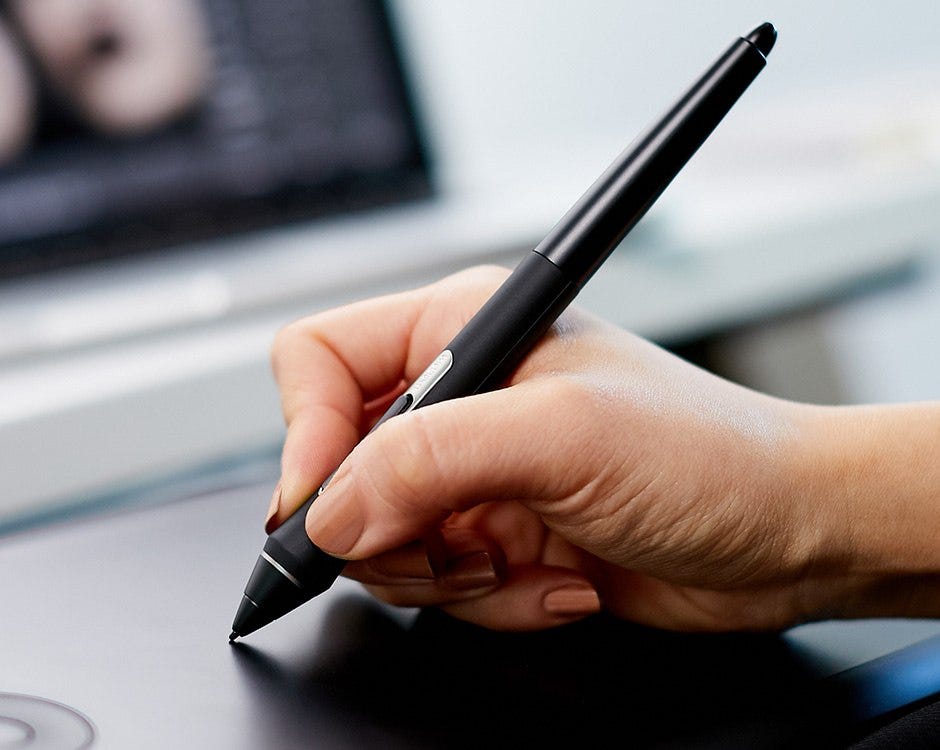
I can use the pro pen 2 all day and not feel issues with my fingers or wrists. The apple pencil requires me to use some goofy silicone addons to make it ergonomically functional if you plan to use it for more than an hour. Plus those add ons get in the way of mounting the pencil magnetically, often get in the way of using the touch buttons, and limit what cases you might use.
This is the silicone add on I use, which ergonomically makes the apple pencil an actual functional tool that doesn't hurt hand/fingers/wrists.
https://www.amazon.ca/gp/product/B0C21XNJJC/
The apple pencil is a pretty 'ok' tool if all you're doing is the occasional sketch. The apple pencil + ipad is a nice drawing platform because its almost always the one you have with you.
It's not so much better than a dedicated drawing platform on computer - a proper wacom drawing display. But thats a dedicated device, and costs as much as an ipad, so you pay more for the better product + the computer.
Many pro apps have either plugins and/or interoperability with other apps/extensions on the desktop.
In iPad, even if you have the app (e.g. Logic, Resolve, FCP) it's very hard to create a "real" experience like the desktop with file/plugin interoperability or a true ecosystem. In addition, this is why we don't have any developer tools that'd actually be anything of a daily driver (rather a proof of concept).
If we get true multitasking/background tasks, then I believe many other pro apps will jump onboard.
The hardware is absolutely fantastic, the SoC is more than capable. We just need the software support.
> Apps don’t normally receive any extra execution time after they enter the background. However, UIKit does grant execution time to apps that support any of the following time-sensitive capabilities:
* Audio communication using AirPlay, or Picture in Picture video.
* Location-sensitive services for users.
* Voice over IP.
* Communication with an external accessory.
* Communication with Bluetooth LE accessories, or conversion of the device into a Bluetooth LE accessory.
* Regular updates from a server.
* Support for Apple Push Notification service (APNs).
> Enable the Background Modes capability in Xcode if your app supports background features.
Keeping an SSH session alive is barely outside of the existing use cases. Long-running export jobs and things like that would need a new use case defined, perhaps with QoS definitions.
[1] https://developer.apple.com/documentation/uikit/app_and_envi...
[2] https://developer.apple.com/documentation/uikit/app_and_envi...
Also, who is really the market for an ipad pro. The average consumer is going to want a cheap ipad model for media and game consumption on the go. Ipad pro is for creatives or tech enthusiasts with disposable income; in either scenario, owning both ipad and Macbook is fairly likely, and they do work well as complementary devices.
I'm still using a 2018 ipad pro. it has the modern design and modern keyboard and flies through everything. I use it to look at slack sometimes. It's pretty pointless to me as primarily a macbook user and I don't see any reason whatsoever to upgrade it.
I have a perfectly good Mac mini (32gb ram, intel based) but after I’ve updated the iOS on my iPhone the account stopped working on Mac mini. It says I need to upgrade the OS in order to use apple services(I.e iCloud, mail etc) but there is no OS upgrade option for the old Mac mini
All of that can be done on a non-pro device but I got the pro for the screen. Having a 13” screen with a high refresh rate is huge. Last year I asked the school to buy me an iPad because I didn’t like that I was using my personal device for professional use. But they bought a base model with a small 60hz screen. I find it completely unusable and haven’t touched it since I loaded my note taking software on it. Now it’s a glorified timer for exams.
>First, as I’ve said multiple times, I love my iPad and want the platform to get better. If you care about something or someone, sometimes you have to tell them what’s wrong in order to improve and find a new path forward. I hope this story can serve as a reference for those with the power to steer iPadOS in a different direction in the future.
Then goes on to list a million reasons that it sucks, and has sucked for the last 12 years!
But Apple isn't a dictator and you don't have to stay with them.
If it doesn't do what you want, buy what does.
Or just don't buy a product that you know won't do what you want.
As an aside, both my Android phone from 5 years ago, and my Android tablet, do everything that he complains about his expensive ipad not doing (the only thing I'm not sure about is recording Skype calls).
Waiting for a hardware competitor that can run standard Linux. Hopefully ex-Apple Nuvia/Oryon delivers at Computex next week.
If you want an iPad, only Apple sells them. If you want a tablet (a different class of device that is nowhere near as useful or high quality as an iPad) then yes, you can buy them from other manufacturers.
Nobody but nobody is making hardware on the level of the current iPhones, iPads, and Macbooks. It’s not even remotely close. I bought a top of the line Dell “ultrabook” not long ago and half of the functionality felt like I had traveled back in time to the 90s.
I’d even pay a software unlock for it. It’s the perfect convergence device if only Apple would let it be.
Reinstate the Hypervisor API that was banished in 16.3.1.
I just don't get the obsession some people have for the iPad, jumping through hoops and putting up with so many compromises when most issues are solved using a laptop. Can someone explain this? I have an iPad but I primarily use it for watching films, I wouldn't dream of trying to get any work done on it when I have a Macbook.
> You introduce the last processor on a iPad?
It makes sense since iPad is refreshed less often. Other M4 hardware is right around the corner.
Example: I have Youtube installed on the i*device. I click on a Youtube link and it opens in a webview, but doesn't know who I am. I'm logged in via the app, and I'm logged in via Safari, but in the protected webview, it doesn't know. Sometimes it's easy to click on the "Open in App" link, and sometimes it doesn't work at all. If I try to login, then the system sends me to login via Google, which will then send me over to Gmail for MFA validation.
This can't be. It doesn't work like this on macOS. The security model is hell.
Rein them in please Apple.
iPad has gotten better compared to the early days but still remains a device designed around consuming content. It is great at consuming content, books, movies, comics, reading headlines .. etc.
My two cents.
So considering that new phones aren’t always faster than the old ones where it actually counts (the ux), how are these newer gen ipads fairing? Do they actually feel like upgrades?
But I'll probably never buy another. The OS is just too limiting.
Perhaps they'll eventually decide to let them run MacOS? (Seems like a no-brainer, at least when a keyboard case is in-use, but apparently not.)
I've a short list of tasks:
Apple TV: for task "watch Apple TV+"
Safari: for task "surf internet"
Google Maps: for task "surf geography"
Animoog Z: for task "make music"
While for sure I would love ipadOS to be a real OS, as long as it's the best device for even one task that I do regularly, I'll probably keep buying new ipads - but generally only once every four years, as I get my boost for my tasks from new hardware.
The ipads now have zero reason not to allow virtual machines beyond greed.
[Citation needed]
I don't buy this argument. And I also don't buy that iPadOS is "kneecapped". They're different operating systems for different uses. I'd hate for macOS to gain touch support, since it would ruin it for mouse and keyboard usage, just as happened to Windows, Gnome, and other desktop UIs.
In some senses, yeah, it’s amazing. But I use the f keys all the time normally. I use esc all the time. The keyboard lacks both. It makes the iPad heavier than my laptop, ruins the pick up and use character; the pencil goes flying if you’re not really careful when carrying it; and you still can’t use it in many circumstances on the couch because of the weight balancing and you have to cradle it.
It stops it from being a tablet and turns it into an un-ergonomic laptop
I'd rather use a Chromebook (though, not the cheapest ones) so that there's guaranteed web app compatibility. And I've still got an App Store to do my taxes (or whatever people use their iPads for, I dunno)
Can this ageist bullshit just die already? Hating on a whole generation is just fucking stupid.
Okay, let's add background task processing, hungrier apps like Xcode, more simultaneous apps. I guess we'll need more memory and compute resources, and so therefore we'll need more battery, too.
So now I have a 2 lb iPad that doesn't have enough internal space to cool itself. Great. Thanks internet.
Personally, as mentioned in the article, the lack of multiple audio streams (or background audio) is very annoying. If you play any audio from Safari it completely pauses what your doing in other apps like YouTube or Twitch. So when you're done with Safari you have to go back into those apps and resume them.
Stage manager is glitchy on external displays. There are a lot of known shippable bugs in stage manager. Bugs that haven't been fixed in years.
Most unfortunately of all, as a utility, there's no developer tools. When you do software development for an iPad you usually have to put it into developer mode. Why not pull down Xcode, Xcode cli tools, and a terminal emulator as well as enable the developer section of the App Store as part of enabling developer mode? There's no reason for things not to work like this.
My view is that, fundamentally, a lot of "professional" workflows is just as much about shuffling data around as it is working on said data. Just as data science taught us that data cleaning is 80% of the job, the same applies to video editing, programming, etc. iPadOS is uniquely bad at moving data around due to its onerous requirements around sandboxing and its poor interfaces around inter-app communication, when these are precisely the things that are most needed.
And then there's the multitasking, which remains terrible to this day. Can they improve it? Definitely, but I wouldn't want to be the guy trying to figure out how to do it without ruining the normal user experience.
I feel that I actually want a locked down operating system on my phone where the privacy implications are just to high, but on a computer or tablet, I prefer the more open operating system and find the walled garden so limiting. You really can’t run python or code on it and it doesn’t offer the same apps that make the Mac so amazing like raycast, etc.
Apple don't manage pre- digital seniors well. With lots of emerging functional loss if not outright dementia, these devices are confusing.
I would love to talk to Apple UX about some of the inconsistency.
Caring about someone else’s platform - especially when you care about it more than the people who have control over it - is not where you want to be.
Regarding pain, not only do Apple largely ignore the device, but accessory manufacturers seem to follow suit. I've lost count of the number of times I've tried to buy a must-have accessory without success. I'm hoping that Apple won't be killing it off any time soon- I'd hate to have to over to the dark side...
We can debate origin stories and mythology, but no one (yet?) has the creative power to change the ancient artifact.
Meanwhile, it adorns inadvertent museums.
This is EXACTLY how I feel. WWDC will roll around and Apple will completely drop the ball for yet another year with iPadOS.
I also feel that the iPad Pro is one of the best hardware form factors for a computer — but iPadOS makes it a not great laptop replacement. I can’t help but feel like it would look incredibly foolish for Apple to do their May iPad event announcing M4 iPads — only to find out at WWDC that iPadOS still sucks.
Thankfully, it seems like most people, tech reviewers, etc. are vocal about iPadOS missing the mark. I hope Apple doesn’t continue to ignore the negative feedback.
They just need to let you run MacOS on it in a VM and all will be right with the world.
But they won't because they are greedy selfish bastards that do not actually have the user at heart.
End of discussion
when riding a bus in singapore, or flying short-distance, i feel awkward using my macbook. whereas if i use an ipad, i feel like it's more appropriate. this is just a personal preference though.
another thing i'd love for ipads to have is, allowing its display to be used as an external monitor.
But I already gave up on it especially after the recent comments from Apple as they want people to buy both devices to 'complement' each other: https://www.macrumors.com/2024/05/13/apple-vp-mac-ipad-compl...
I own an M1 iPad Pro but 80% of the time I use it as a sidecar due to how limited it is.