(at a company I used to work at we once had to abandon a 5GHz product when we discovered that an appreciable numbers of customers would take it home and not be able to make it work reliably - it would have been a support nightmare)
I've hit 'forget' on my home 5Ghz network because it's just unstable upstairs, and my phone isn't smart enough to pick the network with the stronger signal for some reason.
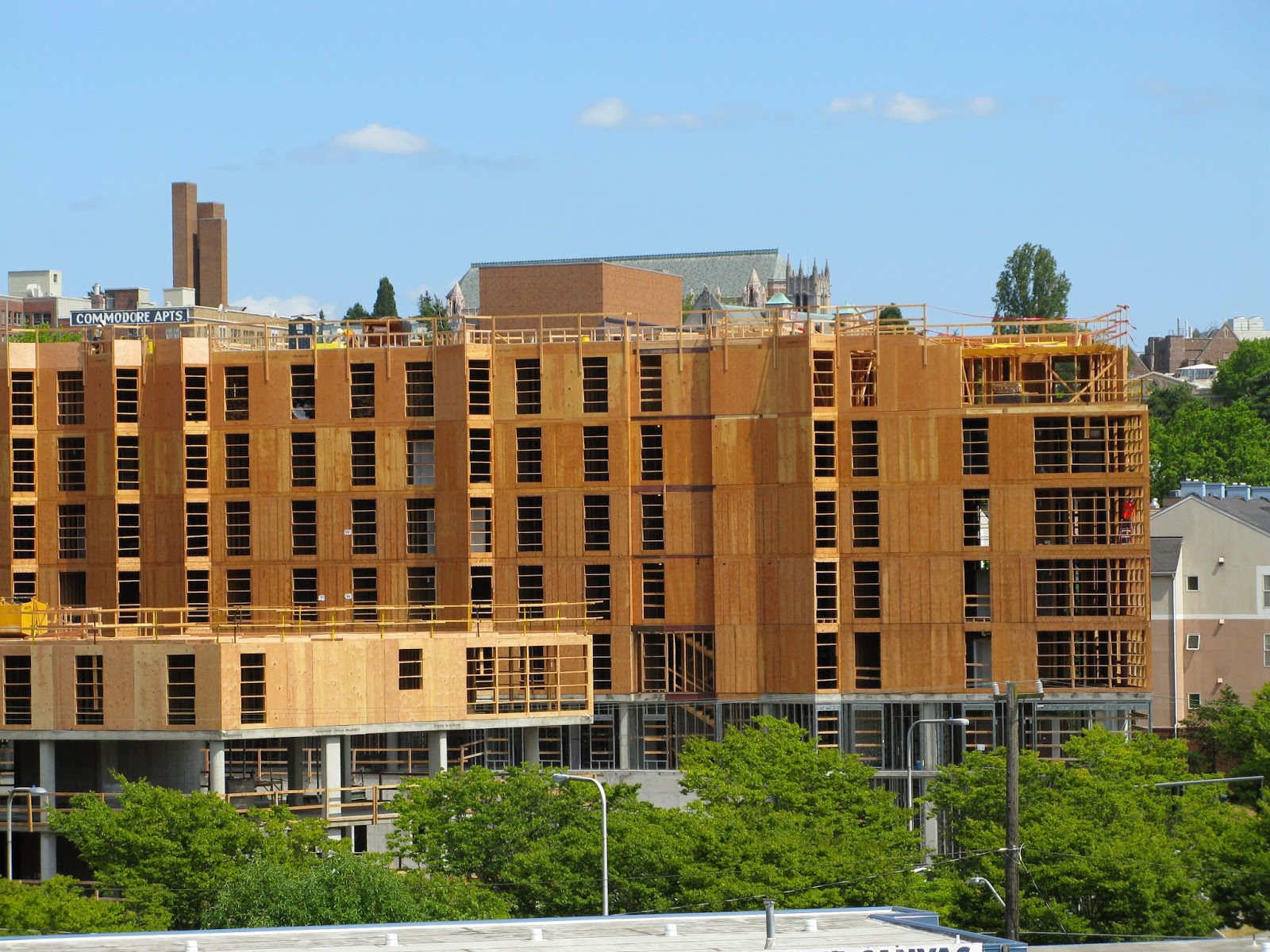
the new townhouses being built near by in MV are exactly this.
If someone came at me with a deauth attack I would be incredibly amused and probably make a new friend.
* lrvick knocks on guilty neighbor's door.
* guilty party's non-technical brother answers
Brother: Yeah?
lrvick: Hey, I notice you guys have an antenna on the east side of your roof pointed at my house, is that yours?
Brother: Huh? No, that's my sister's.
lrvick: Is she around? It's messing with my Netflix and I'd like to talk to her about it.
Brother: Oh, um, yeah. hold on...
* Brother leans away from door into house and shouts inside, "Hey sis! Neighbor at the door for you!"
* lrvick waits.
* Guilty sister walks up to door
Sister: Can I help you?
lrvick: Is that your antenna on the east side your roof?
Sister: Yes.
lrvick: So, the past month, someone's been messing with my wifi with deauth attacks.
Sister: *mildly indignant* I'm not doing that.
lrvick: Well, The past week, I spread a bunch of sensors around my property and a couple of the neighbors and logged the 2.4Ghz spectrum for the area. I correlated everything and triangulated the attacks to that antenna of yours, which just so happens to be aimed at my house. Here's the logs and spectrum heat maps if you'd like to see.
* lrvick offers Sister the printouts he brought with him.
* Sister takes, looks them over and starts to get that embarrassed flush in the cheeks and ears characteristic of someone who knows they're busted.
Sister: I mean --
lrvick: I'm actually not even mad. It's kind of illegal, but it's also ballsy and I respect that. But I'm not the kind of person to go snitching to the FCC first thing. You do know if we're competing for spectrum, you can come talk to me, and we can coordinate a plan over a couple beers, right?
* Three months later lrvick and Sister are co-presenting a talk at the local hackerspace on counterattacks to deauth attacks.
WiFi goes two ways - the AP talks to the client, and the client has to talk back. Clients don't have the high transmitting power that an AP has, and actually the AP won't need this high power. After all, if you use a bullhorn to reach your backyard, but the guy over there can't talk back, there is still no communication.
The solution would be to set the AP's to a lower transmitting power, enough to cover the house but not the street.
This is a lot to ask, but.. what are all those things?! (My house has 0..I think)
I agree with your sentiment. It requires communication. De-authing is not going to solve the problem just make enemies if they work out what the OP is doing.
It does seem like getting some 5GHz hardware would be a relatively straightforward solution but the poster is unwilling to do that. My take is if you want good quality home networking then you need to be willing to pay the price to get that within the constraints of where you live: sometimes that means spending more money than you might like. Such is life.
I'd like to know what 120-ish devices they're running. That's a lot of devices.
To me, the problems seem to be those devices use too many channels, continously?
I recently tried checking some TPMS sensors that I bought with rtl_433 and was amazed by how many sensors can get along just fine in my 10 story appartment buiding, but those messages are really short and only transmitted once every couple of minutes.
What does that gain exactly? The 5ghz band is so crowded around my apartment that most devices can't connect at all. Is there some fundamental reason it should work better?
I used to fantasize as a kid about doing this to a satellite. Phased array of cheap magnetrons and all that. I doubt that would work though.
You mean... basically everyone?
https://archive.curbed.com/2018/12/4/18125536/real-estate-mo...
https://crosscut.com/2015/04/the-new-seattle-where-everythin...
a "one plus five" looks like this, structurally: https://1.bp.blogspot.com/-DZ2BLyticQE/VRMjELb1DYI/AAAAAAAAX...
Since 2.4 GHz goes through wood fairly effectively to moderate distances, it's a total half duplex CSMA hell...
One possible mitigation if you have older 2.4 GHz only devices is to run your own wifi on a 20 MHz channel, sacrificing throughput for better SNR. As channel sizes get narrower it cuts through the noise floor a little bit better. And of course to use your own choice of the cleanest 5.x GHz channel for everything you care about.
https://www.google.com/search?channel=fs&client=ubuntu&q=fiv...
cheap 2.4 GHz spectrum analyzer: https://www.youtube.com/watch?v=wc47pkUsLe8
https://help.ui.com/hc/en-us/articles/204950584-airMAX-Using...
you can see how bad 2.4 GHz is using an old ubiquiti rocket m2 802.11n 2x2 radio ($70) and a small $85 omni 2x2 antenna.
https://www.youtube.com/watch?v=QNxXyP6QOqo
or any of the older 802.11n 2.4 GHz based ubiquiti products such as the nanostation loco m2 mentioned in the video
If only wired ethernet was considered standard wiring like coax and power outlets, and installed during construction.
I guess newer houses might be expecting everything to be WiFi now, though.
https://www.cbc.ca/news/canada/british-columbia/bc-langley-f...
https://twitter.com/JSchenderling/status/1384384802715934721...
The only thing keeping them safe is fire sprinklers. There's been many infernos that burned the things to the ground when sprinklers failed.
I've seen people tell me to get a 5GHz capable AP and a dongle. But this shouldn't be needed. I already own a hAP AC3 (MikroTik) but to the way our house is built (it's pretty much all solid brick between each room), 5GHz doesn't go that far, so I'd need to buy an AP for pretty much every room. When sitting behind my desk (about 2M from my AP), everything is fine and dandy but when I leave the room, 5GHz basically dies.
Next, I saw people recommend "working it out with my neighbours" by having them turn down the power or use cables to hook up all the APs (I even offered to pay for all the cabling myself), but they are not willing to do so. And just saying "Would you stop using all this smarthome junk so we can have a decently working wifi" also isn't really gonna cut it for them.
And finally, I saw a comment or two to just jam the living shit out of it, but well... I'd rather not get my own ass into legal trouble for this.
You can't have the cake and eat it too: 2.4 GHz propagates through walls, so you share the spectrum with your neighbors; 5 GHz is much more easily blocked by walls, but that also means you have the (much larger) spectrum to yourself.
> 5GHz doesn't go that far, so I'd need to buy an AP for pretty much every room.
Well, for every room that you need a stable connection in. If you can see your neighbor's signals that well through (presumably) multiple walls, I suspect that you'll also be able to cover at least one extra room per 5 GHz AP so that calls don't drop while you're moving between rooms.
And yet, it sure sounds like it is! If your neighbor won't change the situation, and your outcomes are entirely dependent on them or you doing so, then you're left with taking an action that you normally wouldn't have to.
Or, depending on your needs, perhaps you can use Powerline adapters to some rooms.
Don’t think you’ve got much of a choice if you value your sanity.
You could also try powerline adapters in combination with 5ghz
Another route might be using ethernet over power lines, and then have 5g points in rooms that need it.
But essentially , everywhere I need to do things that require bandwidth, I just pull 1gb ethernet cable. Sure it's not as convenient, and pulling cables is a pain, but once you do those things it just works.
Wireless has been great for a while, but I found it does not scale the way I would like it to, especially given the explosion of wireless devices out there.
then fuck em, pwn their network.
And it's pretty obvious the person ranting doesn't feel this problem rises to the issue of "spend $50 to get a 5ghz router and dongle".
Step 1 would be to use APs that are connected with ethernet instead of Mesh-type APs. That would greatly reduce the amount of data that needs to be transmitted (with mesh, your signal needs to be repeated multiple times. With ethernet it's just transmitted once)
Step 2 would be adjusting power output of each AP. If the neighbour has multiple APs, they probably don't each need to run on full power.
Step 3 would be looking for devices that transmit a lot of data. I assume most of the 120 devices don't cause a lot of traffic. Maybe there's just a few that cause 90% of the traffic. Maybe the most traffic intensive devices (eg. camera) could be replaced with a wired connection.
I'm assuming the neighbour doesn't know anything about how to optimize Wifi networks, but OP sounds knowledgable, so maybe they could work together to fix the issue.
It can be a Win-Win situation: OP gets a usable 2.4GHz channel, Neighbour also gets better connectivity.
It's possible that the person who's causing the problem doesn't know they're the problem. Like, if the underlying cause of this problem is "not super techno-savvy" then they might not realize what they're doing :)
The only sure fire way to solve this is de-auth.
If not 120, imagine someone with 200 or 1000 devices. At some point you've eaten more than your quota of spectrum and you owe it to your neighbors to stop hoarding IOT devices.
Edit: heh, not believing in scarce resources is peak Orange Site.
Sure, there are scarce resources; and what we're seeing is the expected results of the tragedy of commons for a shared resource.
Ofcourse proper network cables are twisted in pairs and shielded for a reason: so no signal gets in, but also next to none comes out. All the copper in your house essentially acts as one big antenna if you use these powerline communication boxes. You would not believe what the spectrum looks like next to one of these houses. Ask any HAM operator, they have a deeply rooted hate against these things.
Thank goodness they seem to die out slowly since powerline communications doesn't seem to be able to keep up with increasing broadband speeds. As it turns out you need proper network cables to get halfway decent speeds.
https://www.amazon.com/Powerline-Computer-Network-Adapters/b...
Hopefully someone with that much kit would be the kind enthusiast who'd be running firmware that allows you to turn TX power below 100%, but it could just as likely be someone who really likes being able to set their light bulb color from their iPhone.
Now I just wish my neighbors would do the same, but I am not going to be the one to suggest it. If I fix up their networking, I will forever be on the hook if anything goes wrong or they face intermittent outages. Been there, done that, didn't even get a t-shirt. Unpaid network janitor is not something I need to add to my resume.
Perhaps one could make work as a network tech for home users, but I feel like people either don't want to pay for it, or don't care because it's "good enough".
Exactly! That's what it was supposed to be. A wifi-neighborly approach - have your local coverage at minimum needed power and with lower pollution. Except that all wifi-devices would be factory configured at increasingly higher 'medium' power setting.
I had fun with just the worst case scenario - 20m away is a glass condo tower right in front of my windows (the list of loud networks is endless), 100m away is a cell-tower. The RF interference from the cell tower so bad across all bands that I could hear it even in radio speakers. Yet, I still get steady browsing speads over my wifi (loud it is), just not practical NAS speeds, so wire does it.
By contrast, for 5 GHz, turn it to minimum and use one AP per room with wired (Ethernet or MOCA not Powerline) backhaul, and ideally APs with smart DFS.
* 800-900 MHz only
* every z-wave device works with every z-wave controller
* z-wave signals travel further
* z-wave requires aes-128
* power consumption is roughly the same as zigbee
* z-wave is an open standard contrary to what you say
Oh and HDMI as well. I spent at least a year of my life working out interoperability issues for a major DVR mfg. If only HDMI certification had been controlled by a single company...
Still overall a shit experience.
http://embedded-computing.com/articles/z-wave-opens-up-as-sm...
I have a few dozen stock shellies in my apt., all controlled via mqtt. All of them are disconnected from the internet. Works well.
Also, many people have really, really crappy routers, walls that 5 GHz signals have issues penetrating, and so on.
1) 5GHz modules are more expensive.
2) 2.4GHz has channels 1 - 11 globally, with 12 and 13 in some countries.
5GHz only has channels 32 - 48 globally. Depending on country of distribution it then can support other channels too, but which channels are legal varies significantly. To support those, you need to know which regulatory area you are distributing to. So - additionally to HW being more expensive, you have to have different SKU for different regulatory areas, meaning production runs of different hw - more costs added. Limiting yourself to channels 32 - 48 to claim 5GHz compatibility will just cause you support pain & public image when people will complain your device does not really work with 5GHz.
https://en.wikipedia.org/wiki/List_of_WLAN_channels#5_GHz_(8...
2.4GHz is better for range, all AP/Client supports same frequency on worldwide, cheap, and so on. I suspect that there are few reason to implement both 5GHz and 2.4GHz for IoT devices. Supporting all 5GHz band would increase cost.
https://en.wikipedia.org/wiki/List_of_WLAN_channels#5_GHz_(8...
First of all: the linked page doesn't scroll on an iPad - they are trying to be clever with scrolling and it actually breaks scrolling.
Secondly: they take pushing their app to an insane level: none of the links works, they all point to 'Get the app'. This fact alone has just gained the site a place in my DNS blackhole.
Archive.org link - that actually works better than the original site: https://web.archive.org/web/20210420050504/https://devrant.c...
[0] https://devrant.com - "Share and bond over successes and frustrations with code, tech and life as a programmer"
I agree. Its “use our app”-push is similar to Twitter or Instagram, but these platforms offer a lot of functionality in their apps. Devrant on the other hand, seems to be quite simple in functionality. Why would I need to download an app for that?
And in some imaginary reality where they are: there's almost no scenario where they're going to successfully fox hunt the source of random 2.4Ghz deauth frames.
Flood the entire 2.4Ghz spectrum above EIRP limits, constantly? Maybe visitors will come.
My laptop picked up about 140 AP's from the couch. I could copy files from my NAS over Wi-Fi at a blistering 6KB/s! Sometimes bursting to 25KB/s
Long story short, this modem will reset itself and require me to not only become aware that it's once again broadcasting the "xfinitywifi" hotspot, but to also redownload the xfinity app, configure the app with my information and try to remember where they buried the setting to disable this "feature". After disabling it somehow takes up to 24 hours to actually happen....
Indeed they were surprised I DIDN'T want a Comcast modem, instead opting for a Surfboard/PFsense combo setup
You would only want the shielded variant on your exterior walls & upper floor ceilings. All you would need to do is make sure you clearly label/color the shielded vs non-shielded drywall appropriately so the construction crew doesn't get em mixed up.
2. This would block your cell phone signal
It's an expensive, possibly inconvenient solution, but from the perspective of RF spectrum it has a high probability of success; your 2.4 GHz neighbor is unlikely to appear at 6 GHz for some time, and even then the reduced 'range' of 6 GHz will work in your favor.
1. https://www.cnet.com/home/internet/wi-fi-6-devices-top-compa... (the distinction between 6 and 6E is crucial; you want 6E)
All of those dinky cheap shit little IoT devices DON'T USE IT. They're all on 2.4Ghz.
5Ghz promised more spectrum and more usability and mostly gave that to us. Not quite as good range but it's great... IF we replaced everything we had that used 2.4Ghz.
We're still waiting for legacy devices to die... and new devices to stop using 2.4Ghz before that can happen.
And now you're suggesting 6E? Gonna take a while.
Of course I run my own network and do those steps my self. (they were nice enough to give me a port with a public IP). Ethernet is still king for many critical but WiFi seems great despite there still being 35+ SSIDs around.
TBH most SSIDs you see have so little traffic 90% of the time so I can't imagine they would decrease the SNR that much (e.g. printer setup networks...) My guess is their neighbor in this case does have a lot of traffic besides the IOT. # of devices and heavy usage just tend to corelate for obvious reasons.
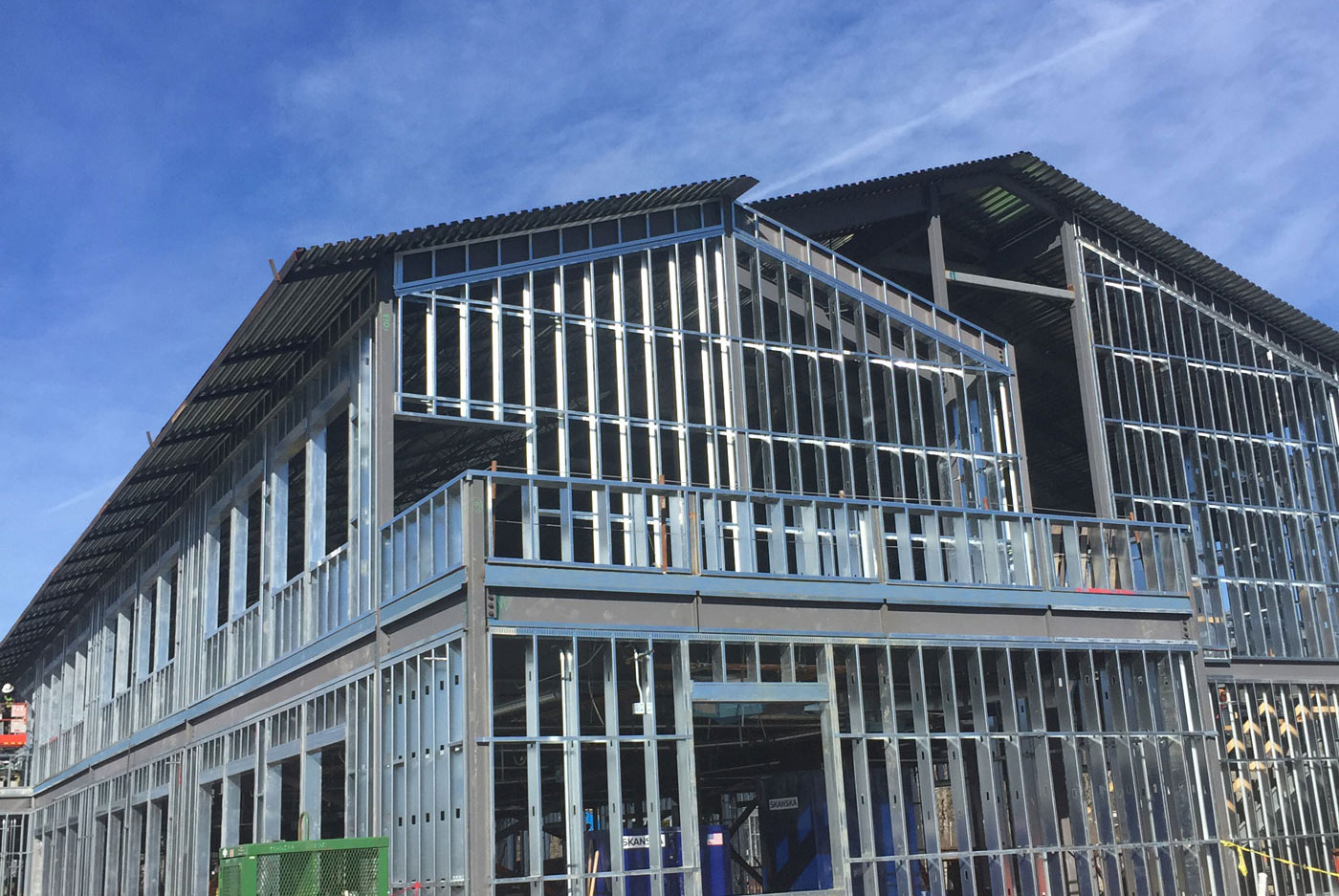
https://www.scafco.com/wp-content/uploads/2017/09/iphone-bac...
Usually there are regulations that state your radio devices can't interfere with someone else's. It doesn't matter if they are off-the-shelf type approved devices, you still have to operate them responsibly.
I live in Ireland and there are have a few cases where the local regulator ComReg has intervened when someones wireless networks and devices affected others.
There isn't even a requirement for "802.11-like fairness" on 2.4 GHz, which makes legacy analog wireless headphones that blast the entire spectrum without any listen-before-send policy as legitimate to use as a state of the art 802.11ax device.
I wonder if a dedicated "Wi-Fi only" chunk of spectrum would make sense, but it's not like such rules couldn't be bent by having multiple access points and spreading traffic over these as well.
Since 2.4GHz penetrates through walls quite well this has the added benefit of limiting the radius of the coverage and to some extent improving security. But this is not a perfect solution (it's more like an unintended side-effect).
The 5GHz band has lower penetration through walls so leaving it on highest transmit power should be fine.
I found the following article and its comments to be quite helpful: https://metis.fi/en/2017/10/txpower/
I have some rtsp cameras. To keep them from being dumb and randomly roaming to like aps (and overloading the antennas and causing breakups in the stream)I setup different SSIDs on each ap for them so I can control what ap the cameras use and prevent bad roaming decisions.
This also means I have an SSID on each non overlapping 2.4 GHz channel.
However I live on a couple acres. If I’m interfering you are trespassing.
I probably would take a different approach on a higher density area, such as getting an AP with 2 dual-port, dual-polarity antennas dedicated to 2.4GHz and sticking them all on the same AP dedicated to the task, also assuming i would need to cover fewer doors and RSSI wouldnt be an issue.
The channels around my house are so busy that in order to make wifi reliable, I have three access points, each one on its own non-overlapping 20Mhz 2.4Ghz channel. Two of them listen in on 80Mhz 5.8Ghz as well. I have them all set to the same SSID, so that my devices just choose whatever they think has the best signal strength. I also ran cat6 to my TV and desktop so that they don't need to go over wifi. I disabled 802.11b/g on all but one of them to keep the amount of overhead down from all the beacon frames.
This is why the Comcast SSIDs everywhere are so annoying. They make the spectrum tangibly worse just by existing. Same thing for wifi printers that broadcast their own AP. Something like 30 APs sending beacon frames is enough to completely trash 20Mhz of 2.4Ghz.
Our flat is top of the building, we can assume middle is even worse.
We use 5GHz for our WiFi needs which does not penetrate through walls as readily which means we only see 3 other APs.
Wifi 6 also brings OFDMA which will let stations use much less of the channel at a time (instead of a 20MHZ+ chunk they can just use 2MHZ while other stations use the rest). 2.4GHz being stuck on old Wifi 4 (or worse) devices hasn't helped the situation.
I have 3 music receivers (for android casting), 7 TVs, weather station, coffee maker, fridge, google home controlled lights (40ish), and other stuff all hardwired. A lot of which I had to modify or build the controllers myself to get them off wifi. The lights all run off POE.
I guess since the EP32 does not support it and you need a compatible router you are stuck with normal WiFi.
Go for 3/9 or something in between which would get noise but not significant.
You'd be doing more damage yourself, 120 IoT devices would be kind of fragile if noise is introduced.
Also seems like some minor changes could avoid the issue entirely. I live in a large building amongst other large buildings and depending on which way the wind is blowing I can see over 100 wifi access points, not to mention devices.