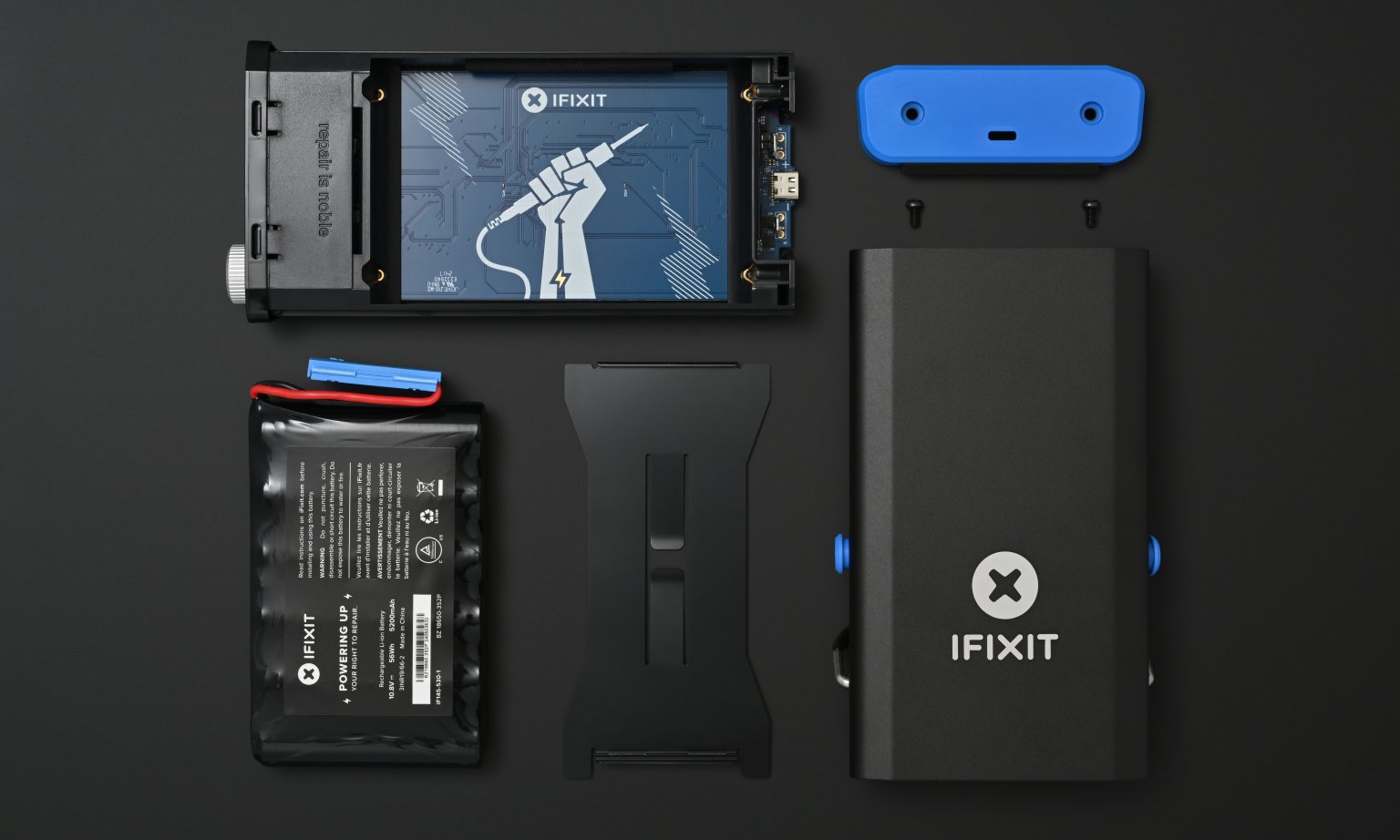
It's a USB-C powered soldering iron and smart battery power hub. Super repairable, of course. Our goal is to make soldering so easy everyone can do it: https://www.ifixit.com/fixhub
We didn’t want to make just another iron, so we spent years sweating the details and crafting something that met our exacting standards. This is a high-performance iron: it can output 100W of heat, gets to soldering temperature in under 5 seconds, and automatically cools off when you set it down. The accelerometer detects when you pick it up and heats it back up. Keeping the iron at a lower temperature while you’re not soldering shouold prolong the life of the tip.
What’s the difference between this iron and other USB-C irons on the market? Here’s a quick list:
Higher power (our Smart Iron is 100W, competitors max out at 60W over USB-C, 88W over DC Supply)
Heat-resistant storage cap (you just have to try this out, it’s a real game changer in day-to-day use) Polished user experience
A warranty and a local company to talk to (I can’t find any contact information for Miniware)
Comfier / more natural grip
Shorter soldering tip length
No-tangle, heat-resistant cable
Locking ring on the cable, so it can’t snag and get disconnected (this happens to me all the time on other irons)
More intuitive settings, either on the Power Station or on the computer
We used Web Serial https://caniuse.com/web-serial for the interface, which is only supported in Chromium browsers. The biggest bummer with that is that no mobile browsers support it, yet. Hopefully that changes soon.
Hardware is hard! It's been a journey for us. Happy to answer any questions about how we made it.
Schematics and repair information are online here: https://www.ifixit.com/Device/FixHub_Portable_Soldering_Stat...
If your experience with soldering is one of those cheap flimsy $30 dollar things from Amazon paired with fat, chunky solder… yeah you will hate soldering and you’ll never get even remotely good results. You don’t need to spend $500 dollar or anything but something like what is in this post and a $40 roll of thin gauge solder (which will last the rest of your life) will make soldering actually fun and enjoyable.
…I should also mention a solid, heavy parts holder factors into this as well.
I dunno, I'm 56 and I'm about to finish the roll I bought as a teenager. (Albeit bought in pre-RoHS times.)
I do remember my first pound lasted about 15 years though...
Yeah. Old high lead content solder is way nicer to solder with than modern stuff.
Let’s couch it in real terms. You can try to attempt something poorly 20x because you can’t line things up and your hand isn’t steady and do a poor job with worse aesthetics and in 20x the time, risking damaging your part, or you can get it right the first time with ease and have it look great because everything was lined up and there was no real way that shaky hands might ruin it.
I speak from personal experience here. Spend a little bit and save time, money, and sanity and get a better result.
Don't brush off what I'm saying before you try a direct-heat iron (Hakko sells them, Pace does, and JBC is the gold standard). They are usually expensive from the big names, but even a Pinecil direct-heat iron for $30$ would be many times better than non-direct-heat irons.
When you zoom out, I think home soldering is about as effective as it can reasonably get without fumigating your house.
As you say, it's so much easier to get good solder joints (especially for the fine stuff like QFN/BGA) with lead blends and flux, that having a vent hood is likely required as well.
I guess it depends how much you are going to use it.
And patience. As tempting as it may be, don't think "if I double the temp, I won't be waiting for this big joint to start pulling in solder".
good flux, clean/sharp tip and proper patience can take you a very long way! (a steady hand and good rubbing alcohol will take you the rest of the way)
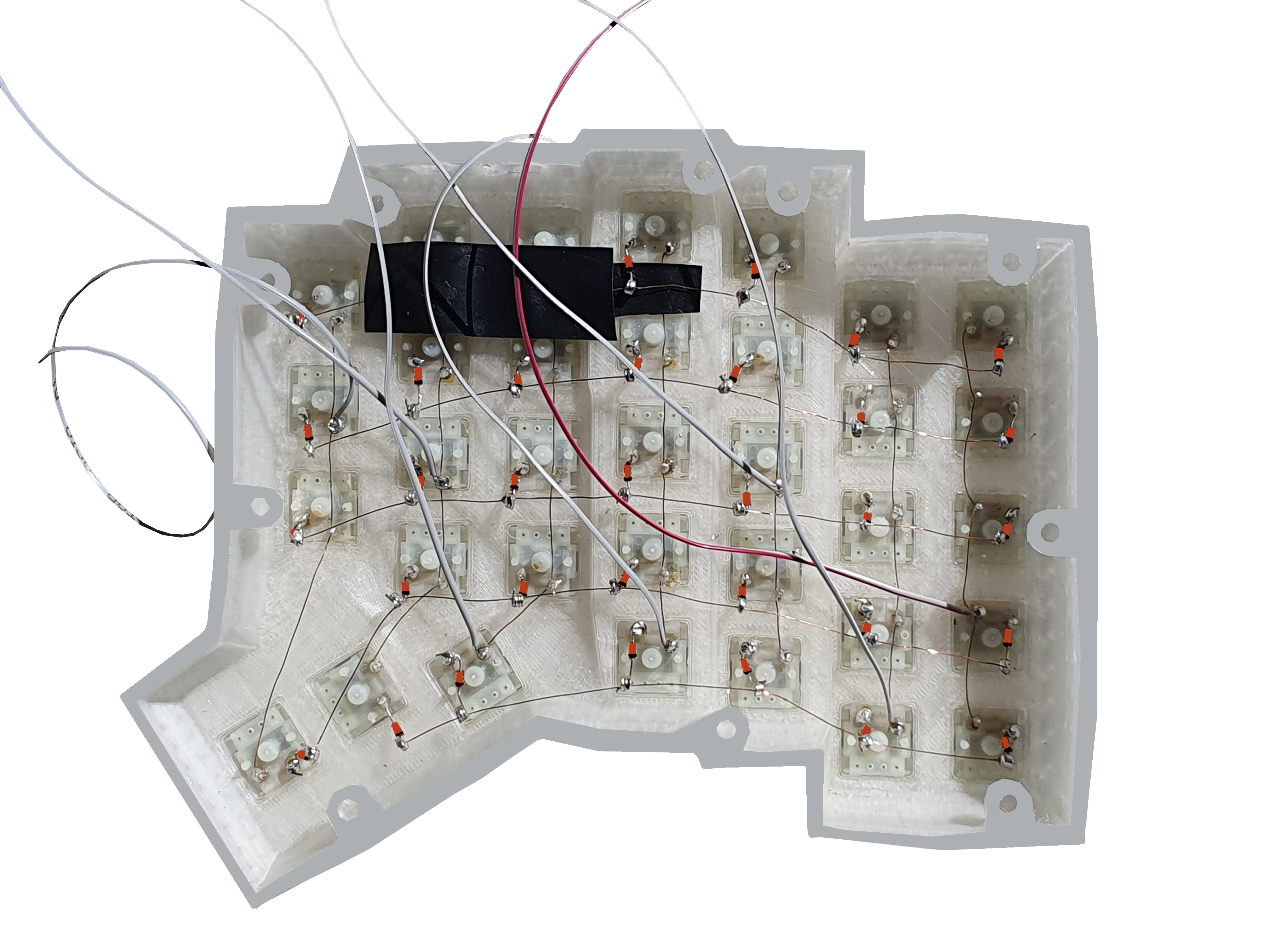
i still have it & i'm selling handwired keyboards at a very cheap price (made with it), trying to set a non-profit that sells fair priced handwired keyboards with Vial & aims to teach the basics of electronics for teens... i can't see myself supplying anything more expensive than cheap solders, nor i can see what joy i would get from an expensive solder tool
my wiring for reference -> https://happort.org/keyboard_example.png
In case anyone else was wondering.
I'd just like to note for anyone googling for one after reading this- the Harbor Freight "helping hands" holder and its ilk are the exact opposite of what you want, unless your goal is to have your target falling over endlessly.
A sharp knife is also quite a bit safer than a dull knife. By heating to operating temperature in 5 seconds and rapidly pouring heat into the material, you don't have to hold the hot iron as long. As soon as you're done, pop on the safety cap and instantly shield the hot metal.
Soldering isn't remotely mainstream, and part of that is the quality of tools. We set out to streamline the entire process to make soldering as accessible as possible.
Corollary: learn to sharpen. The best steel in the world isn't going to cut anything if it's dull.
For the record, I sharpen chisels almost daily and I hate sharpening kitchen knives. The carbides set at the right angle in the handle you pull down the length of the blade will keep your knives a lot sharper than a set of Japanese water stones you never use.
$110 cad for the soldering iron is semi-reasonable, if a bit high compared to their competitors. $342 for the iron + battery means that's a $230 battery pack, which is absolutely insane.
Requiring the battery pack to be able to easily change controls means anyone doing more than super basic work, needs the $342 combo.
I spent over 200$ on a glorified PCB holder and some probes (PCBite), which is in hindsight one of the most useful tools I own and still makes me happy every time I use it (even that alone is kinda worth it over time!).
I don't know your financial situation, but just consider: How much do you spend each month on meals/entertainment? Is $300 actually an inappropriate cost for a quality thing that you often need?
Note: Iron + station shows up as $250 to me, $350 is the set with some additional bits and bobs.
The comparison here is a Pinecil. I've been using a Pinecil for a couple of years now, I power it from a USB-PD power bank that's already in my backpack, and charges everything else I carry, and has more capacity and a lower price than this one, and the Pinecil without the power bank is much cheaper and more functional with its buttons and display than this iron alone; I don't need a PC (and I don't use Chrome anyway, though I do really like the WebSerial configuration).
I already own a Hakko soldering station, but I find I reach for the Pinecil 99% of the time due to convenience; only when I know I'll be doing a _lot_ of soldering in one go, and I'm going to do it at my desk, do I get the Hakko out.
This looks like a nice iron, and I'm all for supporting repairability (and iFixit in general), if someone will use it as their main station, and assuming this can perform, it seems like an excellent option.
For everyone else, a Pinecil and that powerbank you already have is an excellent option at a trivially low price.
EDIT: Fixed some typos
The ts100 and variants of it have been around for a long time, can be adjusted on device and powered by regular usb pd power banks.
If you just buy the iron, you have access to all the settings in our web console: https://www.ifixit.com/fixhub/console
The iron persists settings when you unplug it. You can change the sleep timer and timeout, set target temperatures, calibrate the accelerometer, and more.
The Power Station is nice to have, but you don't lose any functionality without it.
FWIW this is just my $0.02. I'm sure you'll still sell lots, but if that had an onboard display + buttons then I'd have ordered one right away for the other nice tweaks you've done.
So how are you supposed to actually use that? I don't think there are any computers out there which can provide 100W out of their USB ports.
Am I supposed to unplug the iron from its power supply, plug it into a computer, change the temperature, unplug it, plug the power supply back in, wait for it to heat up, and finally continue soldering? That's awkward enough that even a crappy proprietary smartphone app would've been better!
after a few days trying to turn that into a daily driver however, i've had to go back to my weller desktop station, for one weird reason: i dont have anywhere to put the hot iron in between uses!
i dont know if it's just me, but my work cadence involves me using my soldering iron about 30-40 times over the course of an hour or so, for about 3-4 seconds each time. sometimes i'm soldering a row of headers, or just one or two joints, but then theres 3-4 minutes where i'm moving wires around or programming something quickly, and i dont want to wait for the tip to cool each time so i can set it somewhere and work on the board a bit, if I can just leave it in a safe place while hot, which my weller always had.
I got one of those bent sheet metal desktop 'holders', but the iron is so light compared to the cable, there's no way it's not falling off the table at some point.
Our cap is just a game changer there. You handle it more like a Sharpie than a soldering iron. Put the cap on and stick it back in your bag. https://pbs.twimg.com/media/GXR8kMVbgAEeRgd?format=jpg&name=...
I set the motion timer on mine to 5 seconds. It heats up so quickly when you pick it back up that there's no reason to bother with the power switch. By the time I have it back at the joint, it's at temperature ready to go.
I’m also worried about burning myself if I’m not paying attention when putting the cap on 20 or 30 times in succession.
Just pick one out out that you like and get it coming your way.
For portable use, I got some snap-on purpose-built "legs" made from steel wire from aliexpress the other day that let me put the Pinecil down safely on a flat surface. They work a treat.
(And for bench use, stick a magnet to the collar of the stand. Pinecil V2 has a Hall effect sensor built in (and one can be added to V1) that will detect when the iron is in the stand, so IronOS will enter a selectable lower-temperature sleep mode right away. It heats back up quick enough that it's unlikely to ever get in the way.)
I had one of these pencil soldering irons as I needed to solder something at a location. Once I powered it on, I was like oh snap, where do I put this thing now. Very much noped out and got the thing home where I could solder it properly with proper tools.
I don't want this. I would rather push a button and wait for a light to turn on. Automatic off, fine, I guess, though I don't love it and would never want to rely on it. Automatic on, no way.
Awesome. Thank you!
How is that worse than it just being full temp the whole time?
And it's going to guess wrong a lot of the time. Automatically turning on and off both have unsafe failure modes that lead to it being on unexpectedly (it turns back on when I don't expect it to, and it doesn't turn off when I do expect it to) based on imperfect sensing hardware and software that can both stop working, and I'm not ok with unsafe failure modes in a device that will burn down my house.
This is also the reason that I disfavor battery-powered soldering irons in general, but at least being portable adds something you may need and can't otherwise achieve.
Other times you just want the equivalent of a drill or toaster. Pull trigger, drill spins. Twist chuck or shift gearbox, it slips or changes speeds. Push toast down, it toasts, twist the dial if you want darker or lighter.
An on/off switch, a potentiometer or 7-segment and some buttons to set temp, and a nice, fast, powerful PID loop to control the temperature (with a 120V AC cable to make 100W all day not a problem) is all I want in a soldering iron. I have a combination soldering/hot air station that's almost 20 years old, it just always works.
Plus
* 5 secs to temp. * Heat resistant, vented cap. * User can change auto idle and sleep times.
Minus
* Need iFixit power station or computer to change temp and other settings. * No temp indicator on the iron. No mention if the LED indicates it's reached set temp.
I'd love to keep a small, lightweight, high-quality portable iron in my tool bag ready for quick repairs. It needs to heat fast and be instantly capped and tossed back in the tool bag without waiting for cool down. However, I don't want to carry the iFixit power bank in my small tool bag. Yet without it, I'd need to pull out a laptop to change temp. And I do need to change temp enough for that to be annoying. Especially when there USB irons which have temp readouts and controls on the device. While cheap, those irons generally don't get to temp in 5 secs, have a well-thought out heat resistant cap and aren't high-quality.
This is not correct, it pulses blue indicating the iron is heating, and when turned off, pulses purple while cooling.
But there's the rub: there are a TON of USB-C irons that use integrated tips, and most are cheaper than this new iFixit iron, so you can get that class improvement for the same price as your Hakko station, so I'm curious if their improvements are a big enough step up from _those_ irons to justify the price.
Another benefit of the newer style irons is the tip can usually be hot-swapped (literally while it's still hot) without having to unscrew anything, you just need something insulating to pull the tip out with.
As plenty of folks have said, the FX-888D is an "older" design in the sense that the heating element and tip are separate components. But, that isn't to say that this layout is obsolete - it's still very common and Hakko (among others) still makes new irons using the same system.
Given that iFixit's design uses a TRS jack as a tip mount, you can safely assume there will never be a hook tip for this particular iron, and wide chisels are probably out of the question too. That makes this iron a non-starter for me, but it all depends on your use case.
What doesn't depend on your use case is the use of a USB port as a power source. Sure, it makes sense for consumer products where compatibility trumps all. But, its fragile contacts and lack of shear strength mean that this isn't just a soldering station that's easy to fix, it's a station that you're going to need to fix.
The way I see it, FixHub is a gadget, and an 888 is an appliance. FixHub has several design decisions that compromise its sole purpose: soldering stuff. Direct heating elements are great, don't get me wrong. But if you're soldering frequently enough that a direct heating element would meaningfully boost your productivity, then a high-end RF induction iron would serve you much better. I wouldn't accept such a compromised tip mount and cable at any price point, let alone ~$350.
Anyway it's good to have an option that's cheaper than the big names but presumably built to a higher standard than an AliExpress special, and has an actual warranty and safety certifications.
We really see JBC as our competition here. Performance and responsiveness should be comparable or better, at a fraction of the price.
What kind of tips do you plan producing for the fixhub?
P.S.: all JBC stands (genuine and most of knock-offs) have really comfortable holder with detents to change cartridges on-handed on the fly. Do you plan any such features? I do not see any steps or hooks on a tip.
I want to like the miniware, pine, etc irons, but I'd really like being able to buy T15 tips from my local electronics supplier, who carries Hakko.
If the product isn't sucessful and/or ifixit stops producing tips for whatever reason, a perfectly good iron is effectively bricked.
Once you set the temperature, the iron remembers it and you can use any power source.
We've spent a lot of time talking to engineers and makers who solder all day, and it turns out that most people rarely change the temperature. Pick a temperature you like and leave it there.
Our heating algorithm detects and dynamically responds to load, so you don't need to turn the temperature up for larger thermal masses: it'll add as many joules as required to get it to temperature.
It's hard to argue because that's mostly what I do. But it feel really odd for a soldering iron not to have a temperature control right on it. Especially given competitor irons have screens and buttons. Going to a web interface seems insane in comparison to pressing some buttons.
[0] https://pine64.com/product/pinecil-smart-mini-portable-solde...
And with a (simple) firmware change and the appropriate 28v EPR charger, it can do 140w.
>The star of the show is, of course, the Smart Soldering Iron. It’s a 100 watt iron that comes up to operating temperature in under five seconds and can work with any suitably beefy USB-C Power Delivery source. The size and general proportions of the iron are very close to the Pinecil V2, though the grip is larger and considerably more comfortable to hold. The biggest difference between the two however is the absence of a display or configuration buttons. According to iFixit, most users don’t change their settings enough to justify putting the interface on the iron itself. That doesn’t mean you can’t tweak the iron’s settings when used in this stand-alone configuration, but we’ll get back to that in a minute.
Why no boost button (unless I missed it)? That's the one on-iron UI feature I'd be missing - very useful for GND planes. I'm guessing its not a matter of rated power, but just the thermal resistance from the physical size of the tip which restricts heat entering into a heavily-heatsinked joint. Helpful to increase the iron temperature momentarily for such cases. Then again, I can't see heat transfer - happy to be told I'm wrong.
Is this your own tip design or is it the same as the TS80? Can't speak to the TS80 but I've found the TS100 tip quality to be somewhat lacking (I've had tips plainly break off before).
I'm really happy with their quality, but you'll have to judge that for yourself.
We're handling the boosting automatically in software. When the iron detects that it's under load, it maxxes out the power to the tip. It's incredibly responsive.
You're right, where you want that is with high thermal mass objects like ground planes. The difficult part is getting enough of a thermal bridge onto the material to really let the iron rip. It can dump a lot of power into a joint.
No doubts then on the tip quality - I've seen the rest of your stuff (good).
Plus, not having the ability to quickly tune temperature settings on the iron itself seems like a step back as well.
I'd be happy to be proven wrong on these, as iFixit's screwdriver sets were one of those things I needed to use to understand the hype (and then promptly bought my own set), so maybe this is another case of subtle quality you have to see for yourself?
But that may not be for everyone: With the Power Station, changing the temperature is fast and easy with the dial, so you can pick a workflow that works best for you. (You can also change the temperature with the web interface.)
https://www.weller-tools.com/us/en/industrial-soldering/prod...
It's amazing how versatile a well designed analog connector can be.
But the full station price is kind of outrageous. I got my Thermaltronics TMT-2000S for less, and that's a monster. But then again, I don't have to use their battery, I can use my $70 Ugreen one.
My one concern about the cap is: I worry that someone with bad depth perception will poke their hand with a hot iron when trying to cap it...
The Power Station has a 55 Watt Hour battery, which is where most of the cost comes from. It doubles as a battery bank for your phone or laptop, or any other USB-C devices in your life.
My battery bank is 72 Wh...
On the other hand, I've had battery banks abruptly stop working for no reason and I'd love a repairable one.
The instant it cools down, power is delivered.
And yes, if it seems like mobile browsers don't plan to add support then we'll have to look at wrapping it in a native app.
I'm hopeful that smartphones will start supporting higher power output from their USB-C ports. The iPhone does 4.5W right now, which is (barely) enough to melt solder, but not enough to do anything with.
If I were to guess - the issue is that many phone basebands appear (at least) as a serial device, and we all know from late 90s/early 00s dialer scams how bad that can go if some hardware manufacturer forgets to label the serial port in a way that can be detected as "never fucking ever expose this to apps"...
https://fanttik.com/products/fanttik-t1-max-soldering-iron-k...
1: https://pine64.com/product/pinecil-smart-mini-portable-solde...
Honestly, I've never been that interested in the Pinecil. It's nice that it's small but you still need a big type C supply. I could give a rats ass that it has open firmware and runs a RISC-V. I only care if it can push a lot of heat accurately and if the tips are affordable and available. Anything else does little to sway me.
My solder station at work is an incredibly dumb Metcal that only has a power switch. Heat is controlled by the tips you use. When you pull it from the iron rest, it turns on instantly. Put it back and it turns off. The handle is just a plug for the tip, all the power electronics are in the base unit. It's got two plugs so you can run dual irons for microsoldering or if you just want a big chisel tip at the ready.
Definitely not beatable in value/price.
Is that the case, or did I misunderstand?
With 100 Watts of power and an ultra-fast response time, you can flow the joules that you actually need into the material at the temperature you set.
Give it a try! If you still feel like you need a temperature knob, we'll refund your purchase.
etc. etc.
If you are into soldering, do yourself a favour and buy something tried and trusted like Hakko FX-951 if you are on the budget. It will probably outlast you.
Tips we'll have at launch: Cone, Bevel 1.5, Wedge 1.5, Point, Bevel 2.6, Knife 2.5, Knife 1.4
What kills tips is oxidation. With our auto-sleep sensor, it drops below the temperature that will wear it out. When you pick it up, it's back at soldering temperature in a few seconds.
Give it a chance! You're right, it's not tried and tested, yet. But Tom at Hackaday is not an easy person to convince: he's been around the block and used every iron out there: "iFixit didn’t just raise the bar, they sent it into orbit."
EDIT: I take the following back. The actual cable is USB-USB. The P2 connector links directly to the heated head, what is perfectly equivalent to "labeled".
But yeah, people that design products, please if you make a non-standard use of a standard connector, label it.
I would absolutely not buy this because that USB-P2 cable will mix with every other thing that thought was a good idea to use an unlabeled USB-P2 cable that only God knows whether they are compatible or not. (Common sense would imply they are, but common sense already flew out of the window long ago when you see a cable like that.)
- comfier grip
- shorter tip length and presumably a more solid feel (the pinecil's mechanical interface to the tip is pretty loose-feeling)
- higher power over usb-c (actually can't think of a time I've needed more than 60W for hobby stuff, but I can imagine use cases like large ground planes)
- storage cap (this is a major improvement for working in a temporary, tight space)
All of these would be worth the price increase over pinecil, but unfortunately I think the lack of on-iron temperature settings is a dealbreaker. The pinecil in my toolbag is practically the size of a sharpie and works with my existing usb-c cables and batteries with no extra space taken up, and the killer feature (portability) is broken once you need a proprietary battery or a laptop to change temperature.
In our testing, we rarely need to change temperatures. I think our algorithm does a better job of responding to the power load and flowing heat into the material than other irons. Of course, if you're changing solder then you'll need to change the temperature setting.
We built the web interface with mobile in mind. We just need a mobile browser that supports web serial. Someone else posted a WebUSB polyfill, and I'm going to check that out tomorrow.
I was initially skeptical about the cap vs. a traditional stand until I saw that it mounts to the side of the battery pack to double as a stand. I like that idea!
Also, is there documentation on the serial protocol used in case someone wanted to write a temperature control program that didn't rely on a webapp?
Yes, we really love the cap. It instantly safes the iron when you're done.
We'll post more documentation on the serial interface, it's pretty straightforward. A temperature control program would be no problem.
I suppose probably as a separate USB-C soldering iron. I was initially thinking of them as an attachment to the existing iron that would add an extra grip section, but now that I'm thinking about it a bit more that might be a bit too unwieldy. (And it would be helpful for hot tweezers to also have swappable tips for working with different components.)
> We'll post more documentation on the serial interface, it's pretty straightforward. A temperature control program would be no problem.
Thank you! I wish more companies would be this open about their products' interfaces.
Unless you're somewhere out in the wilderness, finding an outlet to do any on the road repairs is pretty trivial and you don't need to lug around a large heavy box that does grid to USB-C DC conversion nor a powerbank.
On the other hand we already have a standard power thing, it's called an outlet. And in practice you need to charge/use things in parallel so you'd need to carry around like four of these.
They seem to have gotten so caught up in the "things should be repairable" that they've forgotten the true thing most people care about is, "I shouldn't have to replace my stuff". They are acting like parts salesmen, not consumer advocates.
$200(? looks like you get the iron when you buy the power supply) would be a fair price for the base if it allowed me to charge and use any 6 18650s(bonus points if it can accept a variety of cell sizes) as a power bank and had circuitry to do pass through as well as charging. It would also be nice if you could use it charge batteries to a specified amount, and use custom charge patterns. Considering this is iFixit, it should also have a way to use it as a DC power supply as well. $250 for a glorified power brick is pathetic.
We tried so many avenues to persuade them, from proposing 18650s with built-in safety circuitry to showing the safety system that we designed into the pack. No dice.
There are a variety of safety standards to blame, but the primary one is UL 1642. It needs to change. I'm planning to join the standards body to see if I can shift things.
Our pack is a set of six 18650s welded together with a standard connector. https://valkyrie.cdn.ifixit.com/media/2024/09/10113528/iFixi...
We'll sell replacement battery packs. Or you can make your own.
Spring terminals would be sub optimal drawing 10A off them as they are made of steel - high resistance. Developing any oxidation would make matters worse. Personally I'd not want 18650/21700 not properly secured (aside the rare case of running a fan with a single cell).
Webserial and such makes for a cool tech demo, but I just want portable soldering with standard field-replaceable batteries.
I normally power mine off either a power bank with PD, or a LiPo battery that I also use for drones.
Phone configuration: I agree, that would be nice. If we can find a way to do it from a web browser on a phone, that's our preference. Otherwise we'll take a look at a native wrapper.
Why hellishly-complex USB-C with its effete tiny-pinned connectors instead of a plain old robust barrel jack? And requiring software instead of a simple analog feedback loop? Software which could fail and cause runaway heating is never a good idea.
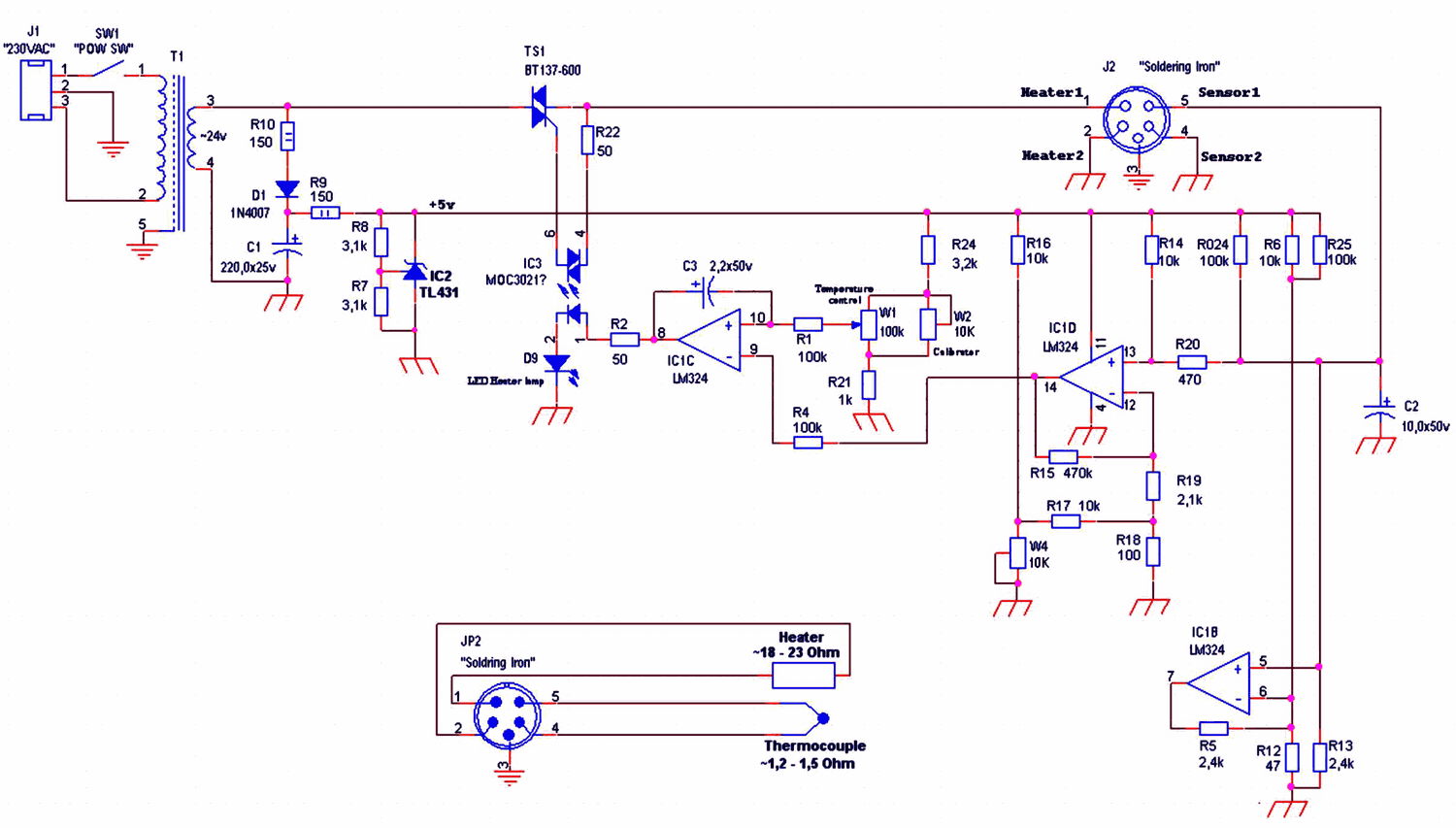
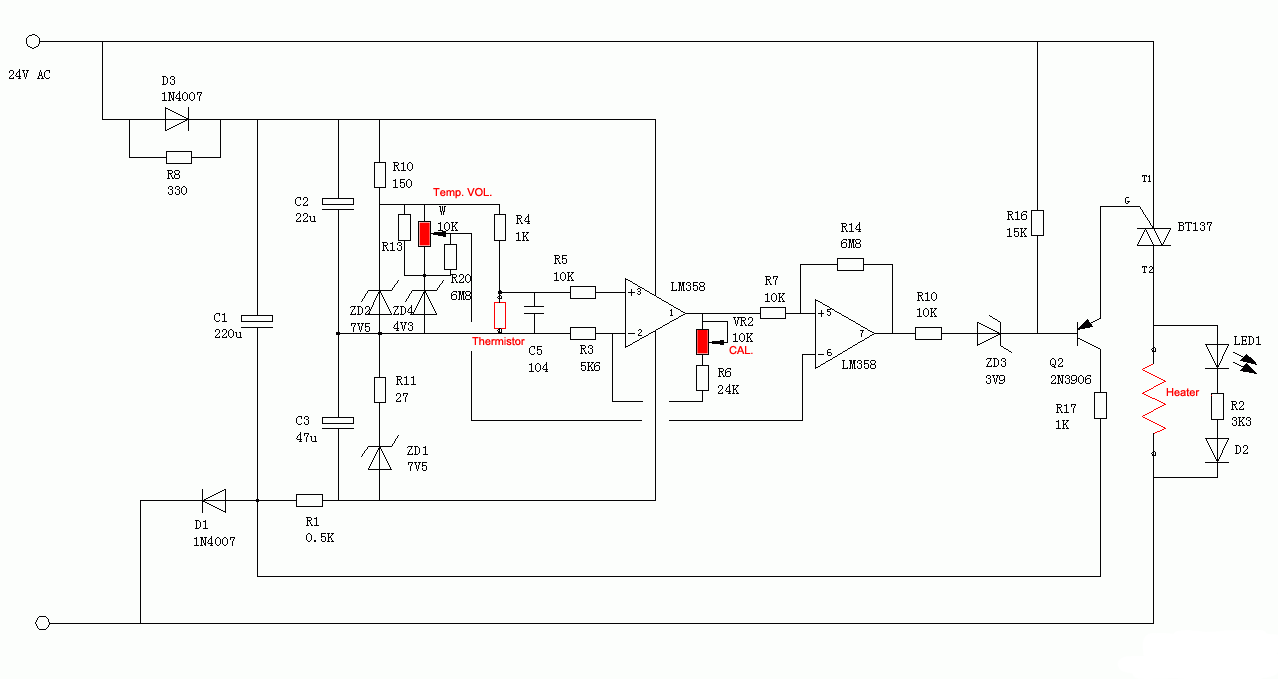
Soldering irons have always been quite repairable, especially the simple ones:
https://320volt.com/wp-content/uploads/2015/02/yihua-hakko-9...
I guess that’s the inexorable trend in tech—add more and more shim layers between problems we’re not allowed or too lazy to fix.
https://www.pcmag.com/news/ifixit-new-soldering-iron-power-s...
https://www.tomshardware.com/maker-stem/ifixit-fixhub-portab...
https://www.theverge.com/2024/9/12/24242497/ifixit-fixhub-us...
We're posting full service information and schematics here: https://www.ifixit.com/Device/iFixit_Soldering
We'll be selling spare parts starting October 15.
The soldering iron is only US$80, but the battery is US$250.[1]
Not shipping yet, still in pre-order. Does iFixit have enough manufacturing capacity to satisfy demand? This should be on DigiKey.
[1] https://www.ifixit.com/products/fixhub-power-series-portable...
Preorders start today and will ship on October 15.
We designed it as a soldering station that can replace the station on your workbench. The cap mounts to the battery pack.
https://www.ifixit.com/products/fixhub-power-series-portable...
You actually get a few more watts of power (104 W or so) if the hub is plugged into an AC charger (there's a third USB-C port on the rear).
Will there be other tip shapes available?
Is the tip design patented (and enforced) or will you allow for 3rd party tips?
Tips we'll have at launch: Cone, Bevel 1.5, Wedge 1.5, Point, Bevel 2.6, Knife 2.5, Knife 1.4
We made some different electrical design decisions than they did. TS-80 tips aren't rated for the power that we're putting out, so being compatible with the TS-80 tips could be pretty sketchy.
Or, mount two soldering irons with different tips. The wheel controls the temperature, and the blue action button toggles between which one you're controlling. Two soldering irons can be hot at once.
We really pushed the envelope on every aspect of the hardware to max out the joules we could push into the material. The trick is being really responsive to the load so that you don't overshoot the target temperature too much.
With the Power Station plugged into the wall and a full charge on the batteries, you can get about 104 Watts into the iron.
I have a very primitive old iron (and a gun, which I seldom have a use for).
Also, can you safely put 100W through a headphone jack? The ones I can find on Digikey that list a power rating seem to max out at 75W but most are well below that. Headphone jacks aren't exactly meant for high power, there is only a small amount of contact between the terminals since there's very little power required for line audio. Obviously big speakers require more power but those use things like XLR, RCA, and wire posts that provide way more contact.
Adding to this, I don't want to use their Chrome-only web app to configure it. Is this thing actually a serial device or is it something that only Chrome can talk to? If the former, just make it an Electron app if you want to be lazy. Can I still run the web app locally if iFixit decides to stop hosting it?
iFixit acts like they are all for open hardware and then go make something that uses proprietary tips and a (likely) closed source web app. I'm glad I could repair it if necessary but seems like a step back from a cheap solder station from Amazon that has a control panel and takes Hakko tips.
Pros:
1. "Portable, sorta"
2. Reasonably high-power
3. Has an accelerometer (as does everything else in its class)
4. "Repairable"
Cons:
1. No Hall effect sensor to detect when iron is placed in holder
2. A walled single-source garden of soldering tips that doesn't even exist yet instead of using commodity COTS parts
3. The fucking temperature control is fucking paywalled behind a proprietary USB power bank. What in the fuck? (And no, it is not possible to create an argument that will persuade me to think that this is an improvement. (Yes, I know that it can be programmed; this changes nothing.))
4. Expensive.
---
I'll just stick with my Pinecil iron. It gets all of these things right. If it breaks (I haven't broken a soldering iron yet in over three decades of trying), I'll fix it or buy another one.
I mean: For the $250 this iFixit product costs (including the paywalled temperature control), I will be able to buy several lifetimes of worth of Pinecil irons.
All of the settings, including the temperature setting, are available in the web interface for free. The settings persist permanently on the iron so you can use it with any USB-C PD power source that you've already got. We worked hard to make sure that the iron works well standalone from the power station. https://www.ifixit.com/fixhub/console
The station has a hot air gun and a solder vacuum, so it's far more suitable for use on the bench due to those capabilities.
The Pinecil plugs into the Anker power bank that I carry with me everywhere anyhow, and runs basically forever on it. The UI took a day or so to get used to, but it's simple and straightforward enough for field use. I've even used it for bigger jobs on trucks and tractors in the past, and it didn't miss a beat.
If this was available back when I got a Pinecil and PowerWheels Ryobi adapter [1], I would have been severely tempted to spend 400% more.
0. https://www.ifixit.com/products/fixhub-soldering-toolkit
1. https://wiki.pine64.org/wiki/Pinecil_Power_Supplies#Tool_Bat...
The health issue with leaded solder is primarily ingestion. the lead particles get all over the place so wash your hands after and maybe change your clothes. And definitely don’t keep and food or water nearby, cus it’ll get on that and you’ll eat it!
This is just a luxury gewgaw
Ifixit fails to produce good tools because all they've done in the last 5 years is coast on their bit sets. They're not people who actually work with these tools. If they were the LTT screwdriver wouldn't have needed to be built.
Hundreds of dollars for what is done for $50 is a clear example of attempting to turn ifixit into a brand that sells tools not a tool designer that sells effective solutions.
On one hand, you're competing with "you're in the middle of a field and there exist no power outlets nearby" optimized irons, and you're offering some nicer features like 100W usb-c, but I don't think this is a field where one cares very much about the quality of their iron. I've fixed drones with the shittiest of usb-c irons, and I've done it with a pinecil, and when you're hunched over in a field, it frankly does not matter.
On the other hand, it seems you're also trying to compete in at-a-workbench soldering, a class in which your price point is simply never going to work for what you offer. You're being outclassed by half as expensive stationary stations, even more so when you consider that they don't use proprietary tips. My 40€ AliExpress special station came with 3 tips, heats up in 2 seconds, and offers about the same experience as your several hundred dollars one, at the supposed cost of repairability (I haven't come across an iron that doesn't work ever. I suspect it would be a comparable fix.)
I agree that changing temperature is generally not done super often but I would have loved to see a ring adjustment for temperature.
Overall, compared to the competition, I am not sure how much people would be willing to pay the much higher cost just for promise of quality and high heating capacity which is not as big of a edge that iFixit seems to think in my opinion.
But I applaud the effort of trying to make something new and different in a crowded and competitive space.
I love my iFixit screwdriver kits and I support their mission, but this thing is preposterous.
Installed IronOS on it and it got even better…!
Though I already own a pinecil, I don't think I'll switch especially with the additional tips I already got.
I have two Quecoo soldering stations : https://www.quecoo.com/products/quecoo-t12-956-soldering-dig...
They're very cheap, they heat up just as quickly as any other induction iron. They are very repairable. They come with multiple tips, which are cheap to replace.
They don't contain expensive batteries or pointless USB-C WebSerial-based interfaces. You turn them on. They heat up. I've had mine for years, so they're reliable too.
iFixIt have a laudable mission generally, but this product will be an expensive failure.
Edit: never mind £240 is actually for the battery powered version
I was wondering if it requires a 100W PD supply, but according to the manual everything with at least 20W should work.
It's got batteries in it. Is it really going to last longer than something that runs on AC with no chips in it?