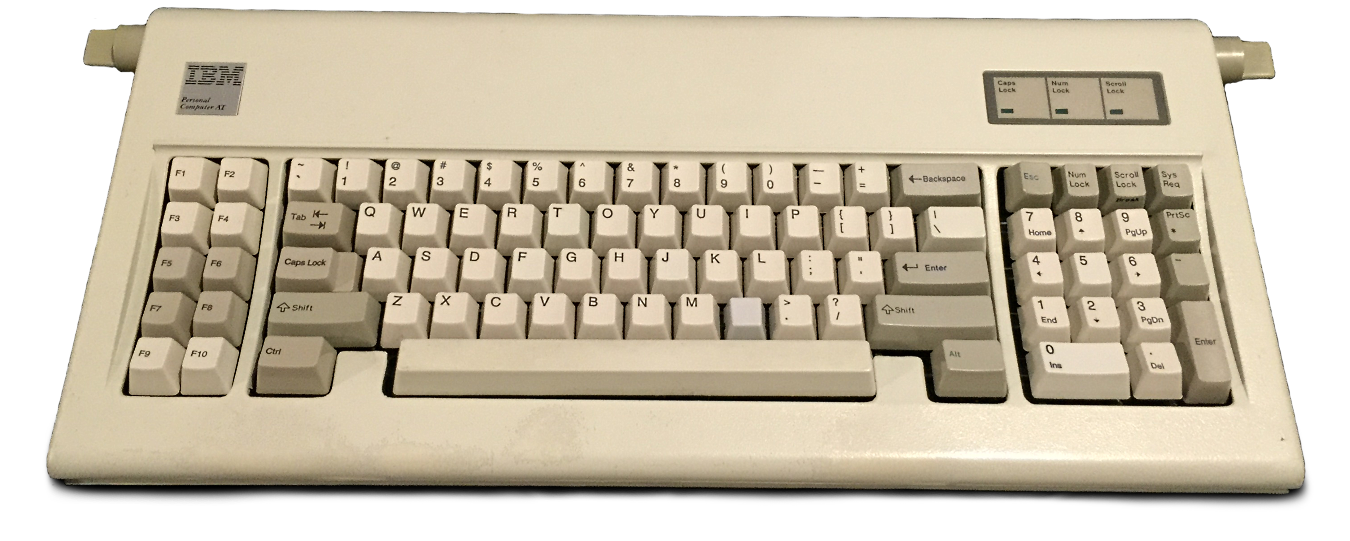
> Professional musicians don’t play on crappy equipment, right? ;-)
With this article sentence I wholeheartedly stand. It’s important to know and optimize tools you’re using most of waking time. Keyboard promises improvement both health and performance wise. Same with layout. Yet both unorthodox keyboards and layouts are considerate investments. Even more so if they are customizable. And it might be possible that they’ll never pay off.
I had situations that match common theme: I’m heavily focused on a problem. I’m coding away and that at some point I stumble and fall. I can’t remember combination for some shortcut I’ve been using in ages. Instead of working furiously on the problem I’m solving “where is the key” problem now. The other situation is the stressful one. I found out that under situations that stress me I forgot complex customizations. Keyboard layouts? They don’t work.
This get amplified if you have multiple keyboards to work with. I’ve used Dvorak for more then a year - didn’t stick. Split keyboards with standard layout - same. Non orthodox keyboards - even after more than year of using it didn’t work. For keyboard.io I went so far that I got multiple ones to try to avoid “switch fatigue” and ended giving them out.
Right now I’m using standard full size low key keyboard with numpad and additional F-keys for bindings. It works, has low latency (latency IS an issue with many keyboards), my hands don’t get tired because there is almost non pressure required (and I type a lot while getting older every day) and that’s the best keyboard I have. Right now I’m considering actually getting rid of tenkeyless keyboard for my gaming pc because lack of keys and all those combos to get to F-s just annoys me when I want to script something. It simply puts a problem in front of me that I didn’t intend to solve.
Craftsman has to care for their tools. I agree. But choosing battles is important too.
That of course doesn't mean I shit on the whole keyboard industry. I can appreciate a wonderful, thoughtful design that's tailored to someone's specific need. However, turns out that in that particular area I'm a basic bitch :P
Except for the part that programmers spend far more time reading than writing.
An ajustable monitor and a good chair payoff way more than an expensive keyboard.
I still don't get the keyboard hype.
When I read code, it's not a passive activity. I'm navigating and searching. Sometimes I bring up external documentation. In short, I'm interacting with my computer. For me, reading code requires typing.
It was probably typing furiously. Maybe not a constant dictation stream 150+WPM, but it was surges of input in response to a creative flow in your mind.
It also helps when you need desk space for things other than computer use, but I admit that benefit is marginal.
I think most keyboards which give the thumb more keys also follow this trend of taking away the numpad, F-keys, arrows; often even the number-row as well. (Maybe just my bias, but I think most keyboards with more thumbkeys are symmetrical, too).
While there's a trade-off "moving hand to a greater number of keys" against "complexity, like layering".. I think the small keyboards make more efficient use of the hands compared to standard keyboards. -- My guess is that people who try designs with more thumb keys then think layering is pretty neat.
The problem tends to be in finding commercially-made backlit clicky keyboards without a numpad.
I think this video[0] is a great introduction why people who don't take their laptops around enjoy using tiny keyboards.
I never used to use the numpad layout, now I do but on shifted keys and can also use it on my Macbooks and other small keyboards.
(Note, a lot of the keyboard community stuff seems to assume you're going to use one specific hardware keyboard. I do have a bunch of odd keyboards, but I mostly use software to remap the keys rather than firmware, so I can be consistent across keyboards).
Maybe if I was plugging into more weird computers I'd need to bake it in to the keyvoard device, but at the moment software has been good enough for everything I need).
Numpads can be nice in certain situations, but the vast majority of the time they also get little usage from me. For the times when I do need one, I have a discrete numpad (KBDPad MKII) which I can place freely on my desk (so it’s not robbing me of mouse space) and tuck away in a drawer when it’s not needed. Best of both worlds.
Also, it simply takes up desk space. If I don't need it, why have it?
I’d never buy a keyboard without them but the trend is logical.
Now I just have a separate calculator for whatever I’d do with the numpad.
Tenkeyless are supposed to have function keys - they only lack the numpad cluster. Sounds like you went down to a 65% or so?
Jack White (of White Stripes) makes and plays a guitar with a bottle, a board, a string, and a pickup:
I've worked on all sorts of keyboards since 1982, and I honestly can't see what all the hububb is about. The effect on your job performance is so minimal that it hardly seems worth worrying about beyond "is it comfortable?" and "does it annoy people around me?". It would be like classical guitarists arguing over which brand of footstool improves performance the most.
The keyboard is actually a very intimate aspect of your interaction with your computer. For many folks this is important. Minutia about the "effect on performance" is not really a concern (IMHO if people are being honest). The real thing is how the keyboard FEELS, the sensory feedback-- sounds, tactile and appearance. It's also a way to customize something to your liking even if you're "doing a job" on the computer, much like wearing a tie of one's choice gave corporate workers an outlet for some individual expression back in the day.
I doubt anyone "argues" about keyboards unless they're being forced to use one they don't like. And most folks can do just fine on a wide variety of keyboards-- although the really alien-ones like the Atreus and those hipster ortho's necessitate a learning curve and motor skills development.
The funny thing about it is that it feels good to optimize a thing regardless of how important that things actual performance is. So you see all kinds of hobbies where people spend inordinate effort eking maximum performance out of shit that just doesn't matter:
* Audiophiles, as you note
* CPU overclocking
* Punkin chunkin
* Hypermiling
* Tether cars
(These hobbies always have names. I think it distinguishes the pursuit of optimization for its own sake from simply trying to improve a thing for functional reasons.)
The point isn't the performance, it's just the enjoyment of making a number go up. In many ways, the less useful the number is, the more enjoyable it is top optimize. Because when the performance doesn't actually matter, it means the stakes are lower, failure isn't harmful, and it feels more like play and less like work.
It's easy to criticize people for putting huge effort into improving things where the benefit is not at all commensurate with the effort. But the thing to realize is that the optimization isn't the justification for the effort. It's the joy of doing it in the first place.
(Though whoever decided that alt-tab should require a crazy hand-spread gesture with the outside fingers spread wide, needs to have their head checked. And the function keys are an affront against all that is good in the world.)
There are plenty of people who customize their KBs for aesthetics first and plenty who focus on function/feel. And I think the number of people who focus on exclusively one side is almost non-existent.
Sure, there's a lot of people who talk about the thock or clack of this key or that, but for some it's all about the feel to their hands or the comfort of typing on a particular type of KB.
I've suffered from RSI in my pinky and ring fingers for over a decade now. If I spend too long (greater than 2-3 hrs) typing on a standard 104-style keyboard or laptop KB, the pain flares up. If I don't desist within a day or two, I start loosing grip and arm strength, to the point where I was unable to hold onto coffee cups or soup cans.
For a long time, I used the Microsoft Natural 4000 [0], a split membrane KB. I probably bought about 10 of them over a 5yr period, and I think I still have 3 in the closet.
But moving to a split mechanical was like going from sleeping on the floor to sleeping on a cloud. I could adjust the tenting and angle perfectly for my body, so it feels natural to me. I was able to try out a half-dozen key switches 'til I landed on one that was quiet but still gave a lot of tactile feedback on switch activation.
So yeah, there's definitely a bunch of aesthetic mumbo-jumbo that most people don't care about, but there's a lot in there that's not just thock & clack.
For me, I like MK's, and I have a particular like. I type for a living so I want to optimize the joy. Maybe I'm overly sensitive about it, maybe I'm slightly up on the autism spectrum, I honestly don't know. My family has noted my oversensitivity to many things; tags on t-shirts, when socks (worn) or rugs have wrinkles or even if the rug-pad has a wrinkle; I'm accused of being the princess and the pea.
Your analogy is wildly off though; I suspect to push your point. The classical guitarist without a stool at all could still play, without a keyboard I could not.
There are 2 broad categories about working with things. One is you customize it to your "artisinal, bespoke" way and are happy about that. The other is you adjust yourself to it and get on with it. Either is valid.
"The reasonable man adjusts to his environment, the unreasonable man adjusts his environment to him. Thus, all progress is made by unreasonable men."
That said, after years of trying different boards, with different switches, I only see three ranks of keyboards: mediocre (most cheap rubber dome), good (most mechanical switches), and better (the most subjective, Model F buckling spring for me). The improvement from mediocre to good is larger than the improvement from good to better.
As long as keyboard is not tiring or hurting your hands and wrists, it's probably good enough for you.
In some ways perhaps. In most ways not really. There are hundreds of mechanical key switches and many of them feel significantly different from one another. There are indeed bad switches and there are indeed good switches but 99.99% of them fall into the "good category". There's no objectively "best" switch. There are so many types that are good and will last practically forever that its just a matter of personal preference for the way they sound and feel. Some people like quiet switches. Some like clicky. Some like tactility. Some like smoothness. Some people need ergonomic features like split layouts and tilting. Some people prefer standard layouts.
I have some very expensive keyboards (rare vintage stuff and modern custom builds) but in regards to custom boards, once you get over $300-400, you're basically paying for fashion/brand names/artificial scarcity/aesthetic craftsmanship and not utility. Honestly a $60 GMMK with a person's favorite switch (probably around $30-60 more depending on what you want and how big of a layout you use) and a $30-50 set of keycaps will get you 90% of the value that people get out of more expensive brands.
Audiophiles' hobby includes a bunch of stuff that literally has no impact on anything. For some things there's no added value even when taking only aesthetics/superficial stuff into account. There is audiophile hardware that makes a real impact, but there are also people that swear that their absurdly expensive accessory X provides a significant difference when hooking it up to a signal analyzer proves otherwise. With keyboards you are generally either paying for a fashion accessory or an actual discernable difference in the way something feels and which one you are paying for is usually obvious going in.
Both hobbies suffer from diminishing returns that hit hard and fast. You don't have to be a wealthy person to get a great experience from audio or mechanical keyboards.
Also, it's not comparable to a stool for a guitarist - that would be my desk chair, which cost more than the keyboard.
(You should see my dad’s 8 tackle boxes full of fishing lures.)
But…if you’re a developer or writer or anybody else who is using a computer 8 hours a day, the keyboard does matter. It is your instrument, and not the foot stool—it’s the primary way you’re entering real information into the computer. So it’s not crazy to be a little picky.
1. Its about the interface between your feet/hands and travelling across their respective landscapes.
2. Different shoes/keyboards lets to travel with differing levels of comfort.
Sure you dont need a pair of nikes to run, and you don't necessarily need a separate pair of shoes for the winter, or for that matter roller-shoes, but they certainly make travelling across the landscape significantly more comfortable (or just different) for various uses. More than just that, people who love to buy shoes love to buy shoes of varying types even if they don't necessarily need it.
Keep in mind, programmers are only one class of people who travel across the digital landscape.
The huge game changer from me was to use a split keyboard with layers and macros (and switches better than mx browns). The split by itself makes you 1000% more comfortable, and the layers and macros help even more. You should try :)
That's what I associate with a "good keyboard."
I can certainly use something else, and often do, but one of the things I look for in a laptop is a good keyboard. It's my primary interface with a computer, and therefore it's worth paying attention to.
That said, the people who adopt a mechanical keyboard all mention the comfort of the clicky-keys. I agree with this. The feedback means I have an indication that I'm typing what I type that doesn't require the mental round-trip of seeing it on the screen first. The membrane keyboards are a lot better now, but every now and then you get one that's particularly mushy. I find myself striking the keys harder, which tires out the tiny joints in your fingers.
It’s a deep rabbit hole you can go down, with a lot of equipment to buy and experiment with along the way. A lot of it has little actual effect, but every now and then you find something that really works for you and makes the daily grind at the craft much more pleasant. And also it’s fun to play on that cool looking guitar with a custom paint job or to type on that cool custom keyboard: this is my instrument.
(Me, my main keyboard change is mapping caps lock to cmd-alt-shift and fn-x to cmd-shift-x, both in the service of reducing the amount of complex knots I have to tie my fingers in to hit my many Illustrator hotkeys.)
For me, it's about comfort and perhaps a tinge of nostalgia. It feels good to type on and I like the audio and physical feedbacks.
That said, my whole process was: I just tried a couple of mechanical keyboards others had, and decided on one (Keychron K8). It works well enough for me, and I don't go sifting around online for the latest/greatest mechanical keyboard.
When I started programming I used the cheapest external keyboards. I thought the Mac external keyboards were supposed to be good (because Apple). Then I got my first mechanical split keyboard and it made programming so much easier on my wrists.
In pure EV/economic sense, spending big on a mechanical keyboard is a fantastic decision if you work/live on a computer.
I was then just using QWERTY mechanicals for a while, until at one point I realized I actually was typing faster on my Mac's keyboard. So I got an external magic keyboard, and I've been pretty happy with that.
I think maybe eventually I'd like to try a low-profile mechanical keyboard, but in general I think I don't see the appeal of regular "high travel" mechanical keyboards. They can feel "fun" but make me type slower.
I went from typing 110WPM to 30WPM. After a week of practice I was at 50WPM. Two weeks in and I was at 60WPM. Most importantly, typing was now an activity that required thought, instead of simply flowing. At this point I was sufficiently frustrated and felt slowed down enough I stopped and went back to a traditional keyboard.
I'm sure that with enough time I would reach my original speed and effort. But I have spent more than a decade building this muscle memory, and I didn't feel it was worth it to spend another decade building muscle memory on non-commodity hardware.
Nowadays I'm on 130WPM, so any barrier to switch is even higher. I do understand that my experience is very atypical since I am (supposedly) in the top 0.1% percentile of typing speeds.
But during that time, I forced myself to finally learn how to touch type. Now I get 90+WPM consistently. More if I warm up and actually go for speed. Learning to type very differently than I used to probably helped to make the transition faster (no bad habits).
So now I have the advantage of typing faster, without looking at the keyboard at all and better ergonomics (it helped with my shoulder pain). The biggest downside is now I can't type on a normal keyboard anymore. The problem is I never tried touch typing on staggered keyboard so it's like learning an entirely new keyboard layout. Not a big issue during the past year due to work from home though.
Ergonomic instruments increase comfort, which increases stamina and lower risks of injuries. Better ergonomy may increase per minute throughput, or decrease it. Rather measure throughput per day or even per week or longer; also factor in the potential consequence of injury leading to using the instrument at a fraction of the average user's speed for a good few months at least.
Other people really trip up on it, almost as badly as switching actual layouts to e.g. Colemak. If someone out there hits that point and wants to get past it, the requirement is to train out errors, using a typing trainer which penalizes mistakes by, for example, requiring a word to be typed correctly before the next word is allowed.
Breaking the errors is a prerequisite for any jump in typing speed, whether that's a plateau or a new platform. It's annoying but it's the only thing which works.
Addendum, for split keyboards there was no learning curve at all. Really you just put a hand on each split and that’s all there is to it.
The size and the layout are exactly the same apart for touch ID. It is great, zero adaptation between switching desktop configuration or mobile.
Maybe its not the "elite" experience of the mechanical keyboards, it's still pretty good and it's definitely a privilege not having to adapt between keyboards.
It's kind of surprising that people optimising for minute differences between clickiness of different key mechanisms wouldn't bother to optimize for this.
been using a 60% mechanical here at home for work and play for a while now (about a year at this point). best keyboard I have ever used, bar-none. The only problem is that my muscle memory is so damn used to it now that I find it a little difficult to be productive on larger keyboards.
Any time I want to move the cursor with the arrow keys, i find my right hand straying down to where the 'fn' key should be, etc.
not really a huge problem -- I'm working on replacing existing keyboards that I use everywhere with the same 60% model because I love it so much, but just soemthing I've noticed.
If you keep switching as part of your protocol, it's fine
Regular keyboards are different enough that switching between them already negates muscle memory for me
But somehow, the different layout of an ergonomic keyboard doesn't bother me. I can go back and forth between my MS sculpt and a laptop with absolutely no issues aside from the position of home/end which aren't in the same order.
1. Realizing how much dead space there is on a normal keyboard (capslock, the space bar doesn't need to be so big, many keys you might want to use frequently are in awkward spots, like the numbers).
2. Being able to fully customize the layout to your liking. I don't think anyone agrees 100% on what the ideal layout is, but once you get more comfortable with layers and testing various layouts it gets pretty easy to adjust.
3. Finding out how quickly you can adapt to multiple layouts by just sticking with it. You won't be perfect the first time, and you might struggle to briefly when you switch back to a normal board, but people vastly underestimate how good humans are at adaptation.
There's also a bonus level of just having nice keys/switches. While this is the part that can get pricey, as someone who's typing all the time it really does feel like a worthy expense.
The major downsides being that it can get expensive fast (at least if you're picky), you might need some level of soldering skill, and there are times where you DON'T want to be the person with the fancy keyboard that no one else can use (I always have a normal one plugged in at work just in case).
Still i'm super glad I got into it. I'm a huge fan of 40% boards just because of the portability and the space they save. I'm typing all this, on a mercutio and my work daily driver is a low profile crkbd (I do analytics and some low end/intermediate coding).
The only issue i've ever run into is that I'm a fan of roguelikes, and while most games don't need too many keys, those in particular seem to have this habit of the designer trying to use EVERY key on a full sized keyboard, so i'm working on a layer for that.
These days my main is an 1800 keyboard, numpad and all, and it's fine.
Yup. That's why the best format for me is the "84 key" or "75%", which is roughly "laptop layout". You get all the Fx keys, arrows, home/end/etc, but no numpad, and it's smaller than the "tenkeyless" format.
I find it much more comfortable for having the mouse closer. For some reason, this format doesn't seem as widespread as the one without the Fx row.
In a similar vein, I also find split right shift which carves 1u off the right end of the right shift key to add an Fn key nice for improving quality of life on 60/65% boards. For me that Fn positioning is much more natural, plus it puts that duty on my right hand which is typically much less loaded down with modifiers than my left hand is.
Muscle memory is something you gain over time regardless. I was just tired of my keyboard taking up so much deskspace when I basically never used 30% of the keys on it.
At a minimum, your keyboard should function as a port expander / dock for video, usb (all of them), flash, headphone ports. Most techies have multiple machines, so it should probably be a kvm switch as well. It should support both wired and wireless modes. It could also be a wifi network switch or range extender. Why not double as a power strip?
Or if you think "oh, it looks like fun to design a keyboard PCB". :o)
Laptops used to handle this by having a toggleable numpad on top of the letters. That is, if you pressed a button (analogous to numlock) then the keys u/i/o would input 7/8/9, and j/k/l would input 4/5/6, etc.
I found it very convenient, but they stopped including that for some reason.
It doesn't feel the same as actual keys, but it is better than nothing.
My dad uses numeric keypads a lot (habit from years of working in payroll & similar, lots of figures and basic arithmetic to type) but doesn't like the function-key-to-overload-keys-for-a-keypad due t the extra key and the key alignment not being quite right. He has a USB add-on keypad that he plus into laptops when convenient (i.e. when desk space allows).
Most recently I've been working reusing some old keyboards to create giant surfaces full of labelled launchers and shortcuts - I had to spend a few days working out what software solution I wanted but I'm about to do some actual device config this evening. I think the labelling strategy works when you explicitly go wide and turn things you would normally browse for or type a line for into massive quantities of macro keys. When it's a frequently accessed thing, it has to stay near your fingers which favors chording, combinations, modes and context sensitivity.
Why Capslock at all?
I don't think in two decades I have ever hit that key ... on purpose.
When I realized this it was eye opening. I used to have an MIT layout Planck (2u) spacebar, I tried a full grid and it feels perfect for spacebar to just be another 1u key.
I guess it's because unicomp does almost no marketing or at least doesn't bother to get their stuff in retail stores where there tend to be racks of so-called gaming keyboards and other mechanical keyboards?
I can always know whether I pressed the key or not using a buckling spring keyboard, the same cannot be said for linear keys in my admittedly limited experience with razer yellow switches.
*Yes there is no doubt someone somewhere who has a space cadet kb or actual physical teletype still hooked up to a modern PC somewhere, but I'm talking about something that is actually available for sale on a mass scale by consumers. The model f revival exists for collectors and is functional, but is just bespoke enough to me that it's more of a collector's item than a mass product.
anyway, Unicomp isn't what it used to be. When it arrived, it seemed oddly lightweight, but I thought maybe my memory was wrong after nearly twenty years. Then it failed after mostly sitting in a box (I was planning to use it with an RPi as a sort of project to go lightweight).
Yes a keyboard that failed. Nothing would recognize it. Failed electronics.
I'd say fortunately it was under warranty, but Unicomp requires the owner to pay for shipping their keyboards back under warranty, a Unicomp keyboard is more than 12" long and so ships at a higher USPS rate, and thus the shipping was $24.
It did come back working and I put it up on eBay and wrote the rest off as sunk costs.
Writing up the eBay listing took me back to the Unicomp website to check my accuracy and I noticed that the weight shown on the Unicomp's website was more than two pounds greater than the actual weight of the keyboard I bought plus the box it was shipped in.
Maybe I just got a lemon. The weight discrepancy makes me doubt it. Failed electronics makes me doubt it. PVC for the cable rather than rubber makes me doubt it. YMMV.
Definitely not a mass product. The project IMO is a disaster even for a group buy type thing. I ordered long after it was an existing product and tons of people received theirs already and come to find out at that point it was still going to be a year+ wait for most people and they under no circumstances will attempt to even ballpark how long its going to take. There's a lot of work involved for the guy running the project but it would be nice to know if I'm looking at waiting 3 months, 6 months, a year, or more. Delays are understandable but that's not all that's going on here.
Clicky switches are a big plus for me, since they provide the audio and tactile feedback, and are just plain fun to use. The best clicky switches (imo) are the Kailh Box types with a little spring dedicated to the sound + feel of the click, but you're never going to find those preinstalled in a keyboard because they're still considered niche.
I know some of it is just that - what you're used to - but I have several native colleagues that have switched to US layouts for coding as well.
As for small keyboards, that's the old man in me I guess. At some point in my youth either with Turbo Pascal or word perfect, I got used to Ctrl-Insert to copy, Shift-delete to cut, Shift-Insert to paste. Not only that Home/End/Page up/Page down are some of my most commonly used keys writing code. Number pads are nice but I would take a serious hit without my nav keys.
The main reason is the easy access to brackets, slashes, quotation marks, etc. compared to non-US keyboards where most of those are only accessible via key combinations, and really awkward ones as well.
I believe in this so much that I automatically assume any German software developer not wanting to use a US layout keyboard for his daily work is not working efficiently or not deep enough into it.
Is that fair? I’m not a German but from another N. European country. I have made my own keyboard config which I use for everything. But I also have a keybind to switch to a normal (or our own local layout) when somebody else is about to use my computer. So if I don’t forget to use it it would seem like I just use the regular keyboard layout.
My own config evolved like this: first I had two layouts for my own language and English/programming, respectively. But switching layouts became a pain in the neck in my latest local job where we chat in our own language, code in English, of course chat in English with our foreign consultants... so I had to make my keyboard config work with all three (native lang/English/programming). I’ve never tried to get used to the US layout but I would have to use the same layout switching approach since the US layout (even the international one) wouldn’t work well enough with my native language.
Can’t say that I appreciate this kind of judgement. What do you know about people’s personal setups? Well, unless they out of resentment just decide to explain like I just did. :)
- ThinkPads, which seem to divided between US and UK layout here - Apple, which supplies the ISO layout (shortened left-shift, thin vertical Enter) by default, but thankfully has started to offer US as an option on their web store since a few years - Logitech which only sells ISO layouts in Europe, and all US layout seem to come from private import
A Dutch keyboard layout is a thing, but I've never seen one, just heard of some writers/editors using it.
But training my muscle memory that way turned out to be more of a pain than a gain.
As a freelancer, I'm frequently in a situation where I'm forced to use a laptop that a client has provided, with a German layout. Oftentimes I will not have an external keyboard on hand, like I'm in a meeting room and didn't want to bring one, or I'm on a plane or train.
In order to make that work, you'd need to be a pretty disciplined typist who doesn't rely on the labels on the keys at all so as not to be confused by them when they're in a different layout.
Back in those days, there were also many edge cases, like the login screen etc., where you couldn't customize your layout away from some default that the client has configured.
Also: Most of the pain comes from curly braces. So when you're doing Python & Nim you're mostly okay using a European layout. I also think it's probably not a coincidence that the people behind those languages are Europeans, Guido van Rossum and Andreas Rumpf.
You gain £ and ¬ with the extra key (and € with AltGr), although a few symbols are moved round: # and ~ end up easier to type, ¬ is kicked into the corner, and @ and " are switched compared to the US layout.
There is a Dutch keyboard layout that is similar to the German one, but the US-International layout is almost universally used in the Netherlands, and has been for as long as I recall (mid 80s). I've only seen a keyboard with the Dutch layout once (and I've seen a lot of old second-hand hardware over the years!)
So in the case of Python at least, I think it probably wasn't a consideration.
Most German programmers I know use US-International btw, but I don't know how common that is.
I know a lot of German programmers, as I am one myself and I work a fair amount in German companies, and I never knew a single one who used US-International (apart from myself in the brief phase described above).
It mostly works, I'm absolutely trained to expect qwerty, but my keyboard at home (G710+) tells my muscle memory to start typing with a German layout now. I've not had to use any clients' laptops for many years but I could see the problem, I have it when someone hands me a ThinkPad with German layout for example, but I'm willing to tolerate to type garbage once a month in exchange for being able to work with the layout I actually prefer.
My home computer is in the living room shared with my family, it still has a German layout, so I switch between US and German pretty often. I can type on both keyboards fluently. Somehow my brain knows that the computers have different keyboard layouts.
The only thing that still confuses me is a cheap backup keyboard that I have (when bluetooth doesn't work), which has a UK layout....
I can still type on a German layout, but only in German. I think the language change provides enough of a "context switch" for my brain.
The advantage is you get to keep both alt keys as alts. The downside is that you lose the Windows key, but I remap that to caps-lock.
Does anyone have experience with using stickers? Can anyone recommend a good product there? -- maybe that would help with the awkwardness of internal laptop keyboards.
I usually use a Filco Tenkeyless (Cherry Browns), and removing the usually-redundant numeric keypad brings the mouse a bit closer to my right hand, so a bit more comfortable and a little bit of space saved. But I can't see the benefit of going smaller ever outweighting the cost of re-learning to type. Adapting to laptop keyboards when used to full-size can be tricky enough...
It would be better to use the thumb more, and not rely on the pinky finger as much.
Compared to a standard keyboard, these small keyboards typically have more keys for the thumb to access. (e.g. the planck has 2-3 per thumb). And once esc/tab/enter/backspace are used by the thumb, you don't need to use the pinky for these.
One way to use the pinky finger even less: you'd probably move away from using the pinky for Ctrl/Win/Alt modifiers, and use home-row modifiers instead.
I do think "layering vs more keys" is a trade-off and not everyone will have the same preference. But I think the advantages to using fewer keys outweigh the downsides.
But I do think it's pretty neat there's so much to choose from. How many people are complaining about a truly compact smartphone in the size of the original iPhone SE for example? You can choose between "large", "very large", and "I used to have a TV that's small than this". I think it's pretty neat that all these options exist, silly as I personally may think some of them are.
Plus, I feel like TKL is better-supported by aftermarket keycap sets, if you care about having the correct row sculpt for a key.
And yes, I love having all numbers and symbols at my fingertips without moving my hands. I don’t type faster but I type more comfortably.
I also have the basic editing tools arranged logically so I can move/delete/select a character/word/line at a time, to the left/right. Again without moving my hands.
These wore out about 2 years ago, and I couldn't find a similar replacement. I bought an ErgoDash [1] instead. It has a few additional keys compared to the Iris. I have one at work and another at home, and to make them more similar to the broken keyboards I 3D printed angled bases. I use them for 99% of my typing.
I should probably have tried a Kinesis Advantage 2 first, but it seemed like too much of a jump.
I'm partway through 3D printing/assembling a Lagrange keyboard [2], which is similar to the Dactyl. I will add the F1-F12 keys to my print, as they're the only thing I miss on my ErgoDash -- if a shortcut in my IDE is Ctrl+Shift+F10, it's nice for it to be that, not Ctrl+Shift+Fn+0.
I made [3] to help others see what's available.
[1] https://github.com/omkbd/ErgoDash/
Apart from that, it's just… different. I'm still using normal keyboards on trips to the data center or when doing customer support, but the general day-to-day is done on the Ergodox. When I use normal keyboards/layouts, I have to look at the keys to type, but then I'm almost as fast as on the Ergodox. (Not that I was that fast to begin with, maybe 50–60wpm?)
I'm also using a Majestouch Minila Air at home, which is a regular (i.e. non-split) 65% BT keyboard with Cherry Browns. It also uses the same 'base layout' as the Ergodox (NEO2), but the modifiers are in different positions. From time to time, I also use a laptop keyboard (Thinkpad X1 Carbon), which is close enough to the Minila that it hardly matters.
You get used to it after a while. For what it's worth, I'm 37.
I use a tall book between the halves for additional tenting height, and have my setup such that my elbows are elevated to compensate for how high off the desk my wrists need to be - not a fan of wrist-rests.
Interested in a dactyl next, for sure.
There was definitely an adjustment period, but it was completely worth it for me.
I have a couple other mechanical ones, but all monolithic US QWERTY. My favourite among these is a Unicomp buckling spring behemoth with 122 keys, but it is the antithesis of these smaller mechanicals.
I kid, I kid, it's all down to preference... That said, you can get yourself a single mechanical keyboard and call it a day, until one day you try a different board/layout with different switches. Maybe at your friends house, or at a shop, or more than likely: at work. You'll be forever wondering "I liked that...".
Keyboards really are a special tool for us. I've spent considerable amount of time and money on them, and I consider myself fairly frugal (well, in non keyboard related matters). All to say, it's very easy to fall into this rabbit hole, especially when you spend so much time working with these things...
Source: I own a keychron k2 v1 with Gateron browns and a CoolerMaster something and Das S with Cherry browns.
I do have mechanical keyboards and feel like I get a benefit from them, but I think you can get most of the way there with a standard non-laptop-style keyboard with keys that go all the way down.
Although interestingly reading this thread it seems like there are a lot of people who like the laptop-style keys, so who knows. Maybe it's all just muscle memory.
Now using an Apple magic keyboard. It’s quiet, doesn’t make me hurt, actually has all the keys I need and doesn’t piss anyone off.
This is something that quite a lot of keyboards have, and I find it terrible. The most comfortable keyboards I've ever used have been the Logitech Wave and the MS Sculpt wireless. I prefer the latter, since I never use the numpad, and the keys feel better. Overall it has a cheaper feel, though, and wrist rest padding is falling apart after some 3 years of use.
But I also love my Keychron K2 v1 with Gateron browns, which is flat (Fx row at the same height as the Space row). It's quite high, mind, but an after-market wrist rest has fixed that, and it's a really lovely typing experience. It's quieter than most "basic keyboards" (think basic office keyboards from Dell, etc) and the smooth, low-resistance keys are great for finger fatigue.
Now all I'm looking for is a split compact version of these Topre-like keyboards. Pretty much 99% of the custom keyboard scene is just various housing and PCBs for cherry style switches. For whatever reason with electro-capactive keyboards there are limited options. If anyone knows of a split topre keyboard please let me know!
But for work I've used a Mac keyboard for years as well, the numpad-less compact model. It's great and my go-to / default.
But, I bought into the Moonlander hype as well, currently typing this on one and trying to get used to it. I'm a quick typer but no keyboard warrior; typing this message seems to be fine, but coding is a lot more painful or difficult to get used to; I use the arrow keys, which are in awkward positions on the Moonlander; I use some keyboard combinations to select or navigate across whole words, that's some muscle memory that needs to be retrained and the finger combo seems weird. Feels like I have to stretch my fingers a lot more for anything that isn't just typing shitposts on the internets.
Might just be getting used to things, might be I need to relearn some muscle memory, or might be I should finally learn vim or emacs since that's apparently what all the cool kids do. I could never get into it myself, even knowing some tricks, navigating is still painful in vim to me.
I switched to Apple chicklet keyboard because I thought is would resolve sore wrists I had with membrane keyboard.
Then I switched to mechanical keyboard because the sore wrists was even worse with Apple flat keyboard. Same path for few of my mates.
I didn't spend that much because I don't care about aesthetic (iKBC 60 MX Brown for work and DIY 60 Kailh white with QMK for home), never went back.
I notice that some people like to stab the keys. They seem to use an excessive amount of force. I've always been all about using the least effort possible so low-profile keyboards seemed optimal to me. You just need barely a touch to register a keystroke. Mechanical keyboards seem built for excessive travel time in comparison.
I have no evidence of this but I really do wonder if excessive typing force contributes to RSI/CTS.
The author here really did go down a rabbit hole and I suggest that as soon as you look at changing layouts, you've perhaps gone a bit too far. At some point you'll be using a keyboard that isn't yours. The universality of QWERTY (or whatever the equivalent is in your locale) has virtues all of its own.
My only real objection to mechanical keyboards is people who use super-clacky keyboards in an open-plan environment. That's just antisocial and inconsiderate.
- You get to chose the keycaps
- You get to chose the switch type
- With QMK/VIA you get to completely change the way your keyboard works (If I had this on a Apple Magic Keyboard I might have been happy with it)
I don't want some crappy software that achieves this, none ever work as good as a firmware solution. I plug my keyboard into any PC and only send the commands I want.
You can configure a mechanical keyboard to be even less silent than the Apple Magic Keyboard. I have some colleagues who really hammer down on those Magic Keyboards and they can get loud.
Also it sits good with me that I can have my keyboard layout in version control[1].
This is interesting. I find that my mechanical keyboard (using Gaterown Brown switches) is the one that requires the least amount of force to operate. I also get the least (basically none) pressed keys without intention (say when resting my hands on the keyboard while thinking).
This is actually to the point that when I switch to my MBP (2013 model) or HP laptop, I usually tend to miss some keys because I don't press hard enough. I really dislike the "full up" or "full down" way of working of these keyboards.
> Mechanical keyboards seem built for excessive travel time in comparison
But this is how you prevent the "shock" from bottoming-out: you don't press the key 'all the way'. With rubber keyboards and very short travel, I'm not able to react fast enough to stop pressing before it hits the bottom.
> My only real objection to mechanical keyboards is people who use super-clacky keyboards in an open-plan environment. That's just antisocial and inconsiderate.
Oh yeah. Even though I love my brown keys and consider them quite quiet, I use a "normal" keyboard at work, out of consideration for my colleagues.
People, me included, like mehcanical keyboards because the feedback when the key registered is so unmistakably clear both on the way down and on the way up. The worst kind of keyboard is the mushy one where you can't blind type because there's no clear mechanical feedback whether keypress actually registered or not. I'm one of those people who can unconcisously matches the sounds of keypresses to characters typed so when those are out of sync, I notice. The least effort principle doesn't contradict this. I love typing on both of my old Mac wired keyboard as well as my mechanical with inch-high keys.
Mechanical keyboards are all about choice, some people like to stab keys and want the super duper heavy-duty springs to resist their stabs (bottoming out, which is the biggest source of clacks, is usually seen as a bad habit) while others want their keys to be like typing on air. And yes, some are all about making it as noisy as possible because that's an option.
I personally have settled with Boba U4s, probably the most silent switches I've ever had, even more than a lot of non-mechanical keyboards, though the noise is but a small part of why I like them so much. They are on a split keyboard with many less keys than you'd find, which helps me have a comfortable hand arrangement and as little hand travel as possible. Anything else just feels uncomfortable and unnecessary nowadays.
I am currently typing this using https://www.cherry.co.uk/cherry-kc-6000-slim-for-mac.html which is a spiritual successor to me for the old mac wired keyboards that I used for years (I recently went back to the office for the first time in 2 years and the old mac keyboard I had there for several years worked for ~30 seconds then - enough to login etc - then just totally died which was a shame)
There is something about the low profile chiclet thing that makes typing a joy - your hands glide over the keys with minimal movements needed to register a press. Your fingers are barely 1cm off the surface of the desk so you can support your wrists or forearms without having to lift them up or use wrist supports or whatever. I feel so nimble and quick this way. I have owned mechanical keyboards and have not enjoyed their huge keys with huge travel - so fatiguing to type on! I don't feel like I am missing much from the mechanical keyboards, but I would certainly be keen in a mechanical chiclet if someone were to make one (provided it had the same dimensions & travel as a normal slim chiclet)
- use 30 keys
- control the mouse from my keyboard
- never have to move my palms in the slightest all day
- get far more control and (Emacs) keybindings
It was a very painful process though deciding on my custom key layout. I would make myself re-learn new layouts on an daily or hourly basis for 6 months until I was satisfied.
I have a Moonlander but my long term plan is to move to Tightyl: https://www.reddit.com/r/MechanicalKeyboards/comments/glfyki...
Isn't it bad for RSI?
I have these 4 direction keys on my middle and index fingers of each hand. There are also keys for clicking which I have on my ring fingers, and on my palm for when I need to click down and drag.
It takes getting used to obviously but I don't mind it now. It works for 95% of my uses but I'll admit if I need really fine control, I'll use my trackpad for a couple of seconds.
(And I don't even want to think about having no F-keys - which would require even weirder key-combinations in many cases.)
In general though, custom mechanical keyboards have firmware that can be programmed with "layers": hold down a certain key (or toggle) and layers get activated which changes the meanings of keys. This is the way those very minimal keyboards (which doesn't even necessarily have a number row) can work for daily use. If you want the keys badly, just program your firmware appropriately.
I do not have F-keys in my default layout, and I don't miss them as I rarely used them on a normal-size keyboard anyway. But if I do need them, they're just one layer shift away: Fn+1 gives me F1.
Do note that layers can be activated permanently, not just through chording. In my layout, tapping Fn twice turns the right half of the keyboard into a numpad layout so I can do quick data-entry. And in that layer I also have a Tab key under my right hand so I can do both horizontal and vertical data entry. On a normal keyboard, the missing Tab key always forced me to keep both hands on the keyboard when using the Numpad.
MacOS has two sets actually, one with command and arrows and one with control using Emacs shortcuts.
All that said, I do like the UHK a lot. I bought it mainly for the ergonomics of a split, adjustable angle keyboard, and it's great for that. And the silent brown key switches I chose are great for typing during calls.
[1]: https://ultimatehackingkeyboard.com/manuals/uhk60/navigation...
So naturally there is a tool to do all this stuff [1]. Mapping "Right Alt" + "Space" = "Enter" made me very very lazy.
However that switching is the reason I remain on qwerty, because I think at that point I'd find switching hard.
If they continue growing as they have, maybe someone will design one?
My first mechanical keyboard was a Razer Blackwidow with Cherry MX Blue switches. Next, I bought a blank-key Das with Cherry MX Brown. Since then I've used an Input Club K-Type, a Tesoro Durandal, and some Logitech keyboard with MX Reds. I actually really liked the MX Reds, way more than I thought I would. So when I ordered the Ultimate Hacking Keyboard it was with Box Reds. I also still have an Input Club Nightfox waiting to be assembled in my closet - it's been there for years. I should probably just sell it at this point.
In regards to layouts, I too prefer US layout for coding. But I live in a European country with special characters and have gotten used to using that layout. The UHK, however, will come with a US layout and I'll map the special characters to alternative keys. I hadn't delved much into special key mappings on my boards yet, so that'll be interesting. I got it with the trackball module in hopes of never needing to use a mouse again.
At minimum, you should easily be able to get MSRP for a sealed kit. If I wasn't stretched for fun-money and display shelf space, I'd make an initial offer of $150 if it was sealed, or at least new-in-box with all the pieces. If it's the True Fox (split backspace) layout, I'll kick myself extra hard in a few years for not buying it anyways.
Aesthetically, it's still very pretty, and if you have your own keyboard shelf, it may be nice to at least assemble and display it. If you fancy yourself the tinkering type, design files for the board and case are available: https://github.com/kiibohd
I did drool over this board as well and then just never built it, and I think mostly I liked the _idea_ and beauty of it rather than the thought of using it itself (and now having ordered the UHK I doubt I'll ever really get around to building it). I might keep it around a bit longer for nostalgia reasons, but I know I need to learn to let go of these kinds of things at some point.
The ergonomics of a split keyboard is very appealing. For the last months, I’ve simply used two thinkpad trackpoint usb keyboards as a cheap but working substitute :-D
Trackpoint under the thumb. Would have been better embedded between keys for your index finger like a thinkpad.
All that said, I found Keychron (https://www.keychron.com/) keyboards last year and their quality and price absolutely blew me away. I bought two of the Keychron Q2 QMKs, fully assembled.
Sounds like an ad but I was just so happy to finally find a keyboard of this quality that didn't make me wait 6 months, didn't cost $1200, and wasn't buried in some community exclusive drop that only 18 people would have access to, etc.
I know I can resolve this by trimming my nails every day but boy is that tedious.
0: others have suggested it might be due to skin oils. I dunno. I'm not a chemicologist.
1. No scroll-lock on their keyboards; many KVMs use scroll-lock to control switching
2. The TKL models have the upper-right key lock the screen and it is super easy to hit with my trackball right next to the keyboard. I removed the keycap which helps a lot, but stil...
I am much more relaxed typing on a thin keyboard like the Apple ones.
Another under-discussed point: relative to a MacBook like keyboard, mechanical keyboards help in one way, but introduce a huge problem: the mouse. After using several mechanical keyboards (including Keychron 3) with a an ultra wide monitor setup, I recently just happened to switch back to using my 2021 MacBook Pro, and the trackpad was an absolute relief to my shoulders. The fact that that you can move and click with both your thumbs is a big plus.
If there is a setup that nicely combines the best of both worlds ( Mech keyboard plus trackpad nicely placed) I would love to hear of it.
Edit: Apologies for the video quality.
PS: The UHK might be of interest to some who aren't sure if a split is their thing. It isn't ortholinear, so the keys are staggered in the usual way. It also allows the keyboard to be re-connected in a single slab if you choose not to use the split. I'd def recommend the split to help with preventing carpal tunnel or RSI.
- Focusing heavy customization around the key cluster module very much helps with rare occasions I have to use laptop keyboards of mine.
- With trackpoint module, I whip out the mouse so rarely it's in a drawer.
- There are minor mechanical defects that don't affect functionality very much (or at all). Its build quality is oversold, but I don't mind. You will have to buy spare parts some day though.
- split is the best, because your shoulders are the key to posture
What do you mean by using the key cluster module? I don't have it, but how does that help you when you need to use a laptop?
During isolation I bought my first mechanical keyboard (a cheap Qisan Magicforce 68, that I wholeheartly recommend). I quickly learned to use it and still love it at home.
A few months ago I bought a kinesis advantage for my office. I'm fully used to it (although it took me a while to stop hitting wrong keys).
When I bought both keyboards, I already knew how to touch type and went back to typeracer, keybr and monkeytype. My speed did not increase that much and I still get my fastest speeds on my macbook pro integrated keyboard.
The main reason why I use an external keyboard is to solve my back problems, by using a stand or an external screen.
In particular, I get my slowest typing speeds on my kinesis advantage. It is NOT built for speed, it is built for comfort. It allowed me to improve my posture considerably so it's still worth it.
PS: in my experience, using a laptop stand / external monitor helps with the lower back problems (weirdly). I solved my upper back problems by doing more exercise, and it's as easy as having some elastic bands near my desk and trying to stretch them horizontally behind my neck a few minutes a day (when I'm reading a long email or pdf or thinking or need a break).
PS2: a must-have on macOS is karabiner. I use it to have nicer keybindings for french accents (modifier keys like `) but also to configure function keys on my kinesis advantage and put navigation shortcuts on my mouse (logitech G502).
It has little in the way of layout customization (3 position DIP switch on the back of mine), but that's just fine for a first board. It also has a mostly-standard layout, so if you wanted to get aftermarket keycaps, you don't need to sweat too much about compatibility or odd sizes.
Long term, what I really want in a split mechanical keyboard: trackballs on both sides, near the spacebar, with intuitive mouse triggers built in. Maybe even a trackpad on one side, trackball on the other. That would be slick. One input device.
The wide split is great for shoulders and the shortcut panel helps with cutting down on common multi-key movements (copy, paste, etc).
The Pro steps up from the other Freestyles with mechanical keys and programmability. I'm using the programmability to remap some of the modifier keys for comfort. Combined with the panel of common shortcuts, it's much easier on my hands.
A bonus of having a programmable keyboard is that you don't need to rebind keys in the OS, something that's not always possible to do in corporate environments.
Cheap way to go ergo.
Apart from that I found the split-keyboard in general to be super-challenging for my brain for some reason and I generally found the whole thing to be torture. This wasn't helped by a sticky enter key (literally stuck down) - Kinesis were prepared to fix it, but I would have to pay to get it send back and forth from the US which was excessive on top of the already high price of the keyboard.
There were moments of the potential - brief fleeting moments of totally relaxed shoulders, my hands 50cm apart leaving my chest wide open and generally pretty laid back.
Ultimately though it was a bit a challenge I wasn't prepared to put up with and abandoned the split keyboard experiment after a few months.
Pic: https://twitter.com/mbuckbee/status/1463146441745047559
Writing-heavy professions, and even managerial professions where people are writing emails all day probably do more typing than many programmers. I think programmers are into weird keyboards simply because they are nerdy.
Why didn’t I ever think of this? The location of ctrl has always been awkward to me.
I find Matias keyboards fantastic, yet their tactile switches have awful quality issues, probably due to the lube. I cleaned all mine and applied my own lube which made them work as they should.
Their clicky switches are amazing feeling, and have no issues that I know of. And the keyboards lack all those worthless extras like backlighting and gamer fonts. It is almost like they decided they wanted to sell keyboards to grown-ups.
So now I have found my keyboards. Whenever Matias goes bankrupt I will probably scrape eBay for BTC dome with slider keyboards (better rubber domes cost 30x as much).
If you like linear switches there are LOADS of exciting things going on.
I'm not really sure why but at least for me I'm 100% sure they're a disaster. I was totally convinced mechanical keyboards were a million times better due to the hype and that they feel awesome.. after about 5 years of using them I was in serious pain and it was really hard for me to wrap my head around the Cherry switches being the problem. All the hype made it really hard for me to grok that when I went back to cheap scissor switch or rubber dome keyboards my problems went away.
I still have a couple of mechanical keyboards.. I started going back to the office and plugged in a Das Keyboard there because it was what I had... sure enough after a few days of heavy coding my forearms are screaming again. I need to force myself to get rid of the last 2 of these keyboards.
And I had a lot.. 3x Das Keyboards, Code Keyboard, Kineses, TEK. I can flip all the variables other than switch type and none of them really matter.. as long as it has Cherry MX Brown or Blue style I have issues.
I am kind of getting eager to maybe try some of the new short travel optical switches or something now that their are options other than Cherry style.
One thing that I still haven't quite figured out is Vim... How do people use Vim with an alternative layout? do you keep the same keybindings and just deal with it(hjkl are not nicely in line for example) or do you remap each action to the physical location it would be on a qwerty keyboard (i.e. navigating with mnei for example)?
I still get wrist strain because the angle of my hands which the Moonlander would have fixed... however I heard a big issue with the Moonlander is you need to always look at your hands before you begin to type - because you cant take your hand away to use the mouse and find that keyboard half again
I used to have this issue. Then I realized that if you tilt the Moonlander, there's a gap between the thumb cluster and the rest of the keyboard. Locating the half of the keyboard is a matter of just moving your hand towards the keys until your thumb slides into that gap. (It sounds complicated but in reality it isn't.)
A lot of this stuff is done in the raspberry pie or arduino crowds.
The problem is that gimmick projects are well-suited for rpi/Arduino. These projects rarely are solving a real need so practicalities are ephemeral. These sorts of wild projects are driven at least partially by a desire for recognition within the community for pursuing them.
But everyone knows what a keyboard is used for. Radical ideas are fun except everyone at the end of the day still needs to type and knows not to get to excited about crazy concepts. This includes the people who are thinking about making the crazy concepts. So we get keyboards with RGB and encoder knobs and layouts and OLED screens and quick detach cables other fun additions/modifications which don’t fundamentally change the core of how the keyboard executes.
Used a couple of mechanical keyboards over time: Razer, Anne Pro II, Logitech G something, custom made, Asus Rog TKL etc. Well, used those for fun with PC but my major workhorse has always been Mac setup: MacBook + Monitor + Magic Keyboard/Trackpad, and productivity has always been there with this setup.
Although I spent some time with Mechanical keyboards, still Magic Keyboard TKL scores the highest, in terms of productivity, stability, comfort.
You can have fun w/mech keyboards, but I'd rather spend my time onto something that actually matters. Go with simplicity without overthinking and wasting time.
All of my mechanical keyboards are in the $100-150 range. And a magic keyboard is $100. So it's not like I'm excessively splurging (I get that some people do though).
Everyone can have their opinion though. So that's neat.
In space, a spring could fly off who-knows-where and you can't change how strong it is--you need to use a different spring if you want that! With magnets, you can change how strongly they pull apart just by changing how far apart the magnets are at rest (aka "the void").
It's best not to rely on injection-moulded parts in space because it would be cost prohibitive to keep all those moulds on-hand on every ship/station. This is why 3D printable switches are ideal for use in space. 3D printers work great in zero G!
Then there's the fact that traditional switches don't really last very long... Their mechanical contact plates wear out and can even create small sparks which is a major problem in space! With magnets and hall effect sensors the entire keyboard can be contactless and basically air, water, and dust tight. The keyboard I'm typing on right now has all these features and more and the entire top plate can be taken off (e.g. for cleaning or using different switches/layouts):
https://gfycat.com/costlyglaringhyracotherium
My contactless 3D printable Void Switches should last basically forever because rare earth magnets only lose 5% of their magnetism over the course of 100 years and if any switch wears out or gets damaged it's only a $0.01 3D print away to make a new one (you can re-use the $0.01/each magnets from the old switch).
Topre switches, on the other hand, have been worth every penny.
https://www.dropbox.com/s/mpjnojraag3w1uj/20220318_103527.jp...
I personally use a fullsize cherry keyboard in boring office grey, standard iso layout and the linear switches it came with. It has a navigation block, a numblock and the full function key row. However, due to the layout I'm using I never touched the numblock or the navigation cluster even once. There are four layers I use: The first layer are the normal lowercase letters and digits. The second layer is activated when I press shift, and inputs the same symbols but uppercase. The third layer inputs symbols. It is activated by pressing capslock or #. From there every common symbol I might ever want for programming language weirdness is readily accessible. The fourth layer I use is activated by pressing either '<>|' or right alt (alt gr). It activates the navigation cluster under my left hand and the numblock under my right hand. This way, it is entirely possible to only live in the 60% portion of the keyboard my hands are already on while enjoying all upsides the navigation and numblock areas provide. There is no chording, just like you wouldn't call it chording when you press shift to enter a capital 'A'.
At least this is me experience after 4-5yrs of Kinesis Advantage.
But personally at home I’m really enjoying the ability to customise the layout, switches and keycaps. I have two keyboards which I swap between at home, a tokyo60, a hot swap board which emulates the HHKB layout, within which I have quiet linear switches “Prevail Epsilons”. And a Drop CTRL, a “ten keyless” design which is also hotswappable, in which I use “Glorious Pandas”; a tactile type switch like Cherry MX Browns, which I feel are better.
At this stage of the game I’m pretty much finished, like with hifi audio, it’s very easy for this to get out of hand quickly.
The upshot of my experience is that the Apple Magic Keyboard is still amazing - flat, compact, quiet - and that it could be improved by being split or angled ergonomically - and I’d buy a keyboard that did exactly that (or what I bought for €20) with a good, quality build.
(Alternate layouts, however, I believe to be a tad too much. I can and do switch between various regional variations of QWERTY on Mac and PC without looking at the keys - since I code in US layouts but need to type accented characters on PC and Mac - but going Workman or Colemak would make it hellish to switch between machines as often as I need to…)
But still like the mechanical keyboards, maybe I need to try one with lower profile.
So I am quite happy with my mechanical linear feedback key switches keyboard.
If you are a person, who types a lot, I definitely recommend investing in a really good keyboard, since you spend a lot of time each day typing and can avoid some pain.
Not so much into alternative keyboard layouts yet. Maybe some day.
Maybe its just not possible. Lets say in a typical day I spend 2 hours in each of vscode, Word, Excel and bash. Each one of those needs a different keyboard experience that is not very compatible with the others. To take a trivial example, in bash I want the semicolon, ampersand, quote, parens and tab keys to be prominent. imagine them being raised a few mm above the surface of the kbd in that mode. But in Excel i need arrow keys and a numpad plus parens and equals. and in word i just need a to z and basic punctuation. A standard keyboard, even an exotic one, doesnt really help.
But out of curiosity, I tested my typing speed on my mechanical keyboard vs my Apple Magic Keyboard (where I do most of my programming, being that I use a Mac for my job), and I got about an extra 10wpm on the Apple one (~90wpm vs ~100wpm).
I think it's the low travel that helps my speed.
Except, I just recently found a really terrible bug. If I disconnect the USB and switch to BT mode and the battery dies, I'm unable to use USB mode whatsoever until the battery is fully charged (I think BT works eventually but not straight from 0% charged either).
Mechanical keyboards are nice, but try not to fall into the consumerist trap of throwing away hundreds if not thousands of dollars chasing keyboard perfection.
Why? * I do not have (yet?) any pain or trauma in hand or wrist * I type 50%-50% on the laptop's keyboard or a desktop, and my brains can't seem to work properly with 2 different typing experiences...
So I decided that I should stay basic, cheap and subopmtimal.
I need to look at the keys, so backlights and illuminated characters are important to me.
I like a "clicky" keyboard, but am prome to "one-off" misrajes. These are magnified by keyboards with smaller surface.
I went through various full-sized mechanical keyboards, ergonomic keyboards, split keyboards (like the moonlander from this article, but different) and gave them a few months each. I would regularly check in with typingtest.com to try and get some real stats and see if my speed and accuracy was improving without me noticing. For reference/context I was originally trained with proper touch typing skills but have "evolved" into my own style (mainly using index middle ring for most typing with little & thumb reserved for shift, space, alt, ctrl, enter etc) ... average typing speed is about 75wpm with 99+% accuracy.
After a load of money and time, it turns out that for me, a simple low profile chiclet keyboard (e.g. like this: https://en.wikipedia.org/wiki/Apple_keyboards#/media/File:Ap...) is by far the best option for me:
- mechanical keyboards are just too "tall" for me. It was fatiguing having to raise my fingers so much only then to push them down so much. The clickyness was a nice gimmick (initially), but I don't think it improved my typing at all, and just pissed off my wife. Yes I know you can get silent switches. Mine weren't. Returning to a non-mechnical keyboard definitely felt "bad" afterwards, but the adjustment takes a couple of minutes.
- ergonomic keyboards were cool - I really enjoyed them and I kinda had this mental image in my head where I was kinda typing on a beachball. I really liked it, but it seems you cannot get a decent quality ergonomic keyboard with low-profile keys so you ended up with the same finger fatigue you get form a mechanical keyboard.
- the split layout keyboard was a mind fuck - somehow just separating out the two halves seemed to reduce my brain down into something akin to a never-used-a-computer-before level of ineptitude. I was genuinely having to look for keys "Where is P?!" it just totally undid decades of keyboard layout knowledge and it was like it was the first time I was ever using a computer! Even when the two halves were approximately about the same position and spacing as the ergo keyboard, it was a real challenge. The whole time using the split keyboard (even with a conventional layout) was torture for me.
With a chiclet keyboard, I just find them so much more pleasant to use - your fingers can just float around over the top with minimal fatigue and you can genuinely "flow" over they keys, moving your hands fluidly as you make tiny movements to activate the keys, and the keyboard itself is like 1cm thick so you do not need to raise your hands above the desk that much. I would like to find one with mechanical switches, but it seems that all mechanical switches are huge monsters that themselves are like 15mm high before you add the base of the keyboard.