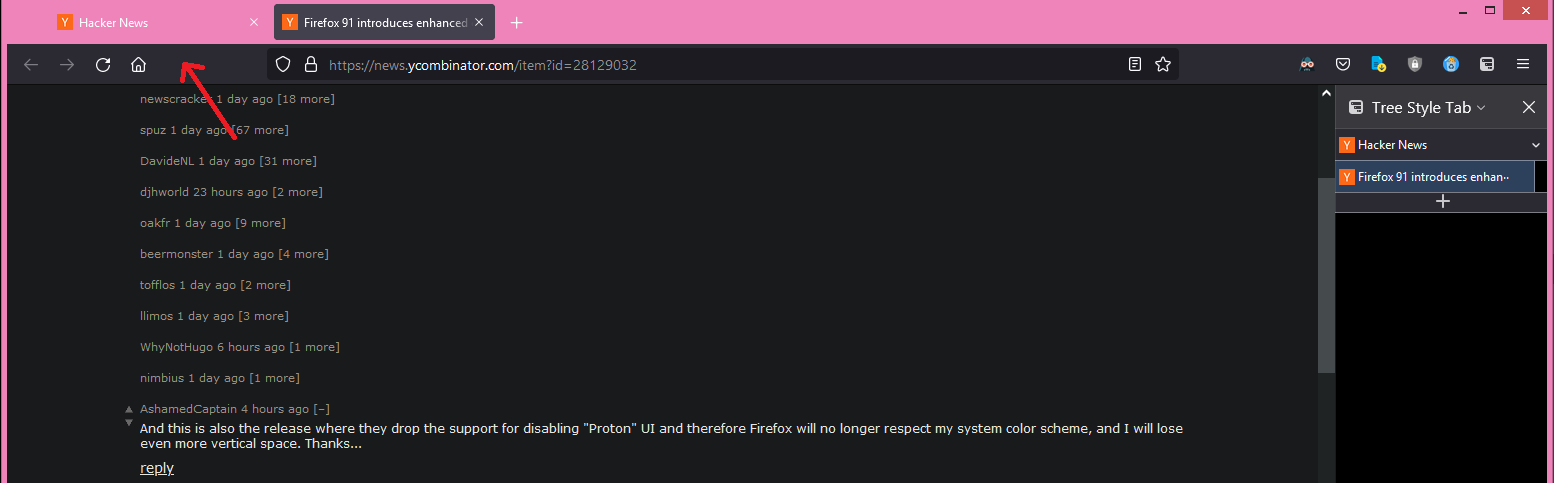
My previous company worked on the translation and they told me they had fun trying to come up with suitable equivalents for technical words such as "minimise" and "maximise".
https://blog.mozilla.org/security/2021/08/10/firefox-91-intr...
https://www.thenational.scot/news/19494171.major-web-browser...
https://slate.com/technology/2020/09/scots-wikipedia-languag...
Reminds me of: https://en.wikipedia.org/wiki/English_as_She_Is_Spoke
Mah afore company worked oan th' translation 'n' thay tellt me thay hud fin trying tae come up wi' suitable equivalents fur tekky wurds sic as 'minimise' 'n' 'maximise'.
I believe the CSS equivalent of a pixel in browser rendering here is a "baw hair".
Does that also mean you never learned about Rabbie Burns in school?
I did find it striking that the same stat for Gaelic was just over 50k in contrast: while I know the level of Gaelic spoken in Scotland is extremely low, it's at least a better known language internationally than Scots is, so I would've expected it to be the more spoken of the two.
To test this theory, I just asked my mother in law (who is from the central belt) about Scots, and she replied, quite seriously: "Whits that? I dinnae ken whit that is, I spik proper!"
(I'm Scottish, from the North East)
(Scottish Firefox developer)
It's up to the linguistic community to decide that, if their variety should be considered a "dialect" of something else or a "language" on its own. Linguists already gave up that question, it's more useful to talk about varieties anyway.
And it's the same deal with Galician versus Portuguese, with a difference - "Scots is a dialect of English" threatens Scots, but "Portuguese is a dialect of Galician" doesn't threaten Portuguese (it threatens Galician instead).
Beware fighting words
> Modern Scots is a sister language of Modern English, as the two diverged independently from the same source: Early Middle English (1150–1300)
> As there are no universally accepted criteria for distinguishing a language from a dialect, scholars and other interested parties often disagree about the linguistic, historical and social status of Scots, particularly its relationship to English. Although a number of paradigms for distinguishing between languages and dialects exist, they often render contradictory results. Broad Scots is at one end of a bipolar linguistic continuum, with Scottish Standard English at the other. Scots is sometimes regarded as a variety of English, though it has its own distinct dialects; other scholars treat Scots as a distinct Germanic language, in the way that Norwegian is closely linked to but distinct from Danish.
You are probably thinking of Scottish English or Scots English, which is essentially English of some words and phrases from Scots and a very strong accent.
Scots proper is as much a language of its own as English is.
Scots and what we now think of as English arguably have a similar age and a lot of shared heritage, though obviously given how much separation, invading and other reasons for variation & remixing of languages has gone on over time, it is tricky to tie down completely what came from where when.
Ahh whisht man.
:-)
That said, I find I often have to mentally pronounce the various written forms in order to be able to understand them.
The nested menus to access it aren’t very convenient.
I do use CookieAutoDelete to handle this for closed tabs.
What I really want is for all cookies to be deleted when the browser exits, except for the sites assigned to the containers I've created.
I'll have to see if this is possible in Cookie AutoDelete -- looks like it might be. Does anyone have any suggestions?
Then Cookie AutoDelete (CAD) is exact what you'd want. Firefox has a setting option that deletes all cookies except exception after the browser is closed. But in my opinion, that function is too limited. CAD filters domains on container level, while Firefox's doesn't. CAD also offers regex matching for domains, which is really useful. My favorite feature is greylisting everything in Default Firefox's container (using * regex for greylist).
CAD is compatible and best used with Firefox's Multi-Account Container.
It will take a bit to learn how it works though.
At least Firefox 90.x has a checkbox "Delete cookies and site data when Firefox is closed" in the privacy section, along with a button to "Manage exceptions..."
In settings for CAD, enable container support
https://github.com/Cookie-AutoDelete/Cookie-AutoDelete/wiki/...
I use in combination with Firefox containers feature Enable Automatic Cleaning of CAD, which deletes all cookies (as well domain related contents) except those in whitelist. That has saved me a lot of time in manual greylisting.
This seems exactly right: now that we have partitioned cookies, cookie clearing should clear cookies for the whole partition.
Just shows how Google et al, strive to safeguard and profit from the status quo, at the expense of every internet user.
No -- it's just how cookies were meant to work from the start, the most obvious implementation before the privacy/security/tracking implications got worked out, which has taken many years.
And Google's working to make similar improvements to Chrome:
https://blog.chromium.org/2020/01/building-more-private-web-...
So not "insane" at all. To the contrary, it was entirely reasonable at the beginning, and now we see browsers reasonably addressing the problems that have arisen.
Historically cookies weren't partitioned by site. So if you went to clear the cookies for https://publisher.example, then the browser wouldn't know whether to also clear cookies for https://other.example.
(Cookies are still not partitioned by default in Firefox; it requires turning on Total Cookie Protection)
If it didn't come with all the tracking and privacy implications, being able to see your friends' comments on a site first, use social widgets etc. is a feature.
This will also break some sites, some of which will never get fixed, so this is a hard change to make (but necessary at this point).
I suspect this is going to help against some CSRF as well?
Firefox on iOS can do this, but you can’t set a Font size at all. So many websites (like Hacker News) are nearly impossible to read on an iPad.
This is the only website which I have to scale up on every computer...
Font size is set to really low (titles on the homepage are 10px, comments are even smaller).
I can read it fine at 100%, it just requires a bit more mental struggle in the age where font sizes are usually in 16/18px range.
    div.comment {
        line-height: 1.5
    }

    td {
        max-width: 700px;
    }
The smallest font on this page is 9px, that's just ludicrous.
I mean just open the CSS file and judge for yourself.
- specify which websites may store cookies/cache. All websites not specified can not store anything (and thus not track me), and all data for these websites is deleted once i close the tab
- i want to remember all my history
I can do this in Firefox on macOS (with some container extensions, can’t remember the names now)
Secretly, a lot of addons will run just fine. You can install them in the Firefox nightly through the "secret settings" (tapping the Firefox logo in the about screen seven times) by creating an addon collection and stuffing the right ID in your browser.
I can say the new engine is notably faster and the UI is easier to use for basic tasks, but all of the features that made me switch to Firefox on Android in the first place have been removed. Slightly nonstandard features ("being able to use your own CA" or even "being able to ignore TLS warnings") took years to implement, and logging into a website with a client certificate is still not possible.
They even took about:config from us in the stable builds, because they consider their users babies that will change random settings and break something. Firefox has dropped all support for power users and has focused on becoming Chrome 2.0, a goal which I don't think they'll ever be able to accomplish. If you don't follow the standard workflow of the 80% who forget to disable Mozilla's stalking, you're no longer important.
I'm still on Firefox but every day I'm nudged closer to just switching to Bromite instead. The lack of proper addon support was understandable at first, but by now I hoped to have some decent addon support back already. I guess the team working on it must've gotten culled so Mozilla's CEO could afford their pay raise.
Because they switched rendering engines or something. Now addons are restricted to a small subset that they've validated. You can use a custom addon collection to install untested addons (see: https://blog.mozilla.org/addons/2020/09/29/expanded-extensio...) to get around this, but there's no guarantee that the addons will work.
I loved Firefox mobile and this did me dirty. One of the big draws was adblock, and on top of needing text and extensions they changed the UI to be antiproductive.
Their playstore ratings took a massive nose dive after that release. Shame. They are the only real browser competition to Chrome.
I am annoyed that Firefox mobile tabs seem to have to refresh every single time I "tab out". I'm stubbornly sticking to it because of addons though (Dark Reader and uBlock).
My experience is this also includes your cookie preferences which means if you don't enable that single option, you'll have to go through the steps to disable cookies pretty much every time you visit.
It turns out that those third party "consent form in a box" solutions tend to have settings to let the website operators choose how user-hostile the popup is supposed to be. It's a shame the DPAs are all understaffed, incompetent, unwilling, or willfully looking away (e.g. in the case of Ireland) instead of taking expensive enforcement action against companies that violate it.
A few expensive examples and every site would have a top-level, equally visible "reject all" button, and after a while, sites would realize that with 90% of people choosing that, they might as well skip that popup and assume rejection.
Those popups aren't mandatory at all, sites can simply respect your privacy by default.
In my opinion, the simplest way to deal with cookies is to disallow third party, and to keep a white list of authorized websites. Cookies outside this white list should be deleted manually or automatically after a few hours. Extensions for this probably exist, but I've had bad experiences with extensions breaking or becoming intrusive, so I made my own where I hard coded the domains that I want to keep.
That is one of the main issues I have when I do things like that, online payments fail in subtle ways and you aren't sure if the payment goes through or not.
By the time sites are incorporating Google's own JavaScript code, tracking cookies can be stored as the site itself. Only a single action (look how much data is handed to the site via the URL of a search result, for example) and this site-specific cookie is just part of wider tracking.
Also, blocking people who use privacy settings can be legally iffy. Many sites are already on thin ice, telling people to use their browser settings if they don't want tracking cookies. Forcing tracking like that sounds like a recipe to receive an expensive lesson in GDPR.
https://addons.mozilla.org/en-US/firefox/addon/cookie-autode...
Oh well, see if it still hurts in a few days.
I just want a button to whitelist a domain and an option to automatically clear 100% of everything outside the whitelisted domains on every restart.
And always clean the cache, perhaps even for whitelisted domains unless the system is on a metered/slow connection.
Also, every website should always be opened in a separate "container" so cross-site tracking won't work.
If Chrome did that today this would trigger a cascade of consequences. If Firefox did that today it would just improve Firefox popularity and cause no problems.
Sites start out default clearing all cookies the moment you clear the tab. Greylisting clears them when you close the browser. Whitelist retains all cookies.
Multi-account Container and Temporary Container extensions take care of your per-tab container needs.
I don’t want a security “profile” because I don’t fit in to whatever few boxes you have setup. Or maybe I just don’t trust what you do behind that security profile setup.
I want my own granular cookie tracking. Steal it from chrome if you have to. It is the best thing since sliced bread.
I want a list of every cookie I have got. Just like IE used to do. Just chrome does today.
I want to set in the smallest detail which cookies are allowed, which are blocked, and which only last until I close session.
I have umatrix and ublock with only my personal filter list. It is not good enough. I want something much like chrome.
Anyway I wish FF had a feature that broke down the cookies PER container, so I could purge any ones that might have snuck in due to a lapse in my judgement, e.g. if I see facebook cookies in my "twitter" container then I'd like to purge them for that particular container only.
FF only allows you to do a global purge.
EDIT: I can see this bug was raised 3 years ago which suggests it _used_ to be a feature that got removed, but sounds like it was never put back in/low priority/WONTFIX. https://bugzilla.mozilla.org/show_bug.cgi?id=1480175
How is data from previous versions of Firefox handled? Will data from ad networks be listed as a "website you have visited", made unavailable for the embedding site's cookie jar, and re-fetched upon the next visit?
The next step is for Firefox to finally adopt torbrowser, and natively support not allowing fingerprinting by default.
By default it's off, and it means that cookies as deleted as soon as I close the last tab for that website.
Clicking it whitelists the website and cookies are retained until I turn it off again.
This is kind of like the approach we had in the nineties. You used to get a prompt for each website, asking if you wanted to allow cookies or not. This is like a second iteration on that.
Chrome isn't going to tackle tracking/fingerprinting for obvious reasons.
how about allowing me to whitelist and blacklist cookies from a button? why did that feature have to disappear in the first place? instead I now have a menu in about:preferences#privacy that requires a full URL to be entered, added with a button, then confirmed with "save" in what appears to be an effort to get me to just accept cookies.
whats worse is if i switch between allow cookies, and then back to custom, my selection to block all cookies isnt honored at all. instead i get put back into 'block third party cookies.'
finally theres the misery of including blocked sites in the 'preferences' you can delete as part of your browser history, which seems like an effort to further reduce my predictable and consistent ability to block cookies altogether.
It was worth a chuckle.
As a heavy user of Multi-account Containers, I will be interested to see how this feature interacts with it. I use containers to maintain multiple profiles on websites and loosing all the data for those websites after clearing cookies can be frustrating.
1. https://developer.mozilla.org/en-US/docs/Web/HTTP/Headers/Cl...
2. http-response add-header Clear-Site-Data "*"
It's usershare first, then you have weight to put towards web standards. And I'm afraid Mozilla doesn't have the resources and willpower to fight that battle anyway. If I'm calling shots with Firefox I'm moving to Chromium immediately and then focusing on UI and privacy features. It's probably too late to make that change though. I just read Firefox lost 50 million monthly users in the last two years.
It's a little sad, there is room in the market for a 3rd party, power user's browser but it's obvious as can be that whatever browser that will be- it will be on Chromium and it won't be Firefox.