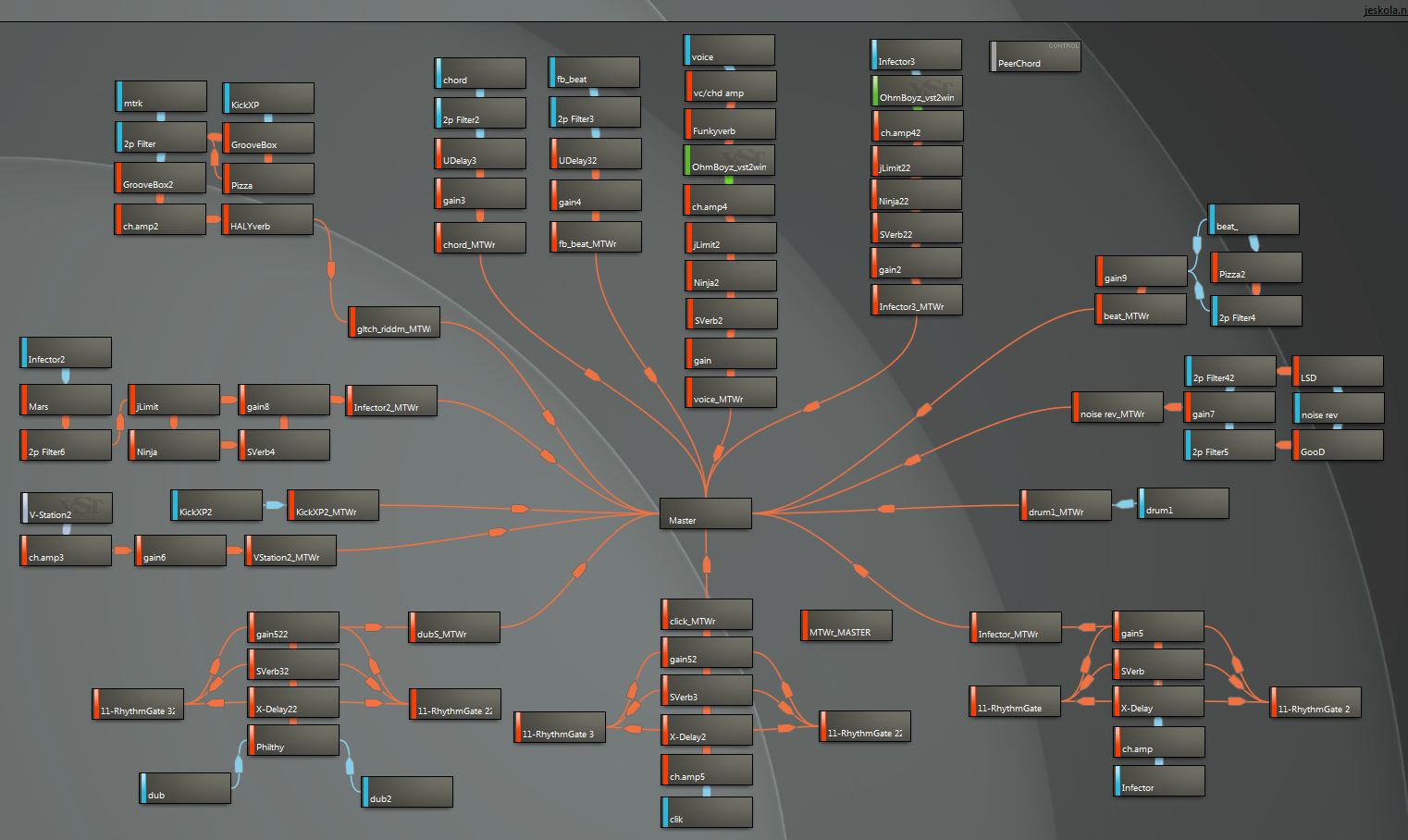
As an aside, when looking for Qt alternatives a few months ago I stumbled upon JUCE.[0] Prior to that I had no idea there were general purpose UI libraries with such heavy emphasis towards music creation. Granted, the cross-platform support was quite lacking, but perhaps things have improved since.
Complex and inventive, yes. I would also add that most of the time (for me at least) it goes too far. For example, there are a fair number of synth UIs modeled after (or inspired by) real analog synths, and for people who are familiar with the real-world counterparts, I suppose that makes the software more approachable. For someone unfamiliar with that hardware, however, the UIs just feel like over-the-top skeuomorphic eye candy with little functional advantage in pixel form.
Then there's an infinite array of virtual instruments, synths, effects, etc. that don't have any real-world counterpart, and they're styled to look like super-advanced alien sci-fi machines... I mean, the UIs certainly look cool (at least in the context of visual art), but they're a frustratingly convoluted mess to actually work with using a mouse and keyboard[1].
I've never quite understood why pro audio software is so strongly coupled with that design aesthetic. If it's truly driven by functional necessity, I guess I wasn't born with the necessary set of alien tentacles to take advantage of it.
[1] As I understand, certain controls in these UIs are often linked to knobs, sliders, and buttons on real audio gear, but that still doesn't answer the question. The on-screen representation undoubtedly looks nothing like the real gear, and the heavily-stylized form doesn't exactly seem to serve a purpose beyond what could be achieved with a more conservative aesthetic.
On one end is the skeumorphic approach with interfaces that directly resemble audio hardware. At the other end is total flexibility only achieved using path markers / bands. Product designers often choose one of these extremes to maximize approachability or flexibility.
I think you're right that significantly improving the status quo is really hard, but I think that there is room for small improvements that seem to be overlooked.
Stuff that seems to be taken for granted, like tooltips, cursor changes for functionality, identifiable buttons/controls, could all go a long way. The difference between something like Lightroom and many of the premier synthesizers is pretty staggering. Not that they're perfectly comparable, but that's another topic.
This is a way to simultaneously interface multiple linear controls without having to point and click or even look at the screen. Some of this was inspired by Englebarts key cord in his 1968 demo and keyboard based Raskin style quasi modes as described in the Humane Interface.
Go to http://9ol.es/input.html on a desktop.
Hold down any combination of the 1, 2, 3, and 4 keys on the keyboard with one hand.
With the other hand, move the mouse either up or down.
You will see that by pressing down the key, you've selected one or more sets of the numbers, indicated by them turning bold.
Then the mouse moving will affect only the selected "controls".
This cognitively frees the user from the task switching of engaging with the interface while composing.
It also detaches the layout on the screen from the interfacing of the computer and presents a new generic paradigm of using the computer.
There's an additional demo I have that changes the background color to indicate a mode so that a bank of keys can be assigned to setting traditional modes on top of the quasi modal interface.
The objective is to have a system that can be modified quickly and simultaneously with minimal active cognition that distracts one from the artistic task.
Easy to use and easy to learn are distinct things. Usually the latter is done at the expense of the former.
In the long term, I am making this a virtual midi device that can be interfaced into any music software that accepts midi devices.
Source: Tracktion developer since 2005.
Just arrange your windows and for each window choose a window type you want to see. And ofcourse the ability to save this.
I think this is a big plus as a UI because every person and project is different.
Viewport tools and interactive graph visualizations aside, 3D is mostly just text fields and sliders editing values. With music, there's all manner of knobs and dials. Each VSTi plugin tends to have its own wildly different interface. Case in point:
Here's an example: http://www.lazytrap.com/img/cut_four_isolated.png
Every DAW has an internal graph of how everything is routed together: the waves you put on your timeline, every effect and synth, etc. I just want that graph to be exposed, visible, and freely modifiable.
The problem is that DAW makers and users seem very attached to interface elements that are somewhat incompatible with this paradigm: mostly the track mixer and "insert effects". This requires the DAW to manage the routing behind closed curtains and hide everything behind layers of abstraction that I consider unnecessary and often opaque.
There's a variety of weird tradeoffs that are made to get modularity while still having these traditional features, like per-track modular views (eg. presonus), modular views contained inside plugins (eg. bidule, reaktor). While these are nice in their own way, I find that nothing can replace a global, freely modular view. The bee's knees is when you can nest it arbitrarily like Reaktor does (as a plugin). If I want a mixer, I can place it myself in the modular view.
Does any DAW do this? So far I'm using Buzz, which pulls this off perfectly, but has its own limitations (no good pianoroll, no arbitrary timeline placement...). From my rather extended foray into the topic, I've found that Mulab seems to fit the bill, though I'm not sure. Some software like Max/MSP, PureData, and Usine are 100% centered on modularity, but they cheap out on the "timeline" aspect, which I find very important when I'm working with lots of samples and video.
1. https://macprovid.vo.llnwd.net/o43/hub/media/1150/10978/R6_1...
http://forum.cockos.com/attachment.php?attachmentid=7391&d=1...
However, a major downside to this setup is that if I close the apps, the setup disappears. That is, my setup uses multiple distinct apps that are connected together (directly, or through the MIDI and Audio routing apps) and there's no way to persist this multi-app setup between sessions, so any time I have to set it up from scratch (because I closed the apps or rebooted the iPad), I lose all at state and have to set it all up again from scratch.
Until that is solved, I don't think I'd really count it as a serious setup. It's an incredibly powerful toy though!
Of course, this applies to an iOS-only (or iOS-centric at least) setup and not what it sounds like you're referring to: using iOS as cintoellets for an otherwise laptop/desktop-based setup. I imagine that has fewer of the above issues.
Speaking of musical interfaces, Fugue Machine is practically perfect. I just wish you could have a longer loop length.
Does anyone know if that's possible on a touchscreen PC/tablet running Windows?
(don't think it's too OT... we could imagine this being a delay/echo sequencer...)
strangely, the name of the app is not in the title or the description of the video. took me a while to find this demo. (can't remember the name).
on one hand i feel like there are endless possibilities. on the other hand, why can't i think of one? not that i am the most creative but... i don't see anyone making any either. most VR audio apps are contrived- they don't make any more sense in VR than they do on a desktop.
i'm excited either way. i think even contrived instruments have potential if you add remote multiplayer.
Music doesn't have any innate visual element. It's an auditory and tactile medium. In theory, Photoshop or Final Cut could add all sorts of "audiolization" tools, but the idea seems quite odd. Representing sound as visual images scarcely makes any more sense. We're living in a visual culture, so we tend to overlook the importance of the other senses.
VR currently provides no tactile feedback, which is absolutely vital in musical performance and production - muscle memory doesn't function without it. The theremin has been around for a century, but only a handful of people have ever learned to play it well. It's extraordinarily difficult to wave your hands around in mid-air with any amount of precision.
It's far from "full-featured, professional-quality", but it completely sold me on the viability of VR as a medium for audio production.
I'd love to do an Android version at some point. Wonder if the audio stack is up to snuff?
I can't believe we have these ridiculous music/sound editor UIs, full of awkward, knob-looking controls that are almost impossible to operate with the mouse. Clearly the standard computer interaction controls such as a menu or slider or even a text field would be easier for computer-based settings.
Instead of allowing me to set my own range and instead of making an interface where choosing a value works with common input interfaces we get tricked out, 32-bit radial controls that fail with regard to any operative goal on their use.
https://github.com/audiokit/AudioKit
Full disclosure: I'm a core member of the project.
Oh and also check out WebMIDIKit, https://github.com/adamnemecek/WebMIDIKit, it tries to wrap the terrible CoreMIDI APIs.
2. https://github.com/audiokit/audiokit.github.io/blob/master/_...
I am currently experimenting with the current Midi functionality in AudioKit along with a Swift music theory library https://github.com/danielbreves/MusicTheory to compose and sequence music. Using Audiokit to send Midi events to Logic pro
Does/will WebMIDI support any kind of Automation events through an easy to use abstraction? Thanks again
It was a very 90s website.
Edit: found it. http://www.erasmatazz.com/library/the-journal-of-computer/jc...
Currently it works with suoercollider but I had planned to write bindings for webaudio and other targets.
https://github.com/crucialfelix/dryadic/blob/master/README.m...
https://github.com/crucialfelix/supercolliderjs-examples/tre...
There will be a formal language that can be parsed, but at this stage it uses JavaScript objects
About the "tiny windows" section, Fabfilter has had interfaces very similar to what they're describing for a long time. I think they're some of the most intuitive visual interfaces for these musical tools. I'm really surprised they weren't mentioned.
Their limiter [0] easily lets you see volume before (light blue) and after (dark blue) limiting, as well as what gain reduction (red) is being applied over time and RMS (white line in the area between -10 and -16).
Their EQ [1] lets you see the affect each individual band has (blue and green), the overall eq curve (yellow) and frequency spectrum before and after.
> There is a bigger underlying issue: we are making decisions that will affect the whole recording based on this tiny real-time view of the world. This is like trying to decide on which filter to use on an image by shifting a tiny square preview around the image, trying to imagine what the whole thing will look like try it below:
I disagree with this though. Visuals tell so little compared to your ears. It's not like deciding an image filter by scanning a small square across an image, it's like deciding an image filter by converting the image to a .wav and listening to the output. The Fabfilter plugins have great GUI's but you can't make a mix by turning off your speakers and only relying on visuals.
About envelopes, for example. On my hardware synths, I'm comfortable with the position of the ADSR knobs and what effect it will give. I know that if I want a plucky sound, the decay knob goes to a certain point. With visual envelopes, the shape seems more intuitive, but because they scale their lengths to fit within the display, it actually gets very hard to tell exactly how long something is just by looking. In Massive, if you turn the release up to 10000ms, setting decay between 50ms and 500ms provides almost no visual difference because it stretches the envelope graphic. So you end up using the virtual knob positions anyways and ignore the graphic for the most part. I don't use Logic, but I get the same vibe from the screenshot.
You often do not want "their values in proportion to each other". For example, changing attack time doesn't change the sound of the decay/sustain or release sections, so they should not affect it visually. Serum is the only synth I've used where the envelope graphics actually add a lot to the value of the interface. The way you can draw curves or steps is also genius. [2]
The ADSR model also responds to your playing, unlike the programmatically made examples. You can't hold two notes, let go of one and have it slowly release while the other is still sustaining because you're pressing the key. Would singing the envelope or using an audio sample to generate the initial envelope data be useful? Maybe, I'd certainly like to try. But my first guess is that it wouldn't be that helpful. Most of my time with envelopes is spent adjusting values by milliseconds or so to get it to sound perfect, and not by a whole second or so. I couldn't achieve that accuracy with my mouth, and dialing in an initial envelope is already easy enough that I wouldn't want to plug in a microphone instead.
I'm really interested in better interfaces to musical instruments, or sets of them, especially in real time. There are some amazing things people are doing with grid controllers like the monome or Push. PXT-Live-Plus is one I've been playing with. One of my favorite additions is the drum mode where you can set pads to not be an individual sample, but a set which rotates to the next each time you hit it (so it's entirely deterministic and predictable). From a small number of pads you can build really intricate melodies/rhythms by managing what notes/samples will be available to you next, it's a very different way of thinking.
[0] http://www.fabfilter.com/images/screenshots/screenshot_pro-l...
[1] http://www.fabfilter.com/help/pro-q/images/analyzer@2x.jpg
[2] https://www.audiotent.com/wp-content/uploads/2017/02/lfo.jpg
It's not quite true to say you cannot make a good mix while staring at your monitor, but it certainly makes it a lot harder.
This is why the current crop of GUIs doesn't really matter. They're good enough for the job, and people who know what they're doing spend a lot more time listening than they do looking at the screen.
Modern music technology is so insanely powerful already the real limiting factor is user skill and creativity.
I'm now thinking about building a passive x/y controller with responsive breaks: I's super hard for motors and rails to actually push against a human arm with some force, just clutching a break should be able to counter quite a bit of strength though. I'll just have to be a little creative on how to make tough pressure sensors on the handle.
So I'll have: one knob on a flat pane, pressure sensors measuring what force goes in to the knob, optical encoders to know the position of the knob and 2 or 3 motorized breaks that adjust for the correct counter-force. It should be quite easy to simulate a guitar-string that than flings away, I just can't emulate slow relaxation of the "string".
For plugins, the beautiful interface with poetic descriptions could be regarded even more important (for sales) than the actual sound, thus the vst world might be the most 'full of bullshit' realm of software development.
From my experience the best musical interface is a dedicated hardware unit. Mouse, keys, and a big screen are generally inadequate and inherently contraproductive, and a small 20x40 lcd should be more than enough as visual info.
Also, I love using NodeBeat HD - That one has a very unique 2D way of representing a beat pattern, but placing nodes and joining them up at different distances etc.
Aside from that, like many guitar/piano people, I'm pedal oriented, I see all these new things like Elektron Analog Heat and i think, that would be a great pedal. I don't know if it's possible for a single pedal to control multiple parameters but if it exists I'm willing to practice dexterity for months to get the control
I have since abandoned iOS development in favor of mobile web apps
I really detest screen knobs myself.