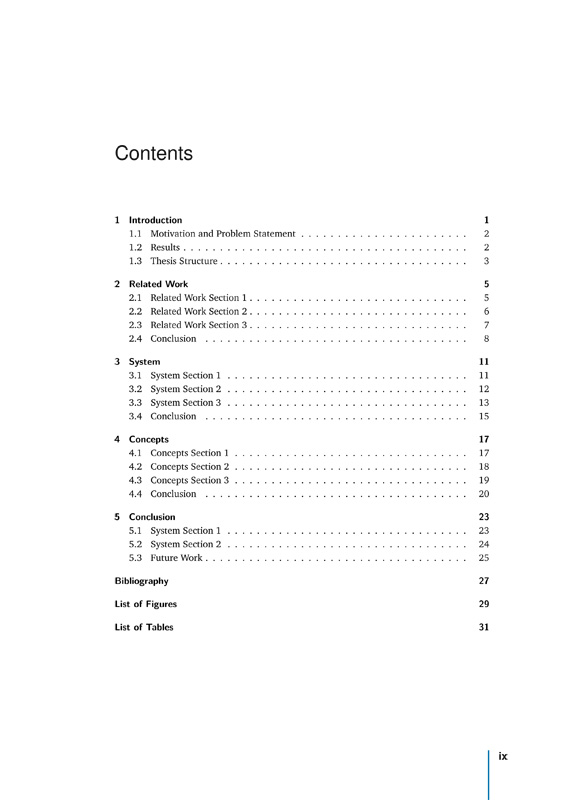
Fortunately, there was a LaTeX style file that had been handed around the physics department for years that generations of grad students had tuned to meet the requirements. Doing my part, I tweaked it a bit to handle some special cases that came up in my thesis (and, I think, to clean up the code in one or two places) and passed it on to the next generation. (I shudder to think of how many forks there must have been; I saw at least two or three while I was preparing my version. Maybe someone has put a canonical version on GitHub by now: nothing of the sort was really on our radar back then.)
I've heard of one university (there must be others) where there's a thick compendium that specifies exactly which font to use where on each page, what spacings and margins to use, how to format the table of contents, etc. Not actually a LaTeX stylesheet you can use, but a list of rules that you manually have to make sure your thesis conforms with. Of course, the rules were written with MS Word in mind, but math/CS/science people who need to use LaTeX have to replicate the rules in detail. Of course, there's a person employed by the university to check that your submitted thesis exactly conforms with the rules, or else it will be rejected.
The person who told me this might have embellished the story, but sadly it sounds all too plausible to me.
My university doesn't even provide this front page in LaTex ...
Now we add blue titles ? And sans serif font ?
Sarcasm apart, it looks good. Some links are 404 on the page though (classic thesis, etc.).
I'm currently looking for a thesis template as well, but the more I come across (1) the more I just want to do something like http://motherfuckingwebsite.com/.
(1) http://tex.stackexchange.com/questions/326/latex-templates-f...
My two cents:
- Once you become a moderately advanced LaTeX user, you need more control over your document.
- This almost exclusively leads to a preamble that is a complete mess of spaghetti code.
- Putting that mess in a separate file doesn't solve the issue, only hides it.
- Another view is that if your preamble is a mess, your document is screaming at you to create your own documentclass (or rename the class you're using and modify it).
- But that requires you become familiar with LaTeX (and TeX) internals.
- But that is way harder than becoming familiar with TeX + PlainTeX.
Therefore, as an intermediate to advanced TeX user I'm beginning to believe that TeX + PlainTeX is a much better approach. Although you'd sacrifice advanced functionality of hundreds of LaTeX packages, but people who wrote those packages could've easily written TeX macro-collections. LaTeX is used more only because it has more momentum behind it; otherwise PlainTex is a much cleaner approach.
If you're willing to get under the hood of the whole system, I highly recommend Knuth's The TeXbook.
P.S.: Just for comparison, LaTeX *.ltx files are about ~10,000 LOCs compared to ~1200 LOCs of plain.tex (which is fully documented in Appendix B of The TeXbook).
Not a thesis template at all, but great ideas and it sheds some light on how to get decent typography.
On a side note, I think it would be great to have a good WYSIWYG TeX editor for office/basic user level of proficiency. Typesetting does matter, it profoundly impacts reading, which is particularly relevant when you're giving 300+ pages of your hard work for someone else to read. It would be very good for everyone to get decent default typesetting. Unfortunately, our alternatives are:
* Word/typical word processors, which are are horrible at typesetting;
* TeX, which is good, but it's hard for most people and has an aura of complexity (it's code, after all...);
* Publishing software, such as Adobe InDesign, which are indeed great at typesetting, but only if you know what you are doing. This is professional software, which is clearly not aimed at common users.
It's been a while since I read the documentation to KOMAscript and Memoir but I think both contain some criticism on Lamport's default styles.
There is nothing wrong per se with a sans serif font for titles as long as it fits to the serif font for the main text. I'm not quite convinced though that this is the case here.
BTW, the README states that this layout has been "inspired by user guide documents from Apple Inc." So don't bash on the ground it might look like a Word document. ;-)
Oops, mea culpa. You're right, I mixed both thinking Latex and Tex were quite equivalent in term of style rendering. I never bothered looking into Tex, I just wrote some Latex classes (and documents, of course).
> BTW, the README states that this layout has been "inspired by user guide documents from Apple Inc." So don't bash on the ground it might look like a Word document. ;-)
Oh but Word wasn't on my mind at all when I commented. I even followed the link on keynote to see what was the reference (since I never looked at keynote or iLifexxx documentation).
The web seems to think it's a matter of taste and adequacy nowadays:
http://www.webdesignerdepot.com/2013/03/serif-vs-sans-the-fi...
http://designshack.net/articles/typography/serif-vs-sans-ser...
http://www.fonts.com/content/learning/fontology/level-1/type...
I'm partial to serif fonts, and Scala in particular, but Apple's design documents are beautiful too, and I can't begrudge someone wanting to emulate their design.
I see that you have links to JPEGs of sample pages, but this would be much better. [EDITED to add: I am not suggesting that you remove the JPEGs. They don't do any harm.]
- pictures
- tables
- formulas
When you can't find it in the sample PDF, you assume that adding them will be some sort of visual hell...
[1] http://wcm1.web.rice.edu/my-academic-book-in-plain-text.html
[2] https://puppetlabs.com/blog/automated-ebook-generation-conve...
Another excellent style sheet to look into is the Tufre-style book: http://www.latextemplates.com/template/tufte-style-book
I'd also be happy to share some of the .tex header I use for my book---just some customizations on the vanilla book documentclass. It's fairly hacky stuff, but it works ;)
Using 2 different sans-serif fonts in the same document (here: Helvetica and the TeX humanist) is usually frowned upon by typographers. One reason is that differences in size, style, color, etc. should always be noticable. Two sans-serif fonts will always look superficially similar; the eye has to get used to different letter forms when it expects the font to stay the same.
Beyond that, I think the template is really beautiful. Thanks for sharing!
Except for Z and Q. Those don't count.