https://github.com/anthropics/claude-code/blob/main/plugins/...
Manifestation for LLMs. :)
> NEVER use generic AI-generated aesthetics like overused font families (Inter, Roboto, Arial, system fonts), cliched color schemes (particularly purple gradients on white backgrounds), predictable layouts and component patterns, and cookie-cutter design that lacks context-specific character.
> brutally minimal, maximalist chaos, retro-futuristic, organic/natural, luxury/refined, playful/toy-like, editorial/magazine, brutalist/raw, art deco/geometric, soft/pastel, industrial/utilitarian
> React, Vue
Sorry, but this is garbage.
What is it supposed to do when fed instructions like this?
For a recent project I really liked a font which was in the Adobe Fonts collection and when I had to set stuff in that font with Pillow I gladly bought the font from the foundry because it looks great and saves hours of searching for a “free” font, that is “free” as in puppy.
Glad to see that it's just noise.
I suppose the biggest effects these skills have is to prime the user to expect something positive.
Actually kinda like what we do with LLMs. Just put a word in their context window and they suddenly start behaving different because probabilities changed.
Found it on reddit after Claude produced the lamest looking generic forms for all the pages on a project I had it build. This did a pass over it and basically fixed it all one shot.
>Blur your eyes or step back >Can you still perceive hierarchy? >Is anything jumping out at you?
Telling an eyeless clanker to "blur your eyes" is just so ridiculous. "Is anything jumping out at you?" That's quite a thing for a machine to reason about, and reads like a waste of tokens. I'm not sure who is writing these things, but they seem rather clueless.
Does it work? Maybe. I'm just really skeptical after reading through that repo that any of this leads to actually better user interfaces.
I'm pretty sure I'd have better luck just telling the LLM explicitly what I want, because experience in UI/UX is still better than what an LLM would slop out on its own.
What does it do if you suggest it looks like an OpenLook/XView/OpenWindows application? (That is where my heart really belongs)
Doubt there's much in the training set...
We've really went behind in terms of UX as an industry.
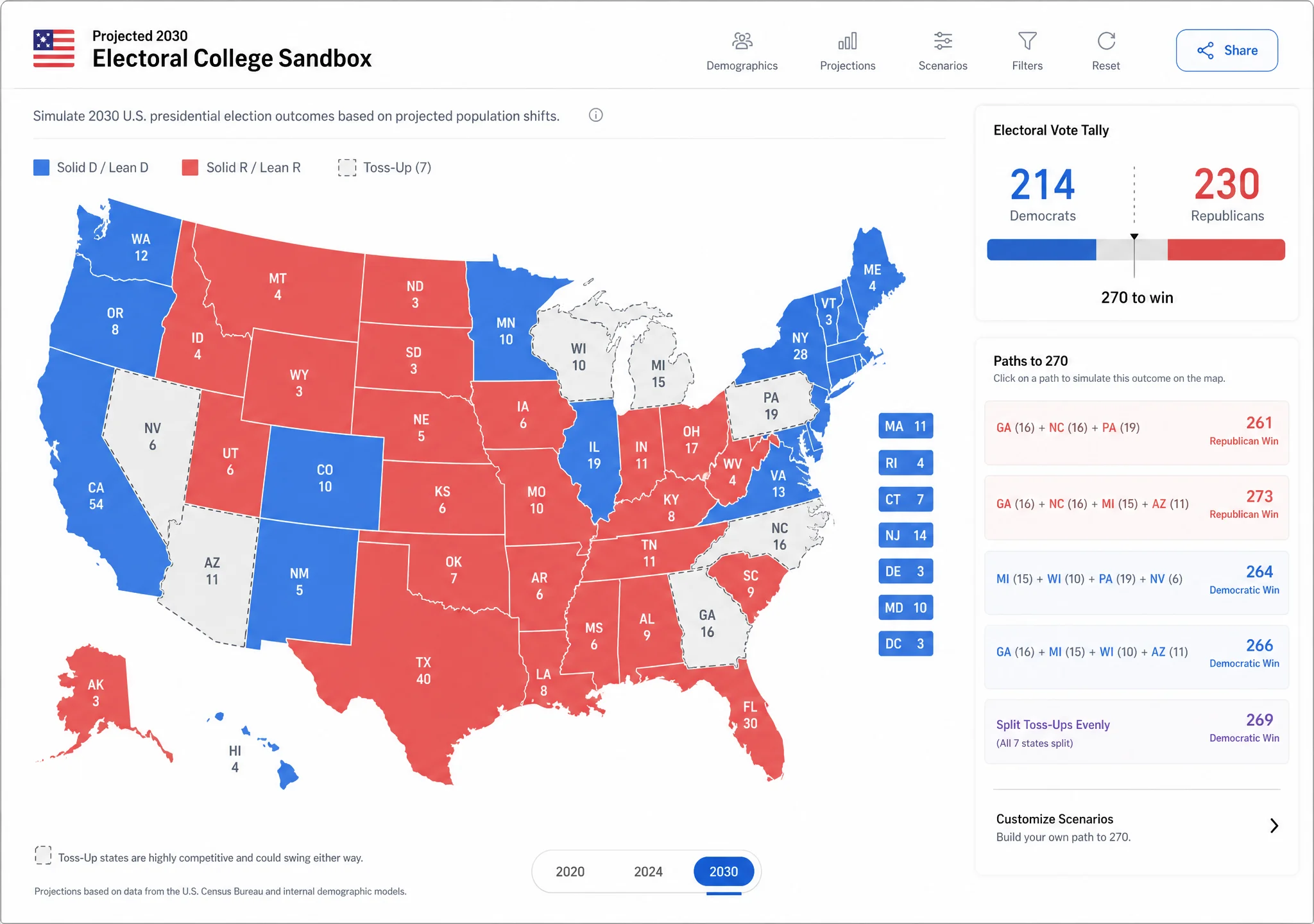
https://image.non.io/10037610-e35e-44b0-b5c6-69d8fb772109.we...
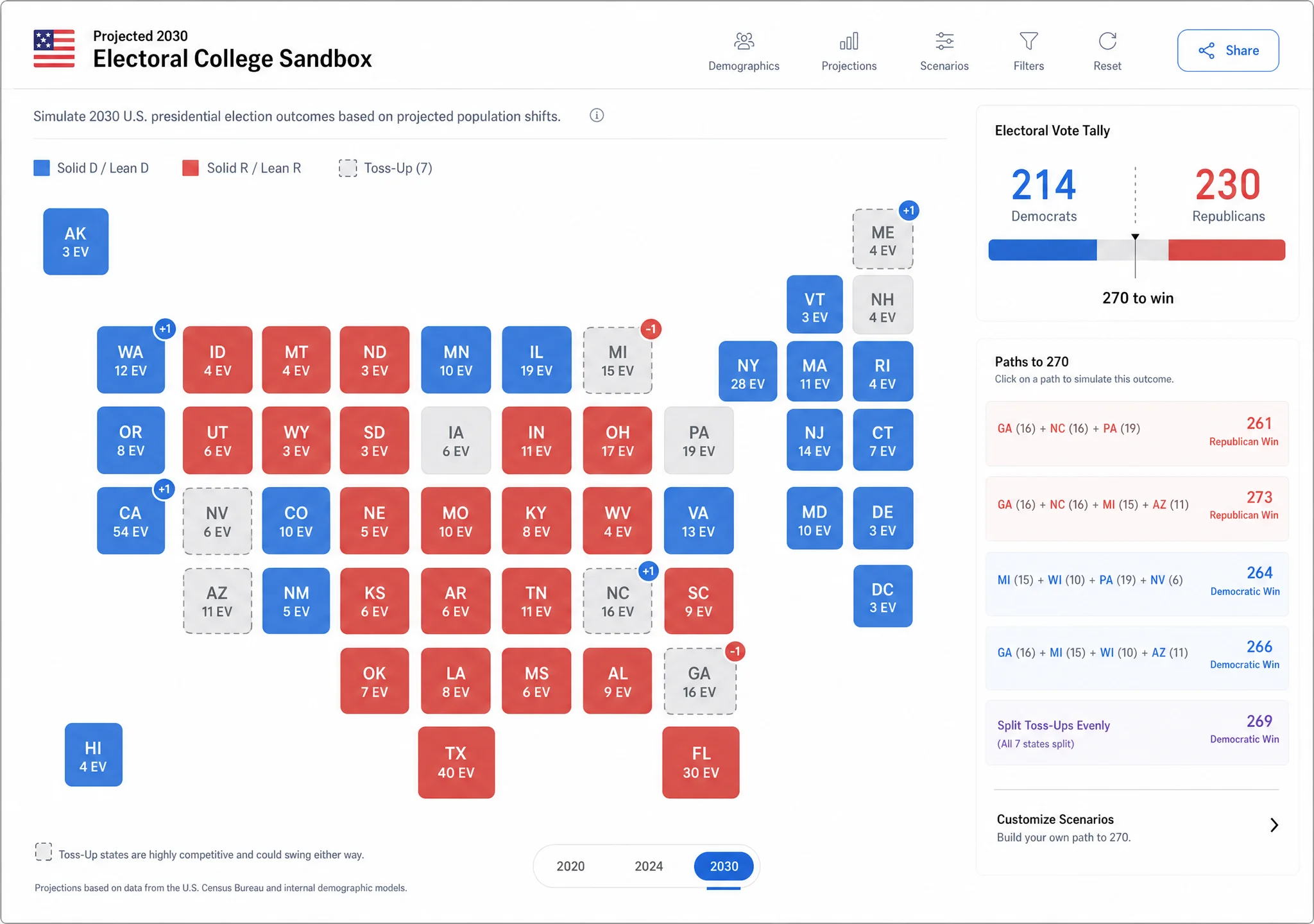
https://image.non.io/dcf067bc-e296-4744-9b36-2b882f3d791d.we... (same as above, but with your simplified map)
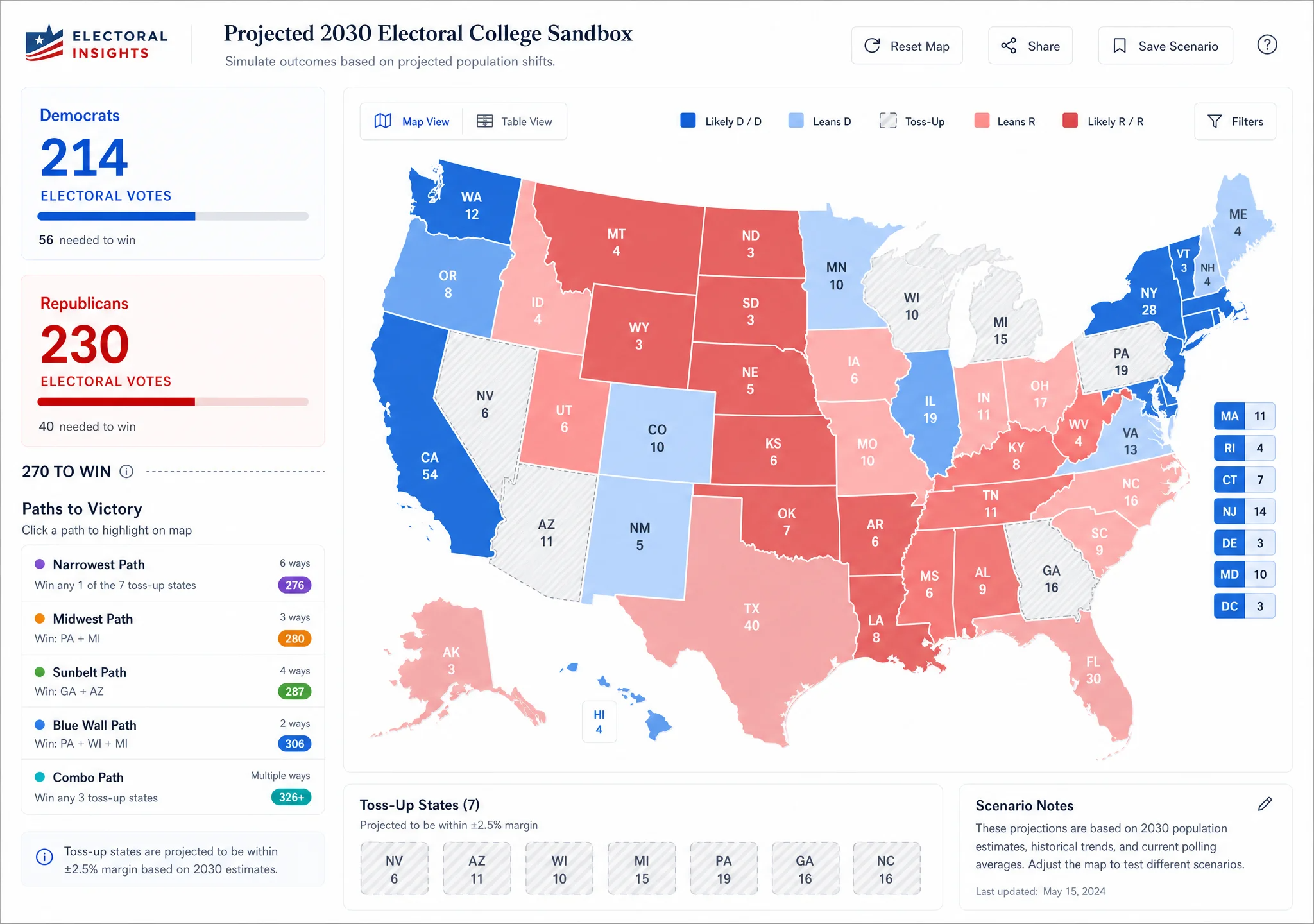
https://image.non.io/94fdfb04-c57d-4b81-8d53-7b0f707e4d63.we...
I've found that starting using diffusion to render your creation, then using a LLM to build from the image creates much less of a slop feel than just starting out with a LLM. You wouldn't tell a construction crew to just build you a house without an architectural plan, so why tell a LLM what visual result you want without a visual guide?
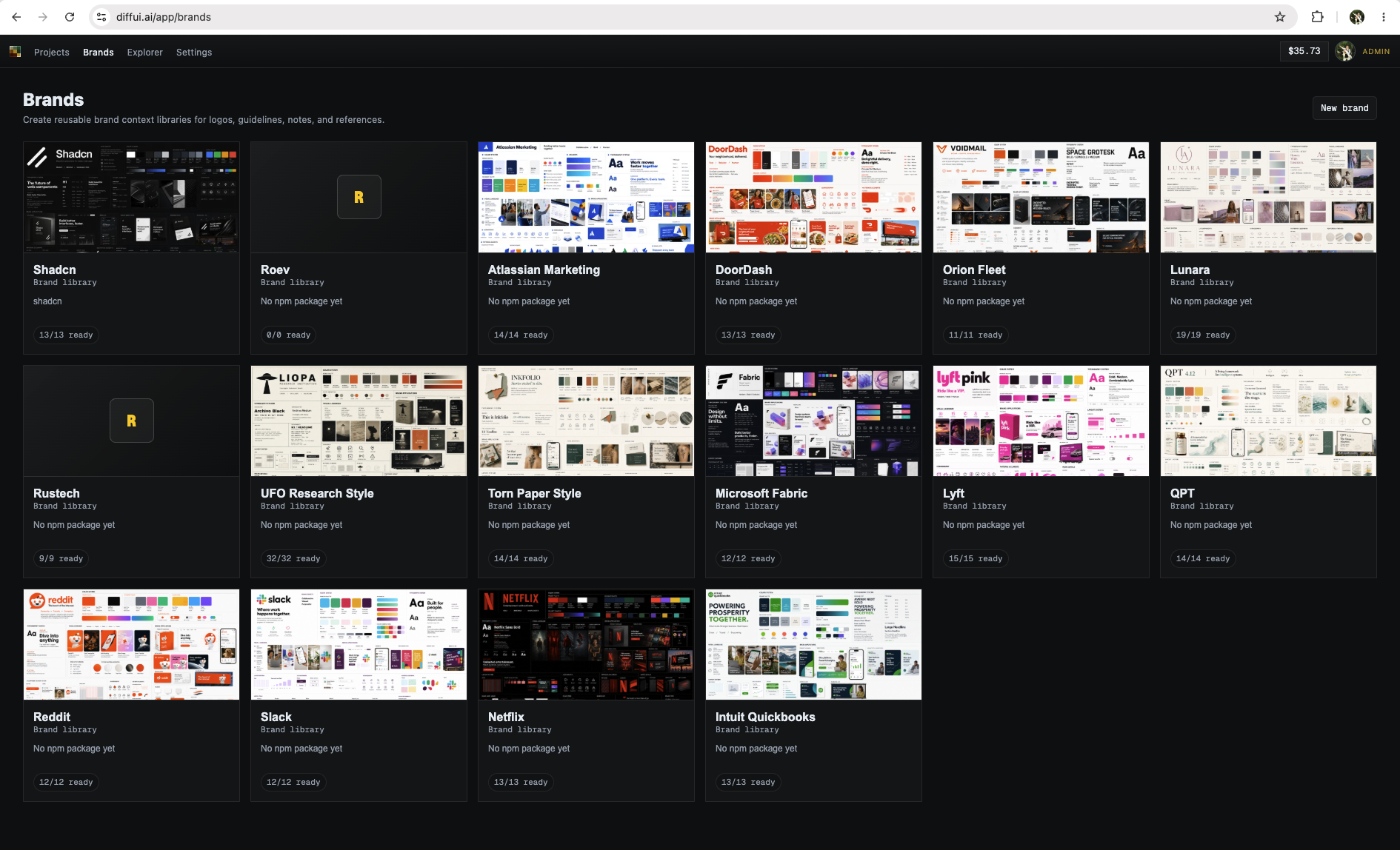
my thing is diffui.ai if you want to check it out. It's basically a harness for diffusion models to generate UI, as well as agent integration for handoff.
For that, I have a different approach, which is to extract your design system from screenshots. After which you can just select the brand you want when generating. There's sample images in the sibling comment in this thread.
Also it might be worth noting my pedigree here - I ran the design systems features over at Figma for around 5 years, but quit to build out diffui. The project is heavily oriented towards being able to replicate brands consistently, since the target audience I'm going after is enterprise design teams who are having trouble with existing tools capturing their brand look/feel.
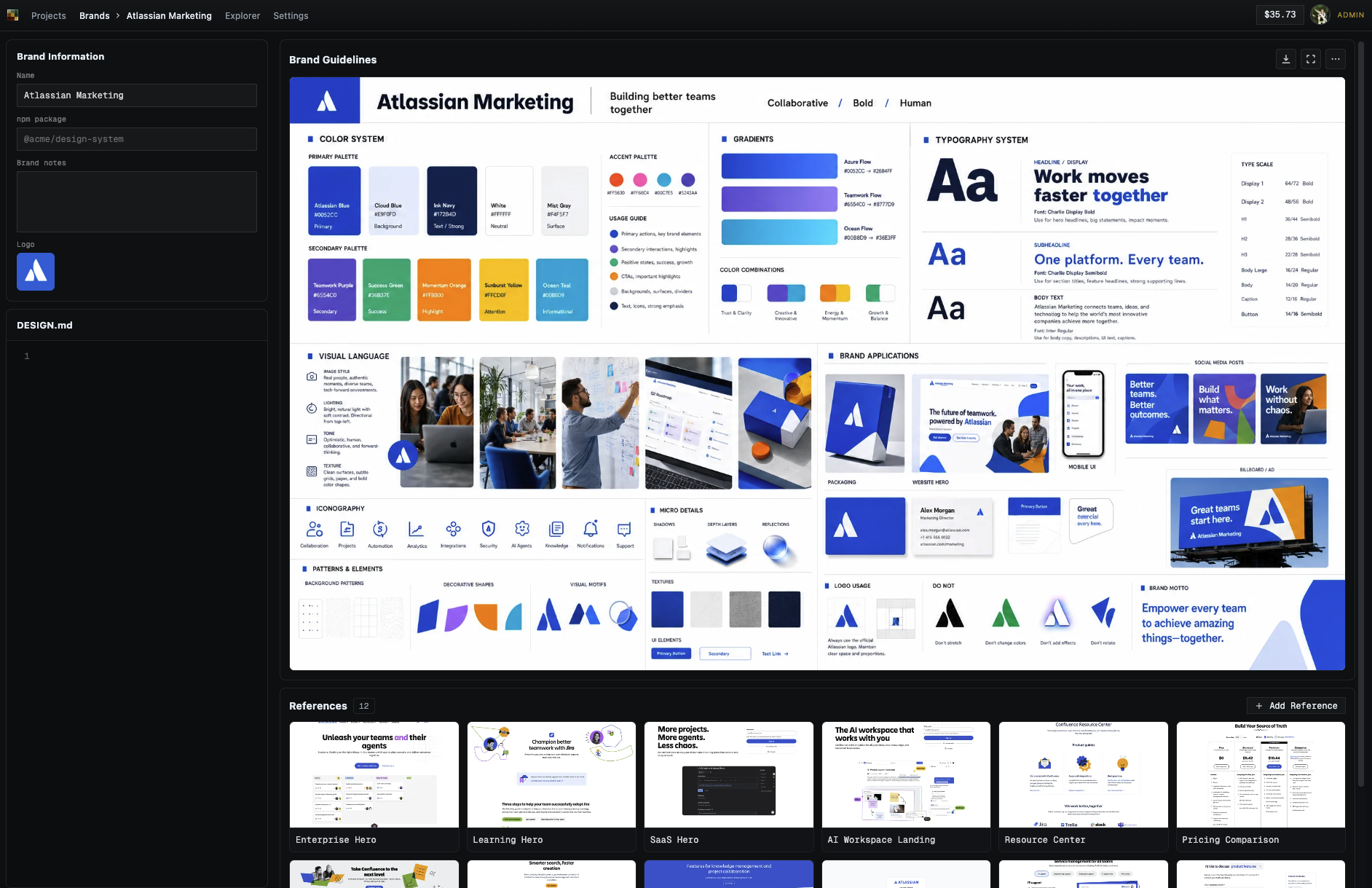
Once you have a few reference screens, you can generate a brand guidelines image, which is a visual reference of your brand's look and feel: https://image.non.io/1cc2922a-aec6-4e3c-82c9-895974dd599b.we...
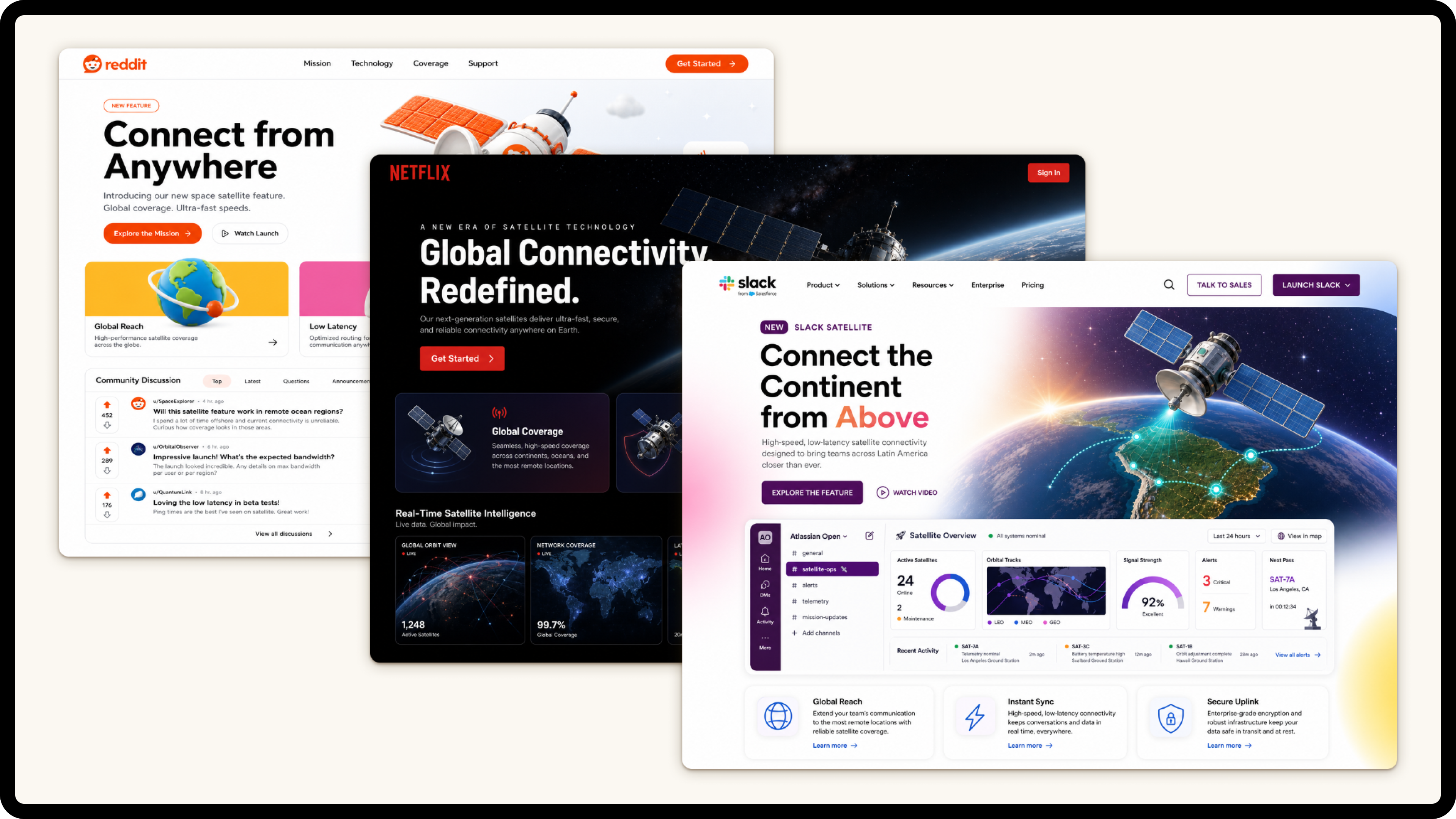
From there you just select the brand at generation time. I've found you don't need a design.md or a npm package - simple screenshots are plenty good enough. Here's a prompt for "a landing page for a new satellite connectivity" feature I generated in reddit/netflix/slack's brands: https://image.non.io/b5e23f19-5041-4f87-9b97-0af39986d1b0.we...
I would go with the original, Apple or the Win11 one. Material would be good, what's with the lavender shades?
I always try to reduce the palette: say two background shades max, no drop shadows, only as many foreground colors as needed and if it seems to bland, add more bells and whistles.
The frontend is hosted in a QWebEngineView. I prefer React/TypeScript to QML. I was considering using Electron but it's too heavy for my purpose.
Even the example apps in the post seemed like AI slop to me. Common markers are too noisy/busy (mainly repeated or rephrased information). Text being a bit too big (Codex-only?).
Do the landing pages of auth0.com, devcycle.com, micro.com, or datadog.com not look like slop to other people?
When making small tools for myself, I just tell it to use Svelte and then wrap it up using Tauri - no graphical cues whatsoever. And they usually comes out pretty good by my taste.
I'm not sure if it's because I've iterated through so many sites that LLMs have produced that "slop" is instantly recognisable and it just feels soulless.
Not like web pages ever had a soul, but it's not there on the generic LLM generated sites.
is there a way to quantifiably measure how much better one design would be from another?
The whole "AI slop" noise is, at its core, human slop. It is people applying a hopefully pejorative label, trying to appeal to other slop aficionados that like whatever the current trendy slur is, in an objectively undefinable way.
In this case this guy likes the way Qt apps, they think it looks better, but it isn't a big trick they are revealing: They made it conform to the style they like, but this doesn't translate to anyone else in any measurable way. I think web apps looking like Qt apps feel like the late 90s and it's just weird, but my taste also is entirely subjective and mine alone.
Today, I can visit a website and instantly tell it was generated using LLMs and agents from A to Z:
1. Everything is in blue or mauve gradient, with a white background, and a single JavaScript-heavy page that lags as soon as you scroll a little.
2. There are always a ton of 404 pages.
3. Third, the HTML comments often expose credentials and to-do lists—sometimes even right above the login page (true story...).
This kind of website is a hard pass for me, and I add the company (and its founders) to my personal blacklist of people and companies I’ll never use anything from.
Think WordPress installations: Depending on how it's done you can either tell at a glance (probably ~90% of WP installations at some points in time) or you have no clue until you look at the html source.
Of course, when given the option to not do it properly is always alluring and then you can tell.
It seems like you were starting with an existing HTML file you asked it to redesign. Generating from scratch with strict guidelines could be more representative.
Give me VB6 or whatever for the web.
Personal preferences I suppose.
Don't forget the thin and tall serif fonts, with one singular italicized word in the title.
I like the idea - all of the designs are pretty meh though. If I had to pick one, I'd pick the HIG one (apart from that cursed glass effect on scroll) and then probably the Win11 one.
It's necessary if you don't want it to generate HTML with images and other assets you don't have of course, that's why they use emojis or meticulously handcrafted SVGs, or WebAudio synthesized sound which pretty much no humans did before.
Everyone these days seems to fondly recall win9x as the last era when there was an actual visual "system" that applications actually obeyed (...or rather, that every app was forced into obeying, since Windows just wasn't very extensible to performant custom third-party controls until DirectDraw came along. But I digress.) I wonder whether LLMs can build something that actually obeys those rules (i.e. composes everything out of a hierarchy of [simulacra of] first-party W95-era GDI controls — think "Minesweeper is a grid of buttons with icons on them", that kind of thing), rather than just vaguely looking like W95.
I've had good luck providing a png "design board" with all of the template colors and having the first task be to build out a design gallery with all of the ui widget. Then have the design docs specify which component to use. Ensure that the documents specify to only use pre-existing components and have a list of each component and their intended use cases.
Of course, this learning came after seeing how awful V1 of the app was. Initially, it looked really impressive, but once you started clicking around it became obvious how incoherent the design was.
Claude's new frontend-design plugin is solid for web apps in my testing. My wife and I have been using it to build her an app and her discerning design eye is largely impressed with what it's done.
The design coming out of a LLM may be okay if you have nothing to do with design and can't program CSS, I just see a deeply inconsistent mess.
I am convinced well designed software has to be thought out from the user perspective. And if I am the one to commandeer a LLM, designing myself is part of thinking about what I want.
It's very satisfying to see these old UI styles - looks great on a crappy little screen. Not everything needs to be Material Design or whatever - it just takes up so much space!
Did anyone tried a non-naive approach, aka throwing the image with a simple "rebuild it" prompt ?
(For the record, even though I don't mind qt, I think this particular example still comes across as slop because of the overuse of gradients on buttons and headings. In general, a lot of these suffer from overuse of gradients, but OP appears to just be averse to border-radius)
The other things is especially when adding animation, people often prompt "animate the button" which to a developer is very vague and would need alot more work.
All of these examples sites are broken on mobile for me.
Also full caps / overemphasis on text that doesn't need it. For example "DEMOCRAT" and "REPUBLICAN" in this example.
But if it functions fine and you don't have taste or want to be opinionated, why do you care?
I don't think any of Qt default themes in last 10-15 years have looked anything close to that. With all those gradients and gray rectangular boxes it's more like a parody of early 2000s x11 theming and Flash based UI frameworks. My personal expectation when hearing QT style would be more like the builtin Fusion style.
If you ignore the central part with gradients, right side with square 3d boxes look a bit like classic win32 style (which would also be what QT used on windows by default) but you wouldn't normally end up with so many nested raised 3d boxes (or visible nested boxes in general). Buttons (and other clickable subcomponents) are raised, tabs are raised, but UI group elements have more of recessed border and you would use it sparingly. Often you would have just a separator line or empty space for grouping elements in flatter UI hierarchy.
Qt is GUI framwework for C++. How would having a bunch of C++ code containing barely any styling in training material help styling a website? Also the whole point is that it's a style that you don't recreate it hundred times it's what you get automatically by letting the GUI framework and theme engine do it's work. The modern Qt with Qt Quick/QML and it's flavor of CSS is closer to web development but those kind of Apps lack any kind of characteristic QT style since the authors are more likely to build the styling from scratch (resulting in one of those UIs with random image in background and hardly recognizable widgets) or based on builtin Qt versions of Google/Windows/Apple style guides. Wouldn't expect any modern QML based app to look like the obtained "Qt" style. In the traditional desktop apps based on QtWidgets, you can customize the style with css but the hard coded logic within the theming engine (implemented as native dll) is equally important for the look, not everything is is defined by css. You have to do either very little customization (minor styling for individual special elements maybe a color pallet swap) or override everything, otherwise it's easy to end up with ugly, broken result. Typical problems being Qt changing default base theme based on platform, theme engine switching to fallback rendering path once you override certain style properties.
Another important aspect of the classic desktop look which doesn't really translate well to websites is the set of widgets. Frameworks like Qt(widgets) provide reasonably wide range of widgets and you would use them as is. Unless you really needed it rarely would you create a widget from scratch or recreate what's already available. You wouldn't recreate a button, checkbox or a dropdown(combobox) using bunch of divs which can't be said about the modern web design. You might customize the behavior of builtin widget with subclassing or by combining multiple builtin widgets. The API for drawing custom widget from scratch is a pain and using it correctly to properly integrate with theme engine is even bigger one.
guess it's a matter of taste