I think that my implementation is about as compact as possible while still working in all email clients. Outlook has an odd limit on the number of columns.
Here's the HN thread where I debuted the thing: http://news.ycombinator.com/item?id=2491438
It hasn't been a huge money-maker for me. I've got one subscriber at $30 a month and every now and then someone gives me $5 for a few conversions. It costs me $3 a week to run on Google App Engine.
I've had problems with IE itself in the ~<1024 cells range (it was about 900~1000 IIRC. More cells, and it simply drops either the extra cells, or the table itself, I can't recall). I seem to remember the value was actually round in some way.
Use case was a horizontally scrollable day-based timeline, and the user decided to look at more than three years worth of data, which worked just fine everywhere but in IE.
Clearly not aiming for smallest representation though. ;-) https://github.com/discountgenius/pixeltable/blob/master/pix...
First off, the p class should just go on the table instead of every pixel. Then use a descendant combinator "table.p td".
Next, I would probably index the image (like a gif) down to a few hundred colors, create a style for each, and then use a base62 (0-9A-Za-z) representation of the index as a class name.
You can further reduce the content size if you can use ids instead of classes, but even with classes, you don't need the quotes around the class names.
There are probably more ways as well, like using a fixed-width div container and filling it with floating <b> tags instead of using a table.
- You could also calculate which color is the most used color in the image, and make that the background color of the table. If 10% of the image have that color (for example white, in a logo) you could leave the class or id out of the table for these pixels.
- if two or more columns have the same color in a row, one could add a colspan. Since the word is rather long, it makes only sense from 2 columns onward, I guess, but if, say, the first 100 pixels of the image portrait a white line, instead of having 100 x '<td id='ff'></td>' you'd have <td id='ff' colspan=100></td'.
- The same could be done with column for colspan, albeit a bit more difficult.
- If there're certain pixel color patterns that appear throughout the image (say a white pixel next to a black pixel) one could create a css .before and .after rule for these, that defines the pattern for one td, making the 2. unnecessary.
There's probably more.
Yeah, this was more of a proof-of-concept. I haven't really looked into optimizing yet.
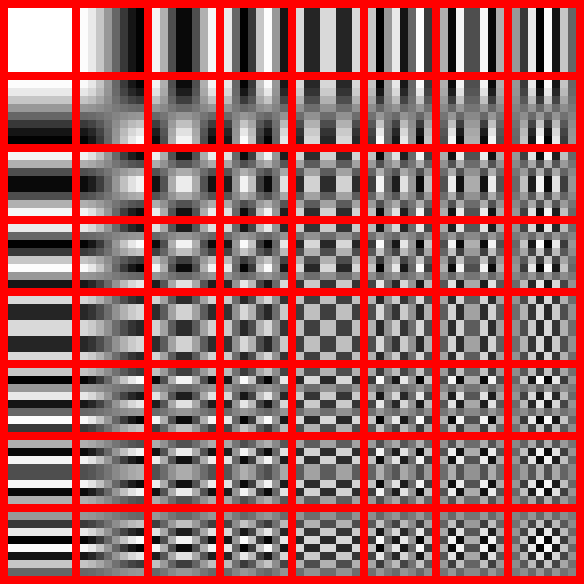
http://upload.wikimedia.org/wikipedia/commons/2/23/Dctjpeg.p...
Quite often we see connection errors or other problems for these new cool things, and the guys behind it lose a lot of crucial steam.
I think this interferes too much. An icon indicating that the site is having problems and a second link to a cache would, IMO, be preferable. Such caches in my country are almost certainly copyright infringing if used to redirect users away from the original source - with this modified solution the user chooses. TBH it's probably still strictly a copyright infringement but the situation looks more ethical.
Of course we know that HN won't implement something like this.
Interesting effect though. It's what some crafty devs are doing to get around image blocking in modern email clients, like here: http://www.campaignmonitor.com/blog/post/3642/email-with-pix...
Just because there's a minor zooming bug in iOS, I wouldn't say your iPad is totally unusable.
1. Google used to do this to reduce request overhead when displaying Google Checkout icon in search results.
2. Data URIs essentially render this pointless for newer browsers
3. I've tried using a lot of divs and animating them to simulate a canvas. Very slow. Do not try.
He mentions bypassing image filters in emails as one of the use cases. Data URIs still require an img tag, so they'll be blocked by the email client.
Are you using any plugins like W3TotalCache for WordPress? I'd recommend it, if only until this story falls off the frontpage.
To me this sounds dodgy. The whole point about these ads is that they are supposed to be unintrusive and not have images.
Abusing HTML to re-inject what is in effect just that, images, sounds like blatant violation of TOS. This can cause bad rep for the ad-provider who has promised site-owners image-free ads, and bad rep for site-owners who has promised end-users (or maybe VIP members) an ad-free or ad-limited experience.
While this may technically be a "cool" (yet obvious) hack, the reasons stated for doing them are wrong on every single level. I wouldn't want to encourage this.
http://news.ycombinator.com/item?id=4438373
Walter Zorn made a drawing library that churns out pixel sized DIVs.
What about some client-side js that read png/jpeg and converted to a colored tabular pixel array, makes it more difficult for a naive user to 'copy-paste' image.
It was more of an experiment than anything else. Certainly not too practical. :) One nice thing is that you can easily "scale" the image by changing the size of the table cells.
Worked great!