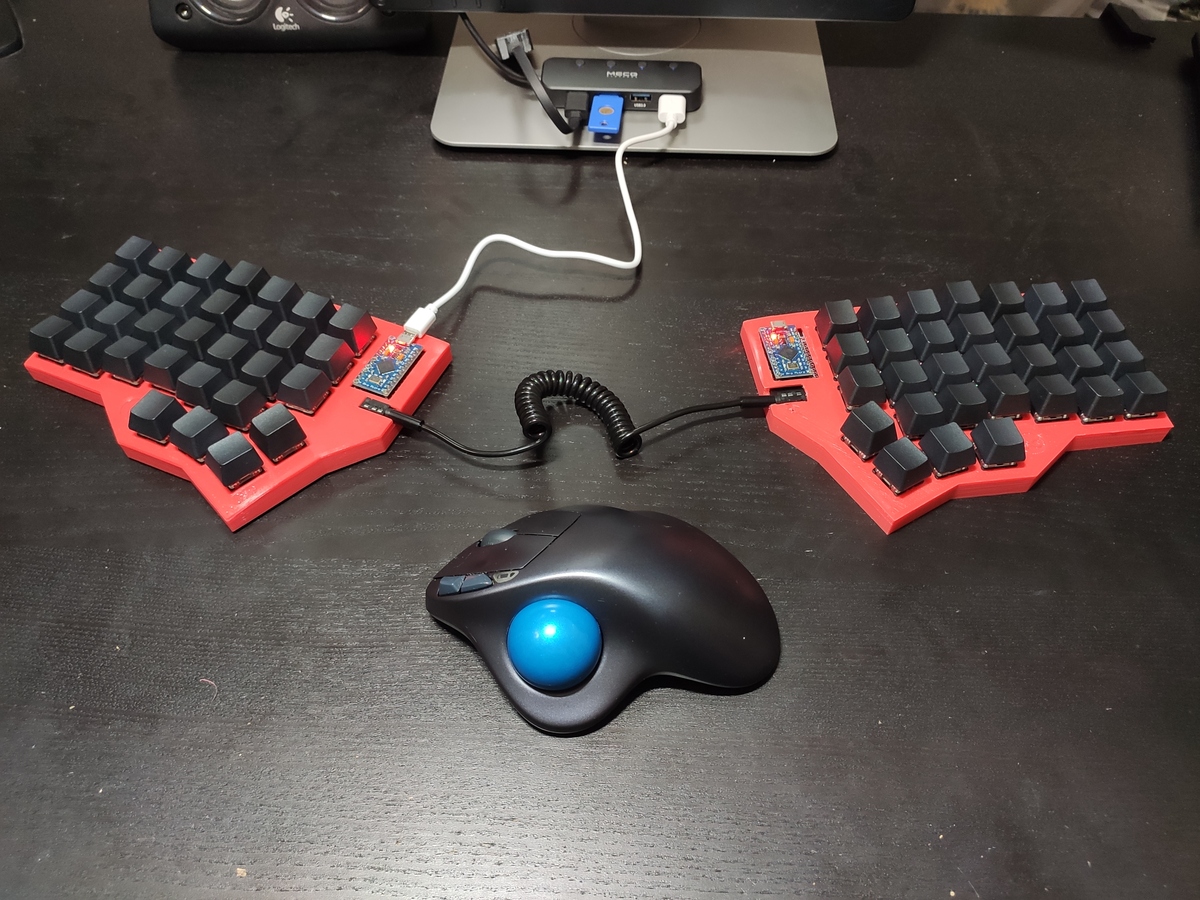
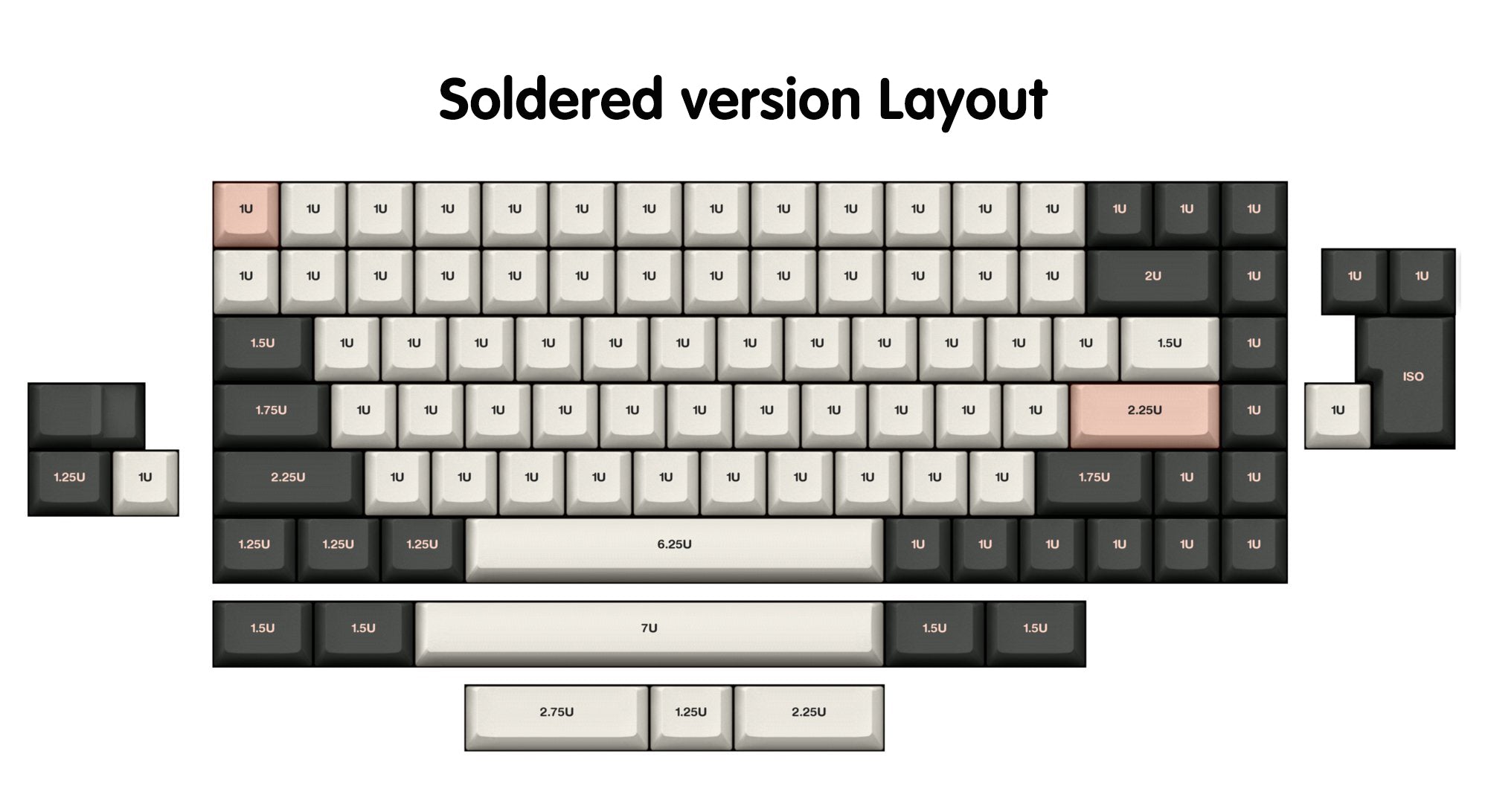
The most common kind of small keyboards are just like laptop keyboards, and try and fit a keyboard into a smaller space (and the omitted keys get relegated to being behind Fn key). These tend to retain the impractically big spacebar of a typical keyboard, out of familiarity.
Whereas, many non-traditional keyboards ditch the big spacebar, and instead give the thumbs two or three keys to use each. This allows bringing the full functionality of the keyboard within easy reach of the hands on home row (similar to how Vimmers would rather use hjkl than the cursor keys). It also allows reducing usage of the pinky fingers.
I've seen OP post some neat code which works with QMK firmware. (The orbital mouse looks interesting). But stuff like "Caps Word", etc. are also neat.
I'm now a convert to programmables. My glove80 is more ergonomic, but I use equivalent keymaps on both and they're a game changer. It feels so clunky now if I use my laptop keyboard to actually have to reach for symbols, numbers, etc.
Home row modifiers, number, symbol, nav layers, colemak & qwerty... Just awesome. They've helped my RSI no end.
Great ergonomics and a great experience. They have an active discord and the two founders are active as well.
https://www.stavros.io/posts/george-i-made-a-keyboard/finish...
I should write up how I did it, it's now years I've been sitting on that post.
https://kagi.com/proxy/uhk60v2-gmk-oblivion-scaled.jpeg?c=4N...
1 https://www.zsa.io/moonlander/ 2 https://bastardkb.com/product/charybdis-prebuilt-preorder-2/
[0] https://www.reddit.com/r/ErgoMechKeyboards/comments/17ee1tr/...
https://cdn.shopify.com/s/files/1/1473/3902/files/75_v2_c821...
I recently learned that there are these from system76
That seems to have the "laptop-style keyboard" model in mind: where pressing keys like F5 is cumbersome on a laptop keyboard since it involves holding a Fn key with the pinky finger.
Whereas, with small keyboards like the Ferris (that one of the other replies mentioned).. the keyboard can be so small because it doesn't need to be any bigger. People see "34 keys" and think "104 keys - 70 keys".. whereas the more significant detail is the Ferris allows each thumb to use two keys each. -- With these 40%-and-smaller keyboards, the Fn keys can be put on the thumb keys, and this makes it as easy to type F5 as it is to type an uppercase 'A'.
Similarly: although 40%-and-smaller keyboards will be more complicated to use than a typical keyboard, people discount the cost of moving the hand. With your hands rested on home row, in order to use nav keys, your hands will either have to move from home row, or you'll need to hold down some kind of Fn modifier. -- I see "move hand and hit the key" stated as "just hit the key".
QMK itself is great, but I was never able to find a non-columnar split ISO keyboard to use it with. Eventually I reluctantly settled on the Logitech K860[2] and I'm now happily using my favourite features from QMK with kanata at the software level.
[1]: https://github.com/jtroo/kanata
[2]: If I'm behind the times and there is now a QMK-compatible keyboard that looks like this, please let me know!
https://keychron.de/products/keychron-q11-qmk-custom-mechani...
[1]: https://keychron.de/products/keychron-v10-alice-layout-qmk-c...
[2]: https://keychron.de/products/keychron-k15-pro-alice-layout-q...
Q11 may possibly be even better for someone prone to RSI, because you can set the halves up angled even wider apart. Just make sure to get a good wrist support to go with the keyboards, no matter which you go with: they are thick, and that makes them positionally elevated from the surface they are on.
With two more things they would be pretty much perfect. An embedded USB port on both sides, so you could slot a YubiKey nano on your chosen edge. And a double-sized Esc-key. The latter is the single thing I miss from Kinesis Freestyle's form factor.
I tried to change the keyboard layout to a more "ergonomic" layout (optimot), but after months of training, I could never gain the proficiency I have in AZERTY. I think it's not worth it to switch.
But I have to give it to QMK as well, they have been reworking / refactoring a major wart in how you config keyboards, with the move to info.json and away from custom C and make files.
OTOH, QMK has successfully forced-open proprietary keyboards that were sold with QMK forks and then repeatedly, emmphatically refused to release the source. This includes the awesome non-Bluetooth 1000hz-rate Nordic Semiconductor wireless feature of the NuPhy Air keyboards!
https://github.com/qmk/qmk_firmware/pull/21949#issuecomment-...
Copyleft works. In spite of all its haters.
It seems like the code doesn't actually contain the RF firmware, though - it's just the glue to talk to an external chip which essentially acts as a "modem".
The reason ZMK uses the MIT license - and proper RF support cannot be added to QMK - is that Nordic's RF stack drivers use a license which isn't compatible with GPL. This means if you want to do wireless stuff inside the actual keyboard firmware you can't use QMK.
There is of course a fork out there doing exactly this because nothing is technically stopping you, but you're legally not allowed to combine the two.
You've got a fine argument for preferring GPL software, but I'd be shocked if there was a ZMK keyboard out there you couldn't flash.
a.) That's how you configure it
b.) Upstream (including the platforn, Zepher) is moving quickly, with frequent performance, feature, security, battery life, and usability improvements-- eg. a recent commit touts support for bitlocker screens
c.) I had to hack on it to get the behavior I wanted, which.. oh, that means a company might want to hack on it too, i see
but this all to say that it would be a remarkable tragady for a company to not support mainline provide you with the sources, if just for integrating upstream updates, and thankfully I can't think of a product that does so. I'd prefer it was copyleft too (so we didn't have to worry about it), but I wouldn't go so far as to proclaim that's what "you're getting" as if it's endemic to the platform.
Sounds like a security nightmare. Input devices, and especially keyboards, are something that absolutely needs to be wired-only in my book.
That's just like, your opinion, man.
With QMK, I was able to setup a nice set of keyboard layers for regular use, gaming, and multimedia control. For any keyboard power users, it's a dream! My hands are always in home row and everything is a simple finger movement/chord away.
Link to the build kit I used: https://splitkb.com/products/kyria-rev3-pcb-kit
Had a look at the Corne but didn't want to lose keys (not interested in homerow mods, and I like having keys like ctrl on both sides of the board). Kyria might be the thing for me..
You lose the number row with the Kyria, but I have all my numbers and symbols available with a simple thumb press. A fair trade.
I thought RSI was mostly for documentation writers and emails people.
Ref: programming for 25+ years. I only had problems when my posture was bad. Lucky I guess.
but that’s not the kind of programming that exists, there’s a lot of trench digging.
I wonder why a better solution hasn't been implemented in QMK. Is it a technical limitation?
In fact, it doesn't even support letters: you're sending key positions instead. If you press the letter "A" on an Azerty keyboard, your keyboard will essentially send a "Q Down" event - because that "A" is placed in the "Q" position.
Getting Unicode out of that is really tricky due to half a dozen abstraction layers, most of which are unique for that OS. Mapping a specific Unicode character to a position isn't too bad (just use a custom keymap), but adding generic Unicode support is a nightmare.
I personally just use some layout (us-intl with no dead keys), which works for the integrated laptop keyboards too.
What am I missing?
Second RANT to ALL keyboards OEMs: please add a damn service to print easily custom keycaps, a small example, being from the EU writing in few languages every day I've chosen the EurKey layout, witch actually does not exists on sales in some pre-build keycaps set. I have mapped differently some keys, MOST of them I know from memory, but sometimes being able to see the key is a very nice to have thing. Ok, keycaps normally are not really printed, meaning it's not cheap to produce custom ones, but if you damn ask 300+€ for a keyboard and someone buy it I'm pretty sure a custom keycap set does not change the game much.
Third RANT please STOP making cherry, OSA etc profiles. Very old IBM keyboards have solved the height issue with a simple parabolic support, there is NO DAMN REASON to make flat support and different height keycaps making limited room to move them on the keyboard.
Get someone to write a profile for https://get.vial.today/ support.
> add a damn service to print easily custom keycaps
https://www.wasdkeyboards.com/custom-text-cherry-mx-keycaps....
> please STOP making cherry, OSA etc profiles
They are making them because people keep buying them. Turns out most people actually like typing on them.
Some of us like to experiment with various profiles (my favorites are MT3 and Cherry and I rotate them every couple months on my keyboards). You can try XDA and DSA profiles, they're qute flat.
Basically, you pick a cluster of letters to act as the modifier on one hand, and then a pattern you want to enter for the command on the other hand. For example, all my symbol commands start with ASDR + a pattern from UIOJKL. So like ASDR+UJ, ASDR+UIO ASDR+UJOL etc. If you just look at the shape of the letters that you make when you press them it makes more sense. My movement commands start with QWER or ASDF (for selection) and then (you guesssed it) UIOJKL. So say you happen to install a new Emacs package and want to make chords for all the commands. I make AWD + and then (you guesssed it) UIOJKL. And then, I don't have to type the command again.
You can also type individual letters (and should practice until you can hit 30-40WPM) and don't need to memorize that many words if you don't want to. I actually stopped after like 200 or so because I don't feel the need to.
I use a lot of MO keys on my keyboard. Too many accidental layer-locking with TT and OSL. So I would love it if/when ZSA adds the QMK "layer lock" feature to Oryx. Currently, I use a layer lock intermediate layer. But that is one extra key press and finger travel.
Orbital Mouse: This reminds me of Logo turtle graphics.
Word selection: Using Ctrl+(Shift+)Left/Right, this doesn’t work at the edge of a word, or only on one side. You need to be able to look at the characters to implement it fully. Editors that don’t support “select word” at both word boundaries always frustrate me.