1. Ambiguous structure - users cannot easily glean the structure of content from the layout alone. For instance, on an arbitrary canvas, you don’t know if two things are close to each other to indicate a relation, or just for aesthetic reasons. This can be mitigated by ensuring relations are exposed in other ways, but unless everyone is super strict about including an underlying structure, this will always be an issue. Also, without a representation of the underlying structure, an infinite canvas is fundamentally inaccessible.
2. Navigation - finding all possible content on a canvas is hard. This can be mitigated with something like a mini-map, but frankly sticking to one dimension of “infiniteness”, eg scrolling, has shown to be the most effective for the average person to handle.
3. Implicit, but heterogeneous, affordances - when you have an infinite canvas, there are many more actions needed eg. pan, scroll, select, possibly lasso, possibly zoom…all of which need a mouse movement or keybinding or touch gesture, depending on the device and context. These all need to be discovered, or taught, and are often initially hidden from the view. This makes the learning curve far steeper, especially when users are accessing content from many different types of devices.
4. Responsiveness - it’s hard enough to make a paragraph of text easily viewed on multiple screen sizes, let alone a complex layout of objects with relations possibly conveyed spatially. Infinite canvases are difficult to reformat to get a good, legible layout on a screen other than the one the creator used. There are workarounds, but they often lose information unintentionally by repositioning items in ways the author didn't anticipate.
This is really difficult to overcome without some kind of structure. I was really enthusiastic about infinite canvases, but I lost interest when I realized that screen readers would not do well
The trick is getting the amount of structure just right, not too much to be too restrictive and not so little that users are lost in the way the person you're replying to describes.
It's like the manifestation of a cluttered desk of papers in the digital world - exactly what we tried to avoid when building new digital interfaces for so many decades.
Edit: there is a way to hyperlink directly to sections in Figma (see comments below), but I've never been a recipient of them :lol:
There are absolutely ways to hyperlink to specific areas and contexts within the canvas. It's one of the core features that's always been part of Figma. For example, click on anything on the canvas and you'll observe the URL change. You can share that URL
I think this might be the problem. The URL doesn't change as you move around, so folks just copy the URL at the point in time of whatever they're staring at, and end up sharing whatever area was previously focused / clicked on,
Now I'm endlessly curious as to why I've never gotten a correctly located link from many designers in several orgs. It is, however, sufficiently buried that I think most designers just copy the browser URL and call it a day.
I honestly can't remember a single time I've gotten a targeted Figma link like this from a designer.
Just so we can? For presenting a specific kind of information?
There have been many, many experiments in the past. Design features that work (such as listy designs, tabular designs, 2D designs, non-overlapping designs, etc etc) have stuck around. By "work", I mean that they are useful, practical, easy to understand, easy to implement, non-patented, etc etc.
If we stop experimenting, then we will stop finding new useful design features and UI design will stagnate.
Yes, current UI design is "good enough." But where's the fun in that? Whatever you believe the purpose of life is, experimenting and furthering humanity's knowledge is typically considered a good thing.
I think that this particular experiment is useful, and that there is potential here for more efficient note-taking and knowledge sorting (which could, in the future, potentially benefit everyone). Imagine an author writing plot point ideas into an infinite canvas, then assembling them on the fly. And then they bring those points into a second canvas, where they group them by character. Then they can freely move the plot points between characters, or leave them to the side, not assigned to any character but there, on the "plot points by character" canvas, ready to be dragged on. But then if they're looking at the plot points on the "plot points by time" canvas, and they set a plot point's character to "X", then it will automatically move that plot point into the region of character "X" on the "plot points by character" canvas.
That's just one example. I can imagine more, such as a materials researcher trying to design an industrial process. They could be working through potential chemical products, trying to decide which to use at a particular point of the process. This freeform canvas would let them keep a card for each potential choice right next to the place in the process that it would be used. That proximity of information could be useful.
I've found that Blueprints (a 2D scripting language) in Unreal Engine get really messy, and you're constantly neatening your programs. This particular experiment, with its anti-overlap and automatic grouping features, might lead to good changes in Blueprints in UE that make them neater by nature.
But how do you show that certain concepts are similar and related? Wiki informational design says that you should do that by splitting things up into atomic concepts that individually have a linear informational flow and using hyperlinks to connect them. You might group things into common categories.
Links can show a connection, but not how close those connections are or any correlations. The idea of whiteboarding is that you're not limited to segmented linear information flows, and you can represent your thoughts visually.
The "infinite canvas" is to a whiteboard what a wiki is to a filing cabinet of notecards. Or what a plotted graph is to a table of numbers.
I think it needs a more guaranteed high frame rate and some polish for me to judge whether it’s actually better for uses I make up, but it’s really innovative.
It feels super impressive but the more I think of it, I think the trick is actually quite simple. I wonder what edge cases I’m not thinking about.
Unfortunately, all the demo videos were uploaded to Microsoft's YouTube competitor, which is now gone. But here's a video demo of Seadragon to give you an idea of what it was like:
But the last section that shows the same information presented in different formats won me over. This is more of what I’d like to see. Let people who think spacially work spacially if that’s what works for them. Let the people that think however it is that I think work in whatever format the fits in their brain best. Embrace neurodiversity.
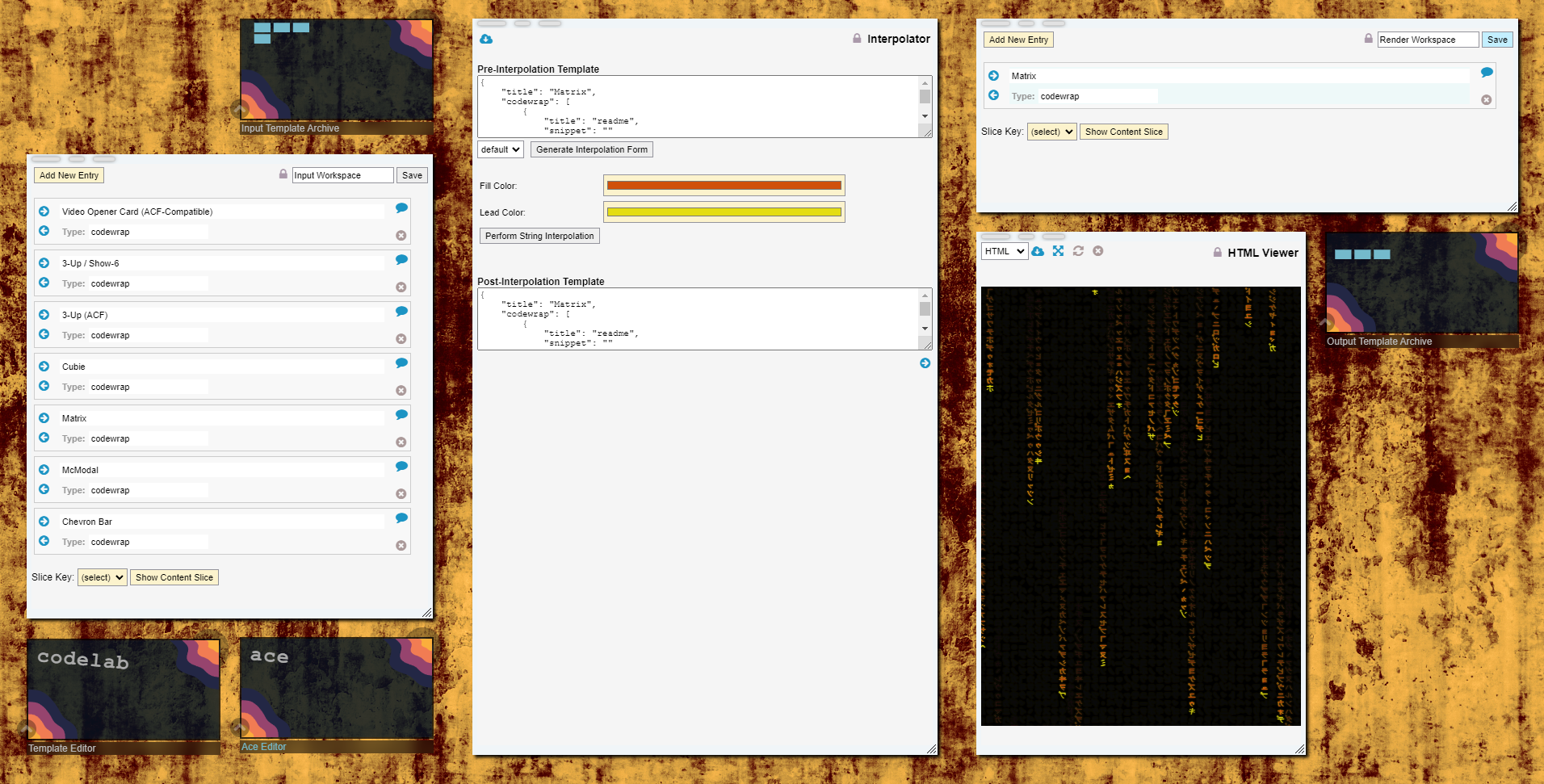
Here is a screenshot of one of such app that I'm currently working on:
http://shadowcatcher.mindcast.com/imgShow.php?clip=way757yrh...
Infinite canvases match the way I think. Back in the day, I would use Illustrator over Photoshop for UI work, as it gave me a (near) infinite canvas on which to doodle and explore. Sketch and now Figma continued this approach so I can't be alone here.
I wonder if something like this could be useful if paired with a Tree-like panel for navigation and some selection aware auto-arrange functionality.