I am pretty ruthless removing distractions from my life (e.g. no Instagram, Facebook, TikTok), but some tools I'd like to keep using some parts of it. E.g. Twitter/X, I dislike the feed but I like reading some threads that are shared here or on blog posts. Same for YouTube, I enjoy some videos but I do not want recommendations when I finish the video I was watching.
Feel free to suggest more, open issues, pull requests or send me an email :)
  "AdGuard – Annoyances"
  "EasyList – Annoyances"
  "uBlock filters – Annoyances"
I've been doing this on every fresh install of Chrome for years. Works wonders.
I was using my mom's laptop over the holidays, and it took me a minute to realize why every site I visited looked so _different_. What I quickly realised is almost every site I visited was wallpapered in ads: banners between every paragraph, sidebars full of ads, and background images selling things. A lot of sites were unrecognizable from what I was used to.
The most aggravating for me is ads that follow me throughout the page as I scroll or show up out of nowhere while I'm reading rudely pushing the text away.
Since iOS doesn’t make it easy to run a flush DNS command, I’ve discovered turning airplane mode on and off will clear your cache.
[1] https://apps.apple.com/us/app/1blocker-ad-blocker/id13655310...
[2] https://apps.apple.com/us/app/hush-nag-blocker/id1544743900
uBlock Origin of course, what else? Running on Firefox (Nightly).
>(iphone specifically)
If you want an iPhone, you shouldn't complain about ads. If you want to block ads, get an Android. If Apple wanted you to block ads, they'd build a good ad-blocker into their phone. They don't, and they forcibly prevent you from using a different browser and ad-blocker, so obviously they want you to view ads.
Thanks!
That would help far more people that starting up yet another Annoyances list.
Before IT took away all plugins (!) I used uBlock this way, hiding sidebars and leads that weren't conducive to work (eg interesting stuff).
They really like dealing with users and their malware infections I guess. It's the only possible explanation given that uBlock Origin is probably the most effective anti-malware software in existence.
weird decision, I push plugins to lots of my customers (uBlock Origin)
Even if it's nice for people who want just this, I don't think this has its place on the annoyances lists you mentioned.
Annoyances are mainly for things like cookie popup or copy-protection etc. I doubt companies would argue these are their "core features".
I certainly buy their stance that these are different from what are traditionally on the Annoyances lists.
:xpath(//main/div):style(min-width: 80% !important)
[0] https://developer.mozilla.org/en-US/docs/Web/CSS/column-coun...
[late edit]: Here's a minimal example of "column-count:" injected by uBlock (on a website where it sort-of works)—this is what I'm trying to coerce other websites into looking like:
https://i.ibb.co/k3bRwhP/example-1.webp
    theguardian.com###maincontent:style(margin-left: -28vw !important; min-width: 90vw !important; column-count: 4 !important)
theguardian.com##div:style(border: none !important)(I really like the column idea, and I'm working back towards RSS, with a bunch of smart filters, being my primary way of interacting with anything I visit regularly. I never should have given it up).
    @-moz-document url-prefix(about:reader) {
      .container {
        column-count: 4;
        min-width: 85vw !important;
        margin: 0 50px 0 50px;
      }
    }
It's chrome/userContent.css in the Firefox profile subdirectory, enabled by the about:config flag toolkit.legacyUserProfileCustomizations.stylesheets.
But often just switching to Reader Mode is the faster and preferable option.
(This isn't always an option, but frequently is.)
is that the one with a bunch of spyware on it? or is that the one that replaced the one with a bunch of spyware on it
Stylus is the good one https://add0n.com/stylus.html
The name similarity means I keep getting them confused. Including repeatedly on HN comments.
And yes, I do know the difference: <https://news.ycombinator.com/item?id=36859978>
I use this extensively to declutter/dedistract most websites I visit: Facebook, Twitter, Reddit, Medium, Gmail, YouTube, and so on. It's a real life-changer!
See the Boosts shared by other users here: https://arc.net/boosts
Being able to have the rabbit whole of tabs when you are going deep on some topic very self contained is awesome. When I am finish, closing the group would clean all my tabs except the ones I wanted in the first place. I miss that.
I do not use it right now because it took me some time to setup, and there was no easy way of making it declarative (as code) for sharing across devices and keeping the config for future use. I might try it again if I find a way.
In regards to Arc, I gave it a go, but I dislike some things:
- It is not open source, neither the boosts, as it appears.
- It is Chromium based. I want Firefox or others to keep having a share in the market. I don't dislike or hate google, but I do not want a company to dominate the web (might be too late?).
- Only available in macOS, iOS ?! Not sure if it is still the case.
We need more browsers that focus on user features, not website features. The web is basically beyond feature-complete already, but the tools we use to interact with it are so basic. Like riding a horse on an interstate!
Excited to see where it goes. Hope Arc and Orion eventually decide to go open source.
  askubuntu.com###hot-network-questions
  serverfault.com###hot-network-questions
  stackexchange.com###hot-network-questions
  stackoverflow.com###hot-network-questions
  superuser.com###hot-network-questions
lol, I go over to try and solve a react component lifecycle question, and then click over to a Dungeons And Dragons esoteric rule edge case.
    stackoverflow.com##.c-pointer.js-quack-btn
    stackoverflow.com##.js-step01.js-step.step.ws-nowrap
    stackoverflow.com##.js-step02.js-step.step.has-width.ta-center
    stackoverflow.com##.quack-popover--arrow
    stackoverflow.com###overlay-header
    stackoverflow.com###feed-link
    stackoverflow.com##.mb16.s-anchors__default.s-anchors.s-sidebarwidget__yellow.s-sidebarwidget
    stackoverflow.com##.grid--cell.js-reactions
    stackoverflow.com##.mb16.s-anchors__grayscale.s-anchors.s-sidebarwidget__yellow.s-sidebarwidget
And this does not even include the goddamn cookie banners, for which ublock has a separate rule set fortunately. Unfortunately, it's the rule set that leads to the most problems because some sites don't work correctly or don't load at all when the cookie banner has not been interacted with. I hate the modern internet without ublock.
Thanks for sharing.
I'll add that another thing that is pretty easy to do is to add a Dark Mode to websites that don't have one. All you need is a userContent.css/uBlock rule like
    @media (prefers-color-scheme: dark) {
        body {
            background-color: #111 !important;
            color: #eee !important;
        }
        /* etc, more stuff here depending on site */
    }
In theory, one can use uBlock0 for everything (with CSS and I think also JS injection), but userstyles and userscripts are way easier to use sometimes. And you can reimplement Dark Reader with userstyles, but you'll have to keep track of various site-specific tweaks to make it look good. (Should be possible though! Might be a cool idea for a pet project.)
But I understand the concerns with having too many extensions from too many different authors, yeah.
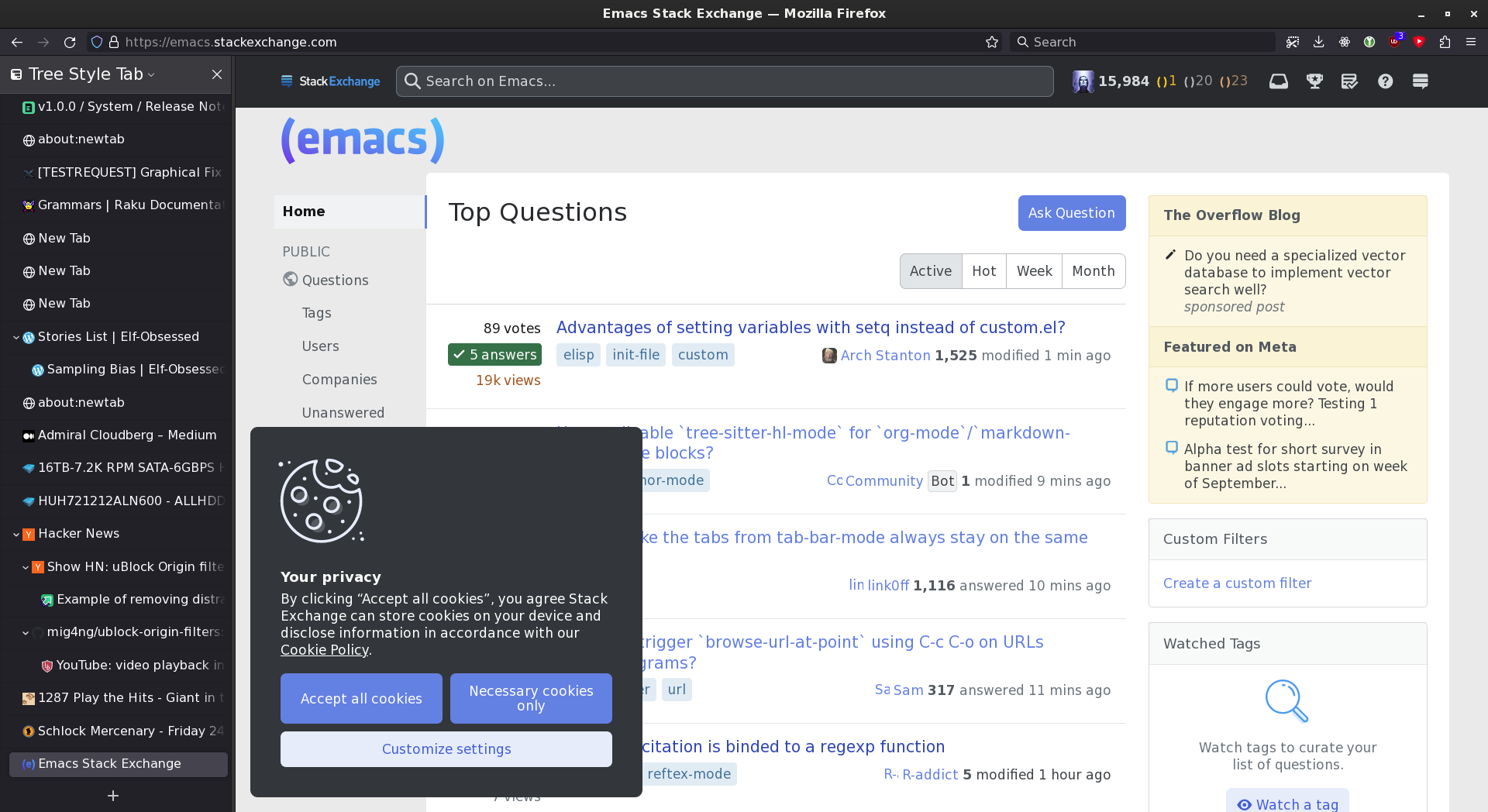
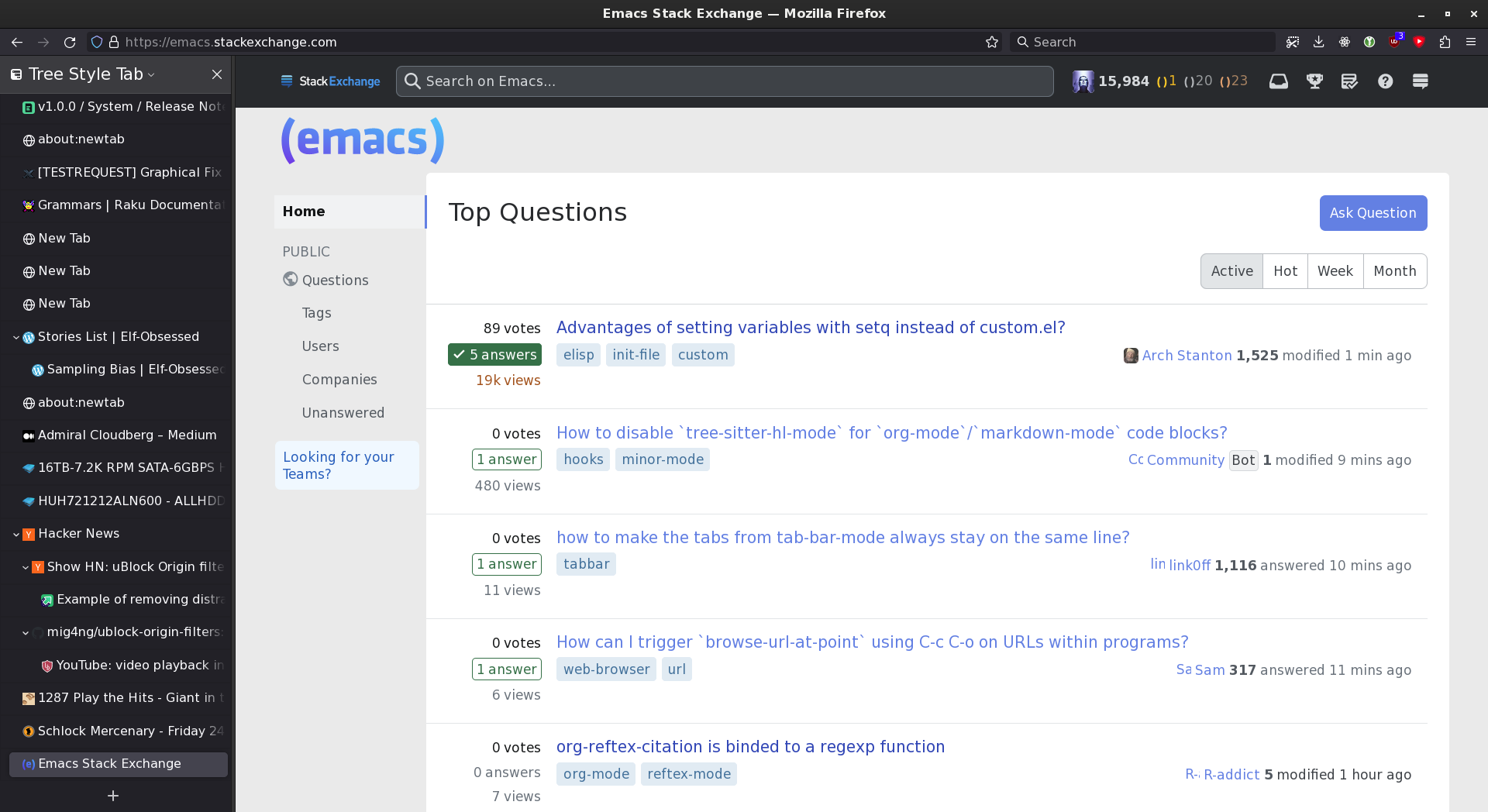
    ! 5/8/2018, 9:16:29 AM https://emacs.stackexchange.com/questions/13080/reloading-directory-local-variables
    emacs.stackexchange.com###overlay-header
    ! 3/31/2020 https://emacs.stackexchange.com
    emacs.stackexchange.com###divQuestionFollowFeaturePopover
    ! 2021-04-14 https://emacs.stackexchange.com
    emacs.stackexchange.com##.js-teams-promo
    ! 2021-08-14 https://emacs.stackexchange.com
    emacs.stackexchange.com###hot-network-questions
    ! emacs.stackexchange.com###sidebar
    ! 2021-10-01 https://emacs.stackexchange.com
    emacs.stackexchange.com##.js-create-team-cta
    ! 2022-09-18 https://emacs.stackexchange.com
    emacs.stackexchange.com##.s-sidebarwidget:not(.js-review-actions)
    emacs.stackexchange.com##.js-feed-link
    ! 2022-12-18 https://emacs.stackexchange.com
    emacs.stackexchange.com##.icon-winterbash
    ! 2023-07-28 https://emacs.stackexchange.com
emacs.stackexchange.com##.js-announcement-banner ! Hide all of the recommended videos on the right side of the page, except for the first up-next video.
! If you have a tall monitor you may need to add more entries, this blocks the initial list on most resolutions.
www.youtube.com###items > .ytd-watch-next-secondary-results-renderer.style-scope:nth-of-type(2)
www.youtube.com###items > .ytd-watch-next-secondary-results-renderer.style-scope:nth-of-type(3)
www.youtube.com###items > .ytd-watch-next-secondary-results-renderer.style-scope:nth-of-type(4)
www.youtube.com###items > .ytd-watch-next-secondary-results-renderer.style-scope:nth-of-type(5)
www.youtube.com###items > .ytd-watch-next-secondary-results-renderer.style-scope:nth-of-type(6)
www.youtube.com###items > .ytd-watch-next-secondary-results-renderer.style-scope:nth-of-type(7)
www.youtube.com###items > .ytd-watch-next-secondary-results-renderer.style-scope:nth-of-type(8)
www.youtube.com###items > .ytd-watch-next-secondary-results-renderer.style-scope:nth-of-type(9)
www.youtube.com###items > .ytd-watch-next-secondary-results-renderer.style-scope:nth-of-type(10)
www.youtube.com###items > .ytd-watch-next-secondary-results-renderer.style-scope:nth-of-type(11)
www.youtube.com###items > .ytd-watch-next-secondary-results-renderer.style-scope:nth-of-type(12)
www.youtube.com###items > .ytd-watch-next-secondary-results-renderer.style-scope:nth-of-type(13)
www.youtube.com###items > .ytd-watch-next-secondary-results-renderer.style-scope:nth-of-type(14)
www.youtube.com###items > .ytd-watch-next-secondary-results-renderer.style-scope:nth-of-type(15)
www.youtube.com###items > .ytd-watch-next-secondary-results-renderer.style-scope:nth-of-type(16)
www.youtube.com###items > .ytd-watch-next-secondary-results-renderer.style-scope:nth-of-type(17)
www.youtube.com###items > .ytd-watch-next-secondary-results-renderer.style-scope:nth-of-type(18)
www.youtube.com###items > .ytd-watch-next-secondary-results-renderer.style-scope:nth-of-type(19)
www.youtube.com###items > .ytd-watch-next-secondary-results-renderer.style-scope:nth-of-type(20)
! Prevents the list of recommendations from expanding when scrolling down.
www.youtube.com##ytd-continuation-item-renderer.ytd-watch-next-secondary-results-renderer.style-scope
www.youtube.com###continuations > .ytd-watch-next-secondary-results-renderer.style-scope
www.youtube.com##.use-ellipsis.ytd-watch-next-secondary-results-renderer.style-scope
www.youtube.com##ytd-compact-playlist-renderer.ytd-watch-next-secondary-results-renderer.style-scope
  youtube.com##ytd-rich-section-renderer:has(#rich-shelf-header:has-text(Shorts))
youtube.com##ytd-reel-shelf-renderer:has(.ytd-reel-shelf-renderer:has-text(Shorts))www.youtube.com###items > .ytd-watch-next-secondary-results-renderer.style-scope:nth-of-type(n+2)
This will block the 2nd item and onwards. Note, YT seems to use display:none for behaviour and will fetch up to 160 records for every page, 20items at a time.
    reddit.com##.awarding-icon
    reddit.com##.awardings-bar
    reddit.com##.give-gold-button

twitter.com##:xpath(//div[contains(@style, "hex-hw-shapeclip-clipconfig")]):style(clip-path: circle(50%) !important)[edit]: https://news.ycombinator.com/item?id=30012904 ("Twitter Rolls Out NFT Profile Pictures")
accounts.google.com/gsi/iframe
Which of course implies that you have to be logged into Google for it to work, doesn't apply to incognito windows, etc.
I have added the rule to the repository
I ended up moving to news feed eradicator. https://chrome.google.com/webstore/detail/news-feed-eradicat...
I let myself use reddit for 5 minutes every morning. It auto blocks the feed when those 5 minutes are up. Every other site I just leave blocked.
You're exaggerating. My userContent.css is 60kB, and although breakages do happen indeed, it's occasional and nowhere near "redo everything every month".
What I will reckon is a pain, are machine-mangled CSS classes (e.g. by packers for React / other frameworks). They are kinda stable, until they're not, and at any rate, their inscrutability makes maintenance more difficult (because .user-profile-picture is human-transparent, while .cD5aZf is not :-/ ).
They claim to support Firefox and Chrome extensions (specifically, uBlock Origin). It's in beta. I'm surprised Apple hasn't blocked it yet, but I'd consider paying for a developer account just to install it on my phone (assuming it works).
Also would love to see a similar browser with vertical tabs for Linux/Windows.
  ||news.ycombinator.com/|
  ||news.ycombinator.com/news^$document
  ||news.ycombinator.com/newcomments^$document
  ||news.ycombinator.com/newest^$document
  ||news.ycombinator.com/classic^$document
  ||news.ycombinator.com/front^$document
||news.ycombinator.com/bestcomments^$documentIt's in your user config, click your username.
EDIT should have installed uBlock on the left/default browser for a fair comparison. Oh well, you get the idea :)
    news.ycombinator.com##.comment:style(max-width: 70ch !important; overflow: hidden !important;)
    news.ycombinator.com##.c00:style(color: #3f3f3f !important;)
    news.ycombinator.com##.comhead:style(background: #e6e6df; font-weight: italic; color: #686868 !important;)
    news.ycombinator.com##.hnuser:style(background: #e6e6df; font-style: italic; color: #575757 !important;)
    news.ycombinator.com##html:style(filter:invert(100%) hue-rotate(180deg); background: white)
Experiment with the above, and if you have any improvements please let me know!
I probably still prefer to just use Stylus for better readability/debuggability, but it's good to know.
Edit: BTW I think `font-weight: italic;` is a typo.
  ! 2023-09-05 Hide episode's description and image (+ watchlist for not breaking the layout) [new experimental IMDb layout]
  imdb.com##article.episode-item-wrapper .ipc-slate
  imdb.com##article.episode-item-wrapper .ipc-html-content
  imdb.com##article.episode-item-wrapper .ipc-watchlist-ribbon

  ! 2023-09-05 Hide top rated episode's description both on a TV page and an episode page
imdb.com##[data-testid="episodes-top-rated-card"] ul + divI'd like to open source/release my styles but I'm not sure which is the best choice.
uBlock is great for blocking things from loading (like images) but for visual updates I prefer CSS.
Also, I try not to have many configurations/extensions extra that I have to install in a new machine. As I did not find a good way to manage these configs as code.
I'll come back later when at home and post the rules I currently use as I've had to manually block other things (new carousels showing up in recommended, etc)
[1] https://github.com/digitalblossom/alternative-frontends [2] https://farside.link
Happy to know someone had the same idea and there are versions of it online. Thanks for letting me know of this, I really appreciate it!
Twitter, completely skinned down to just the content and no login nags:
Nitter - https://nitter.net - https://github.com/zedeus/nitter
Youtube, also very skinned down and you can also collapse recommendations by default etc.:
Piped - https://piped.video - https://github.com/TeamPiped/Piped
Invidious - https://invidious.io - https://github.com/iv-org/invidious/
Stackoverflow, also completely skinned down to just the content and nothing more:
AnonymousOverflow - https://code.whatever.social - https://github.com/httpjamesm/AnonymousOverflow
For all of these I use LibRedirect to redirect the original pages to the open source/privacy friendly frontends:
  www.facebook.com##div:nth-of-type(8):has-text(Suggested for you)
www.facebook.com##div:nth-of-type(8):has-text(Reels and short videos)However if you had a list of usernames to exclude eBay lets you do that in the advanced search.
Removing an extension from my list would be great but it is amazing as is.
For Linkedin I use to get rid of the feed:
.scaffold-finite-scroll__content { display: none }
I've been doing this for the last year with YouTube. YouTube is just a search bar now which prevents mindless browsing and distractions.
If I find myself using a site mindlessly I add it to my /etc/hosts file to block them.
Really like the click to remove (and build a filter) to aid in this effort.
  youtube.com##ytd-browse[page-subtype*='home']

m.youtube.com##ytm-browse > ytm-single-column-browse-results-renderer > div > div[tab-identifier*="FEwhat_to_watch"]##:style(border-radius: 0px !important)