On the other hand... Wine and NVidia seem to not like each other... at all. Every game will require tinkering with Wine and a bunch of things that are supposed to wortk with various NVidia drivers and video adapters. And there's non-zero chance that it simply won't work. Or won't work with your display manager / desktop manager / monitor connection etc.
For instance, I play GuildWars 2, and after a long struggle to find a Wine version that would work with it, I still cannot get 3rd-party extensions to work (eg. arcdps)... and I abandoned all hope of figuring out why: way too many randomly but similarly named libraries with obscure purpose.
Ironically, Intel's embedded GPUs have the least issues overall; but are the least capable pieces of hardware.
In wine for arcdps to work, a dll-override is needed somewhere in the wine settings in some really weird place.
Everything I haven’t gotten to work in Lutris has worked in Steam Proton by importing it as a non-Steam game. With far less hassle.
Since Lutris predates Steam Proton and thus likely suffers as a result, I think it’s no longer necessary if you are a Steam user.
For wine, it has installation scripts that automatically implement the necessary workarounds for specific software. Such as picking a wine version, setting overrides, installing libraries, etc. It also creates a wineprefix for you with a recommended Windows version for that software.
For example, you can get The Sims 1 complete collection from Internet Archive (abandonware at this point), and then add that game to your collection. That will download and run the installation script for it, saving you most of the manual steps involved in installing that game.
Why fix underlying problems when you can just put things in a bottle/container? Like that won’t use more resources.
You're juggling a dozen dependencies, some of which are closed-source binaries, some are blackbox replacements, and each game or application is a special snowflake requiring very specific versions of these (and perhaps some tweaks here and there).
It's worth emphasizing every time this subject rolls around just how impressive Microsoft's commitment to backwards compatibility in Windows really is.
This is WINE (not an emulator). Constrained by the design of Windows. Cannot fix that underlying problem. The resource cost is only tens of megabytes of storage and it provides clean isolation. It's not an entire copy of the OS. It's mostly just configuration.
Also since when were containers more “bloated” than emulation? The whole point of containers is that they don’t need to virtualise the entire stack because they are reusing parts of the host stack.
that Wine is not an emulator is a good tagline, but it emulates Windows behaviour really well.
DOSBox also has similar front-ends that can start Doom with a Sound Blaster 16 but Duke Nukem with a Sound Canvas by applying different configuration files.
I think the UI elements could be a tad smaller on desktops, but I’m still happy with how they look. Easily the best UI design out of any Linux desktop environment right now. At least in terms of clarity and consistency.
[1]: https://blogs.gnome.org/shell-dev/2022/09/09/gnome-shell-on-...
Gnome is the most ghetto desktop environment out there.
GNOME applications are pretty simple and there's no software like Krita and KDEnlive, but I don't think that GNOME HIG is the limitation for that.
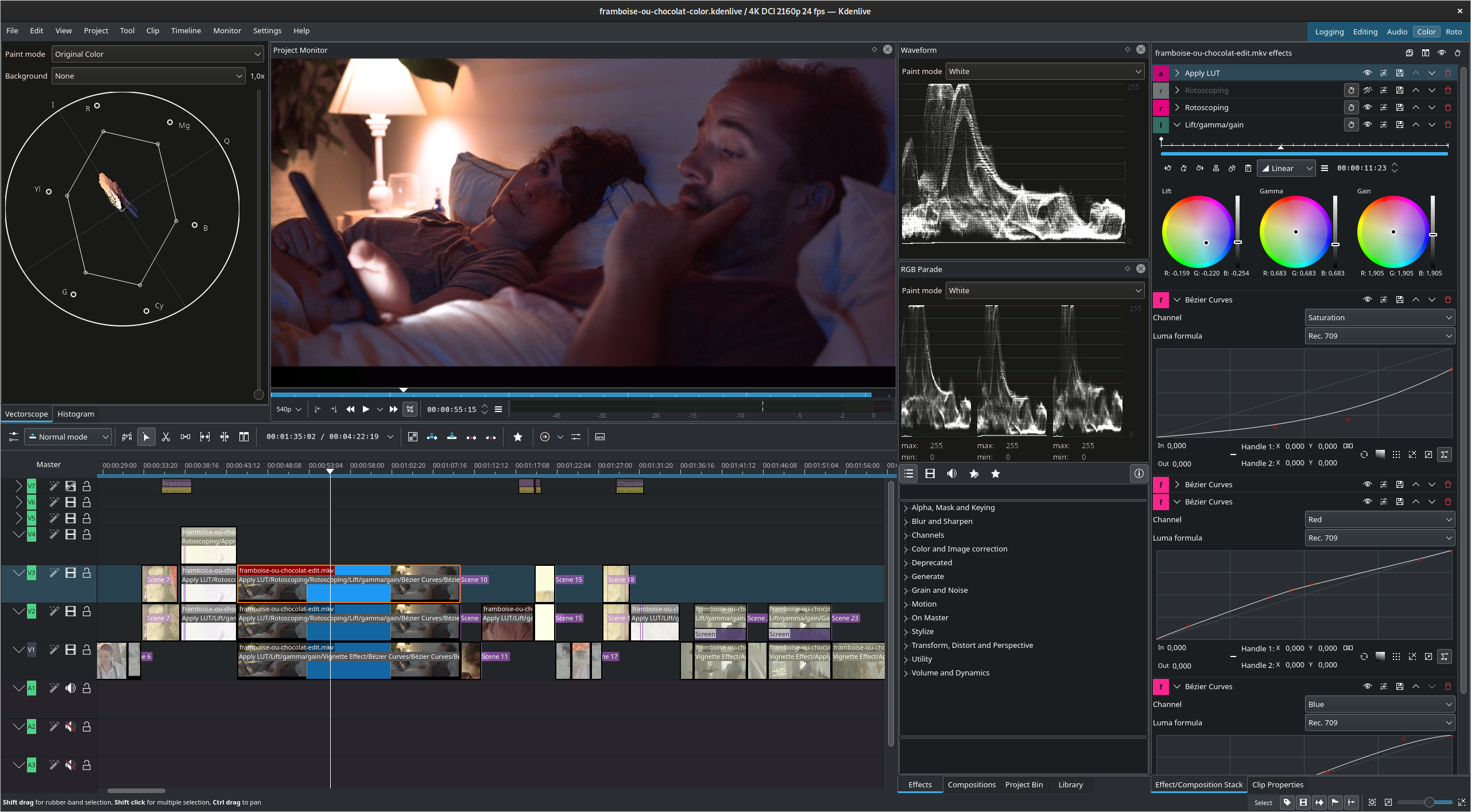
Not a very productive editing experience in my opinion though, definitely still prefer KdenLive or Davinci Resolve.
But you're painting an inaccurate picture here, GNOME controls are a larger ratio than they've ever been to screen real estate;
For context, this is how it looked on a 640x480 display https://commons.wikimedia.org/wiki/File:GNOME-escritorio-1.x...
Ironically, I see the designers of macOS built-in applications (e.g. Finder.app or System Settings.app) are following their GNOME counterparts rather than the other way around. Since Maverick, Apple has lagged behind in terms of UI innovation and it is the GNOME designers, who are pushing forward with new ideas. The addition of a header bar in Finder.app and Nautilus made them much more usable for me [0] [1]. The same can be said for System Settings.app [2], which now follows the design and layout of the GNOME Control Center. GNOME has been a copycat for many years, its UI was inspired by macOS/iOS, but now the roles are reversed.
The missing piece of the puzzle is searchability, which GNOME 3.x+ lacks and which GNOME excelled at in the days of Unity DE. Hopefully GNOME 40+ will bring some improvements in this area.
Heh, those are all on my list of things I hate about Gnome. Funny how different people can be.
(disclaimer: I work for CodeWeavers)
(disclaimer: I don't work for CodeWeavers)
At some point it will be significantly different that it probably shouldn't be called a clone though, but if it currently has the same name as a feature in a pre-existing, popular software, "clone" seems like the right word.
I imagine whomever built "bottles" (the clone, not the Crossover feature), probably used code, or at least was inspired by code, that CodeWeavers upstreamed to Wine.
I have never been inspired by CrossOver, never used CrossOver (maybe the version for Chromebook, but I'm not certain), and was not aware of CrossOver's terminology Taking a look (from what can be understood from the screenshots), well, the two software are extremely different, and the only similarity is actually their purpose, which is to simplify and automate Wine.
If I were you, I wouldn't have mentioned that you're on the CrossOver team because it's not a wise statement to make.
They could have literally picked any other name.
Seems like a stretch. I don't see a problem with reusing good terminology. It's not like it's trademarked.
I can see "bottles" becoming the generic term, it makes more sense than "prefixes".
That being said you can always check proton db to see if your games work with it
Again, do not read what anyone says as gospel, check the games you have and want to play even if people say they're perfect. Lots of things work but a lot of high-profile stuff still doesn't, so it won't work for everybody. And if a game requires 20 minutes of fucking around to get working reliably, it's very possibly not worth it; but IME people who desperately want to use Linux will excuse any amount of issues except for literally not being able to boot.[1] For example, Dragon Ball FighterZ and Destiny 2 don't work well under Proton (for different reasons) but ultimately, I have to use Windows as a result, no matter what anyone says here. Lots of games do work on my Steam Deck though, so that's nice.
[1] You can find tons of reports on ProtonDB like the following: marked "Playable", but then it says "You must launch the game with a custom environment variable to boot it, then it will crash every 10 minutes, which sucks, but it's playable." Literally the definition of "not playable" by any metric...
- what kernel you used + which settings
- what CPU model you used? what security mitigations were enabled?
- GPU model, GPU driver version, GPU driver configuration settings
- what wine version you used (e.g.: wine stable, staging, devel? proton? glorious eggroll? custom?)
- what wine settings you used: overrides, Windows version, installed libraries, etc.
- did it use the gamemode launcher or similar?
Playing with those knobs have a big impact on performance.
I found that when comparing a normal Windows 10 installation to SteamOS, SteamOS performed better (slightly more consistent FPS and better battery).
When I switched to the LTS version of Windows 10 (which doesn't have a lot of the bloat in it and you don't run the risk of screwing things up by running a debloat tool) I got slightly better performance on Windows than I did on SteamOS.
This is also not on a higher end PC. I choose to keep my gaming PC windows right now just to not deal with lower performance, I paid a lot for this computer since I value performance on it.
I will say however that I am finding myself using Windows on my Steam Deck more often. Like right now I am replaying through the Kingdom Hearts series. It feels like jumping through hoops to get that to work on SteamOS where on Windows I just installed the Heroic Game Launcher (alternate app for epic games), installed it and it just works.
> The most popular gaming platforms (Epic Games Store, GOG Galaxy, Origin, Battle.net, EA Games..) are already available as an installer in Bottles.
They even put an "Available Installers"-button right below.
Xbox Game Pass won't work on Linux until MS decides they want to, and I don't see that happening.
FH4 works out of the box on proton btw, at least when I did it via steam.
Edit: Luckily I haven't had the displeasure of using MS Teams a couple of years, so I didn't know it was discontinued on Linux.
https://techcommunity.microsoft.com/t5/microsoft-teams-blog/...
https://techcommunity.microsoft.com/t5/microsoft-teams/end-o...
Bing Chat is also crashing in Firefox on Linux when I go to use it, just the tab itself crashes :c
Microsoft is coming full circle with their most recent embrace, extend, extinguish cycle it seems. Just gotta dodge, duck and dive around any attempts they make to get us dependent on their ecosystem...
There's so much focus on video games.
The ArchWiki has some tips that can help tuning your system: https://wiki.archlinux.org/title/gaming
This launcher does help too: https://github.com/FeralInteractive/gamemode
On top of that, you can use a patched kernel like: https://xanmod.org/
You can check support status for games here: https://www.protondb.com/
If you run games via Proton with DXVK, you can use the environment variable DXVK_HUD=1 to show a HUD with a FPS meter. Some others prefer mangohud.
Setting your CPU frequency scaling governor and GPU to performance mode also helps.
In some obscure cases, removing unused network interfaces will make Windows games that use certain Windows APIs run significantly faster.
Proton is known to interfere with controller support so disabling steam input + overriding DirectInput DLLs can be helpful in some cases.
https://www.gloriouseggroll.tv/how-to-get-out-of-wine-depend...
The Steam Deck is a Linux Gaming machine that uses Proton to make the vast majority of the Steam Library available. It works extremely well on not the most powerful hardware. You can basically play any game as long as it doesn't rely on some hardcore anti-cheat (so counts out some online multiplayer games like R6 Siege).
Lutris tries but it still can't handle it.
For example, if I want to launch Titanfall 2+ Northstar, I need to launch a Northstar launcher in the same prefix as the EA launcher (nowadays these Northstar launchers have a button to launch the EA launcher so it's no longer an issue but still). Each bottle feels like a separate windows install, so if you need a dependency that's not bundled you can just press the big "launch program from file" button and go on with your day.
Games that are DRM free and programs that you download on windows in general can be installed in proton or lutris but doing it always feels like a hack. On the flip side, using bottles is just "launch installer, an entry for the installed program is added". It really is a fantastic piece of software.
What's a "prefix" in this context?
I can edit the non-steam game and use the installed game path, but then it fails to launch because some of these games used to require that the game CD was present in the CD reader, obviously I don't carry it around and plug it in he Deck, this is why I've tried the same thing using Bottles but I'm not sure if I can easily mount a CD or ISO or folder this way, and only in the context of launching a game, not persistent. I have to look further into this and also check Lutris maybe, but if someone knows how to solve this, I'd be glad to hear about it!
For some games, it might be easier to patch it and remove the CD check...
For Re-Volt, a community engine and launcher exists, RVGL, which makes it way easier.
With the risk of opening a can of worms, yes, get the pirated cracked versions of the game. You already own the legitimate copy so it's fair. Not your fault the DRM is not letting you play the games you paid for and own legitimetly. At least that's how I see things.
Otherwise consider re-purchasing the DRM-free versions of the games on platforms like GOG.
I buy movies second hand for dirt cheap, throw it in a cd wallet and toss that behind the shelf.
Getting 30ms latency is good enough for this casual gamer.
CDPR higher-ups though, in large part fueled by experiences with similar situations that lead to success in the past[0], were unconcerned by. If the situation had stayed similar to The Witcher 3s last few months of development, CP77 would have potentially still released in a less than perfect state (considering W3s bugs at launch, new technology, more SKUs, less dev time overall and any form of crunch, in my opinion, being a failure in itself), but likely not nearly as bad as what we ended up getting. COVID-19 happened though, as we all know, and that had its fair share of consequences for everyone and everything involved.
What I'd like to focus on are dev kits. PC gaming has the up- and downsides that come with flexible hardware choices, leading to consoles generally having more targeted optimization and often receiving more testing. But when dev kits are inaccessible due to agreements with manufacturers, those become impossible.
Stadia though, for all its flaws, had two key advantages in the work-from-home world. Whilst physical devkits exist for Stadia, they also offered the ability to access development environments via the internet[1]. Because Stadia was a targeted platform with one specific, testable hardware configuration (like a console), but allowed development and QA from anywhere with a decent internet connection, that likely explains why the Stadia version at launch was more playable and stable than any console SKU or PC experience.
There was, as far as I know, never any public confirmation of this speculation and as Stadia has seized to be, we will likely never know, but this always seemed like a reasonable assumption to me.
[0] https://www.eurogamer.net/cd-projekt-red-this-approach-to-ma...
[1] https://developers.google.com/stadia-dev/cloud-identity-gsui...
I assume this just takes the setup of those WINEPREFIXes out of the equation? Like having pre-defined configs/winetricks/tweaks/DllOverrides/whatever for certain games? Maybe with a couple of patches to Wine that are not yet upstream?
This looks great too.
Get the FlatPak version of Heroic Launcher as it does a lot of tricks out of the box, like letting you be seen as online by friends to be added directly to games, cloud save and dealing with DRM
Bottles: GUI front end to run Windows software on Linux - https://news.ycombinator.com/item?id=29612976 - Dec 2021 (237 comments)