I could maybe try to implement the main part of the “find and switch to the tab if it exists” so that users can simply assign the URL.
Thanks for reminding about this use case!
   tell application "Safari"
      repeat with w in windows
         set mt to (tabs of w whose URL contains "https://mail.google.com/")
         if mt ≠ {} then exit repeat
      end repeat
      if mt = {} then
         if not (exists window 1) then
            make new document with properties {URL:"https://mail.google.com"}
         else
            set mt to make new tab in window 1 with properties {URL:"https://mail.google.com"}
            set the current tab of window 1 to mt
         end if
      else
         set mt to item 1 of mt
         set the current tab of w to mt
         set the index of w to 1
      end if
      activate -- needed if not activated otherwise
   end tell
   1. I export the script as an app. In the dialog I set it to stay open.
   2. I run the app.
   3. I use the standard rcmd method to assign M to that application.
   4. I quit the app.
   5. I export the script as an app again. In the dialog I *do not* set it to stay open.
   tell application "Safari"
      repeat with w in windows
         set mt to (tabs of w whose URL contains "https://mail.google.com/")
         if mt ≠ {} then exit repeat
      end repeat
      if mt ≠ {} then
         set mt to item 1 of mt
         set the current tab of w to mt
         set the index of w to 1
      end if
      -- activate -- needed if not activated otherwise
   end tell
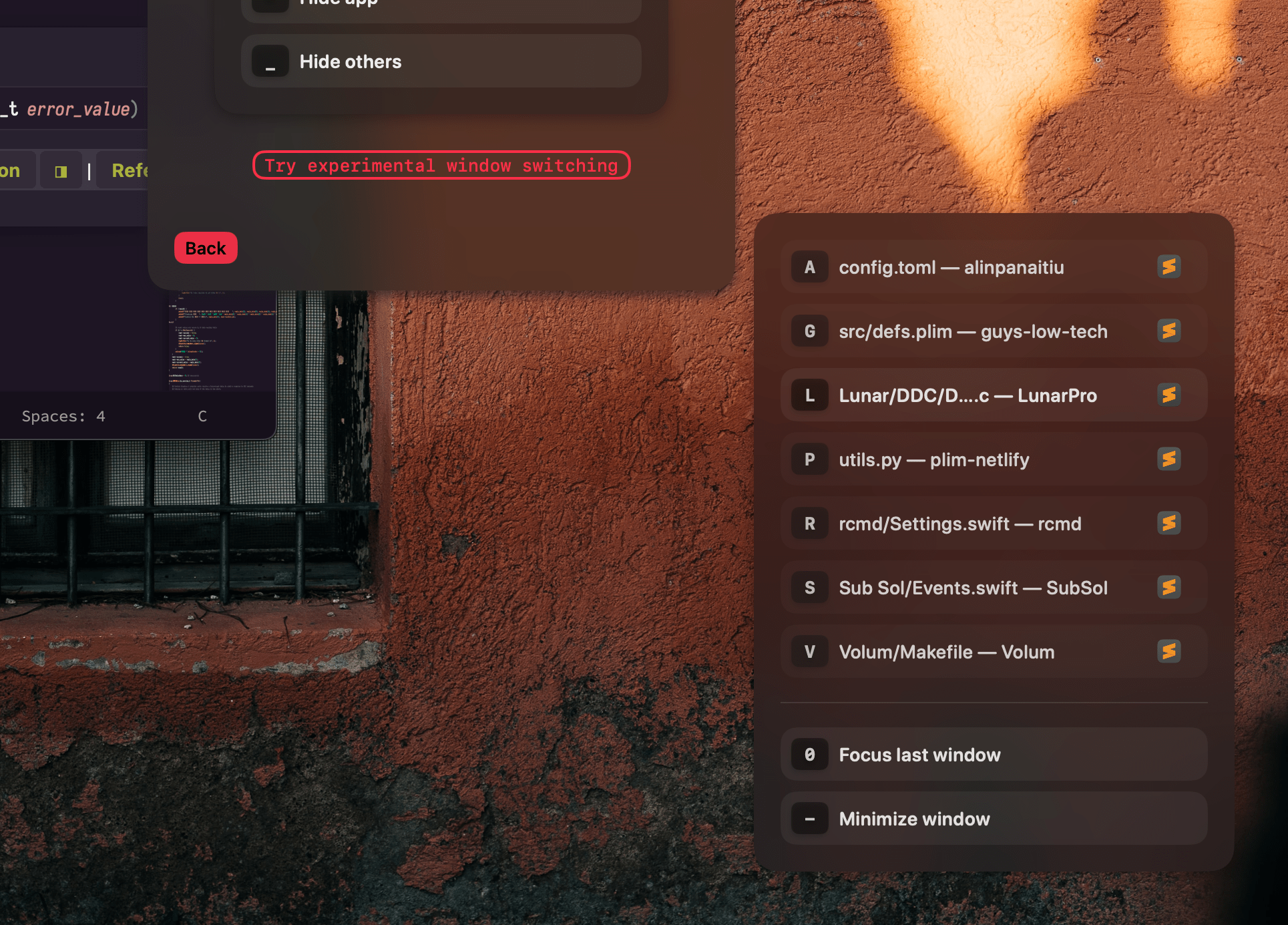
    Click on Switcher in the rcmd menu
    Scroll to the bottom and click on Try experimental window switching
    Install Hammerspoon
    Install the rcmd script
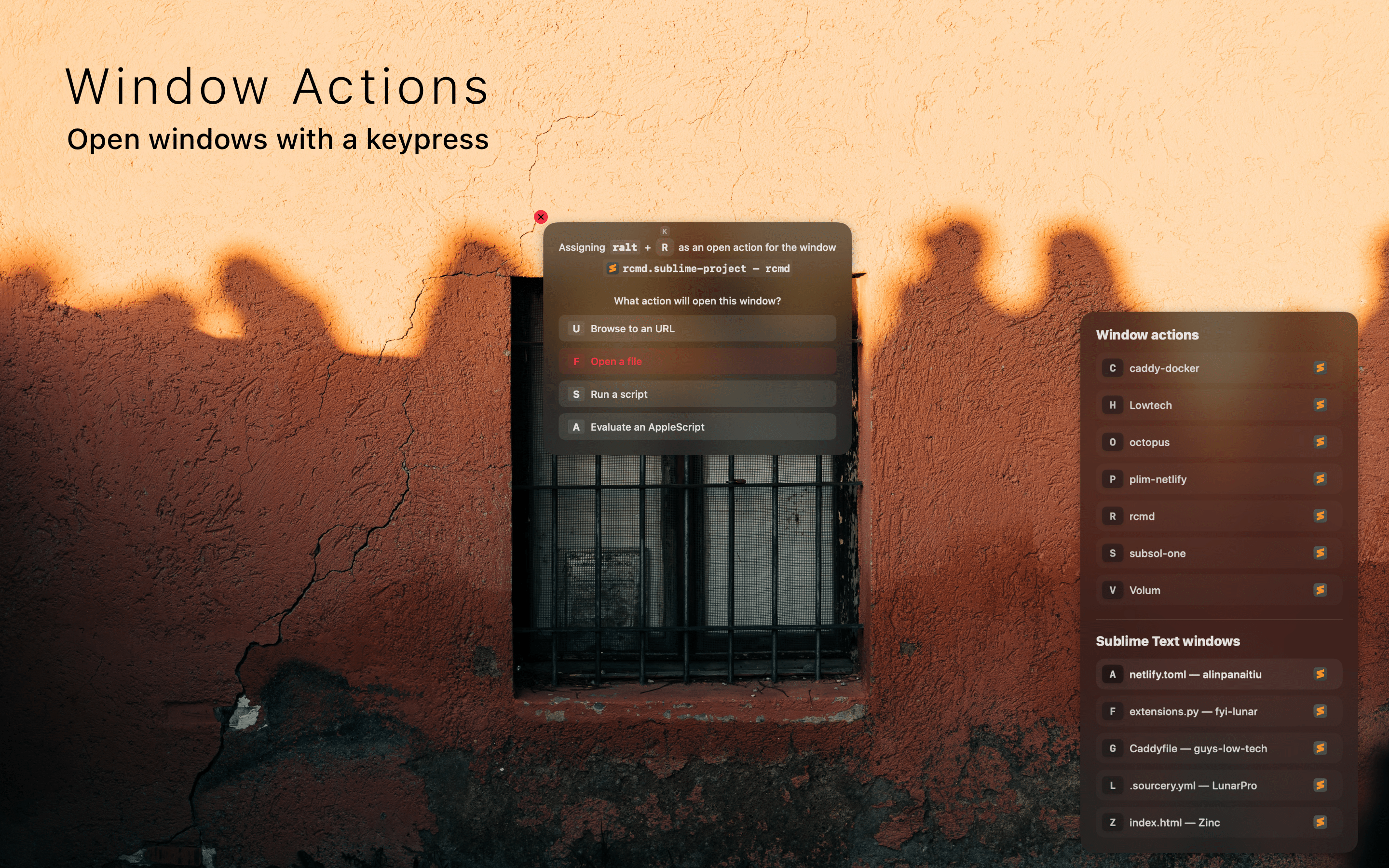
After that, you should be able to press Right Option + Equals ralt-= to assign a key and an action to the currently focused app: https://files.lowtechguys.com/rcmd-window-actions.png
If assigning doesn't do anything, try restarting both Hammerspoon and rcmd, there can be a race condition when the script is installed the first time.
Actually, now that I think about it, isn't this easier to do:
1. Write the AppleScript (done) 2. Save it as an app 3. Assign a right-command to that app. 4. There is no step 4.