It's nice to see the inverse of that, I doubt anyone would have replied every 90 days for 21 years.
There are other types of trackers where automatic closure can be justified, but a bug tracker is not one of them.
I’ve said it before and will keep on saying it: GitHub’s stale bot should be removed with prejudice.
Any issue was immediately closed and only closed issues would be reopened if enough people gave said closed issue enough thumbs up (and "enough" wasn't even defined). And of course, this process wasn't explained anywhere except in replies to closed issues.
The obvious problem with this was that no issues were ever acted upon ever because no one ever looked at closed issues, because why would they?
I had created a proposal for a new function to be added that was and still is sorely missing. After it was closed and a long discussion ensued between many devs, I gave up and a year later I simply replied that I retract the proposal due to the ridiculous policy of actively being hostile to users. The maintainer deleted the whole issue and along with it all proof of their hostility and hypocrisy.
It was then that I decided I would boycott lodash and simply use better libraries in my projects now like Ramda, which is actually OSS. Looks like lodash is now no longer maintained and has hundreds of tickets open after the hostile maintainer (and it's not hard to guess who from looking at the commit counts) appears to have stopped maintaining it.
Funny how that works, closing tickets constantly ensures no one will want to help, and then the maintainers feel overwhelmed because they are doing it alone.
Basically closing issues is an awful practice that helps no one, as you say.
I've lost count of the number of tickets that have been raised that has no information, or is not reproducible, or something else. When I then ask for more information, or something else, they never reply. I've no incentive to keep such tickets open.
So I set up stale bot and auto-close the tickets. Individuals can come and re-open if it happens to them, or more information is added.
Now I do agree, if it is a genuine issue, then it shouldn't be closed until it is sorted out it. So you can set up stale bot to ignore labelled or something. So that's how I've set up all of my repos. For me this has taken off a huge burden.
I don't agree with locking threads after they've closed though. There is very little reason to do so.
When you can only tackle so many things there is 0 point in having a bug tracker that will only inflate and with little in the way of automatic triage determining the priority it is a borderline impossible task to wade through them.
Allowing duplicates is fine, the important stuff comes up again whilst the unimportant bits die off.
Imagine if the Linux kernel or even Chromium had stale bots closing reported vulnerabilities everywhere. It's like they are burying bugs waiting to be exploited by drive-by security researchers.
I've worked on legacy codebases with thousands of unresolved issues old enough to drink. Those issues were probably triaged and reproduced by the people who hired the people who hired me and had been lovingly transferred during multiple bug tracker migrations, but they never achieved high enough priority to warrant development attention. And certainly no one on the current team had any interest (or time) to dig up and attempt to reproduce issues that no human has touched in a decade. Just reading through all the old issues would require a larger team than the product revenue could sustain, let alone reproducing and resolving them.
Having said that, there was no harm in keeping old issues "open" because everyone on the team used metadata to filter old issues out of their views so they were effectively "closed" in that no one ever saw them unless they deliberately went looking and they stopped being included in summary reports. No idea whether people would consider that better or worse than explicitly marking them as "Closed".
For projects that have some sort of product manager who is personally in charge of managing and perhaps de-duplicating the tickets, I'd leave the choice up to them. Some like having only one ticket that captures all discussion about an issue. Some don't care, and aren't so worried about losing track of comments from several years ago. That feels to me like a work style issue, and I don't need to tell them how to do their job.
Or, for projects that are working with an issue tracking system that makes it really difficult to juggle large numbers of open tickets, I also see it as potentially valuable. It's a trade-off. Yes, you get a little extra chaos from broken discussion around perennial issues. But, if you simply cannot effectively manage and prioritize more than, say, a hundred open tickets, then that might be the lesser of two evils.
An issue where the reporter is unreachable and developers do not have local reproduction should absolutely be closed as it serves no function other than generating noise in the issue tracker.
Open issues is a liability to overview and planning, and having bad open issues is therefore directly harmful to maintainers, reporters and users.
Closing a bad but ultimately real issue will just make way for a possibly good report to take it's place (i.e. a new reporter rather an old unresponsive one) so it only provides benefit.
When I try to debug a problem and I see it has already been reported and closed due to inactivity (that is :not fixed. Not tagged won't fix) I give up, I won't fight the machine.
The process of closing it means pushes that work back on the users obviously this requires the coders to keep an eye on the bugs and assess their importance
Having 8000 bugs cross 10 years with ancient versions helps no one
FWIW In this case it’s a feature request
This is bad and borderline dishonest practice, and it’s surprising that it’s allowed to be widespread. I wrote an edgy post about it which didn’t go far on HN but it’s a sentiment I don’t see repeated much (without the edge of course).
Filed issues say something about your product or it’s documentation/UX. Bots that autoclose muddy that signal.
Yes, it says that the product is popular enough that hundreds of people feel the need to post feature requests with notes like “how is this not fixed yet, it should be five minutes of work, it's a deal-breaker issue for me, I'm migrating to Chrome if this is not fixed!!!”
IMHO, it's a terrible practice, since it pushes for infinite duplicates completely losing the trail of previous discussion.
Maybe this? https://news.ycombinator.com/item?id=26590961
As a recent Mac user, I don't know if this is a mac thing, but I hate not being able to use the keyboard to navigate around the UI. Although the trackpad is nice, it can't beat the precision of the keyboard. I can't focus the menu bar, trigger a context menu with the keyboard, tab around panels and buttons. It's an accessibility nightmare.
[0]: https://docs.microsoft.com/en-us/windows/win32/uxguide/image...
One of the issues is how hard it is to discover what the right keybindings are.
Second issue is that all the keymappings are different to Windows/Linux/BSD/AnythingElse.
Like, in the setup wizard when you open a new mac, hitting "return" won't move you to the next step, you have to hit tab, and then space. However, near the end of the setup process, there's a screen where tab doesn't work, and you actually DO have to use return.
I'd had carpal tunnel (and it's kind of a chronic thing), so using a touchpad to point-and-click is literally painful for me. A mouse is okay, but it seems to be impossible to connect bluetooth devices on macOS without using the touchpad.
In addition the display in the menus, you can use the keyboard settings' shortcuts section to see the global keybindings and add new ones either globally or within a particular app.
There's also a pretty comprehensive version here:
https://support.apple.com/en-us/HT201236
> Second issue is that all the keymappings are different to Windows/Linux/BSD/AnythingElse.
There's a bit of early GUI history which explains most of this – MacOS was the earliest mainstream GUI and they had guidelines pretty early on which most Mac applications use. A decade or so later IBM decided they needed to create their own standard (Common User Access) which they pushed to get implemented on OS/2, Windows, and other operating systems.
Mac users continued to want what they were familiar with, and applications which were business-focused in the late 80s-90s got CUA, and a whole lot of other software got some agglomeration of whatever the developers were familiar with and/or the toolkit they were using provided by default.
> I'd had carpal tunnel (and it's kind of a chronic thing), so using a touchpad to point-and-click is literally painful for me. A mouse is okay, but it seems to be impossible to connect bluetooth devices on macOS without using the touchpad.
Two ways:
1. If it's an Apple mouse with a lightning port, plug it in once with the cable.
2. It sounds like you might not have activated the accessibility setting which toggles tab navigation from only navigating between text fields to all controls. Use Control-F7 to toggle that and then:
  1. Open settings – you can use Spotlight via Command-Space or Option + either the sound or display adjustment keys to open Settings without using a pointing device

  2. Either navigate the icons or use search to select Bluetooth

  3. Hit tab, the default focus ring will be on the “Turn Bluetooth Off” button if full control navigation mode is enabled.

  4. Hit tab, focus will now be on the devices list

5. If your mouse is pairable, it'll show up with a connect button. Use the arrow keys to select that line and hit enter.Edit: I'm impressed I even remembered that! https://support.apple.com/en-gb/HT204434#fullkeyboard
You can set up a shortcut to move keyboard focus to the menu bar in Keyboard preferences under Shortcuts (in fact you can remap any application’s keyboard shortcuts there). That’s also where you can enable keyboard navigation between controls.
As a recent Windows user, I don't know if this is a Windows thing, but I hate inconsistent keyboard navigation in the various UIs. Although the keyboard is nice, it can't beat the precision of the mouse. The unwanted focus on menu bars, the unwanted triggering of menus with the keyboard, and too many modes: tabs and panels and dialog boxes. It's an accessibility nightmare.
[0]: https://developer.apple.com/design/human-interface-guideline...
2. Go to `about:config` and set `ui.key.menuAccessKey` to a custom value (I have it at 17)[2]
[1]: https://bugzilla.mozilla.org/show_bug.cgi?id=1711299
[2]: https://bugzilla.mozilla.org/show_bug.cgi?id=1711299#c5
I've played around with `ui.key.menuAccessKey` before, but I needed to turn off native menu (`widget.macos.native-context-menus`) to display the access keys.
If you go into System Preferences -> Keyboard -> Shortcuts (tab)
There will be a checkbox at the bottom that says 'use keyboard navigation to move focus between controls'.
This will do what it says! Hope this helps.
A person is a "Windows user", and prints on lots of applications on Windows, and expects a consistent experience across all applications.
Same applies for Linux users and Mac users.
A person is not a "Firefox user", who prints of Firefox on Windows/Linux/Mac. The few people who _do_ fit this unique profile, are very much used to seeing very different dialogs on all three platforms.
Also, printing in 2021? I get that people still print, but it seems equivalent to improving the Fax dialog in 2006.
A preview is important as web designers seldom pay much attention to print stylesheets; the user probably doesn't want to print five pages of navigation menus, or print a black background with white text.
IMO you should get a preview (with options for changing the rendering), and you can go from that to the system dialog. Instead of combining them.
Office is native but has its own, unique look and feel that is different to other native tab interfaces built into Windows.
And don't get me started on context menus in Windows (ironic given this story). The design and items on a context menu is so inconsistent it drives me mad at times.
Consistency in Windows is a real pain point imho. I would love for Microsoft to just stop adding more crap to the shell like some weather or contacts fly-out and just spend a year getting everything consistent with a good, modern light and dark theme that works everywhere. I know it is easy for me to say that though.
But additionally adopting the design language of the system is another burden altogether. It potentially triples your design- and implementation time and adds a lot of complexity to your code. And if you're unlucky the next OS version requires you to change it all again.
Or the checkmark/cross ok/cancel buttons that were quite common (Borland?).
That "old" look and feel co-existing with "modern" flat/web designs just made the differences more noticeable, never mind the often associated differences in icon sizes and styles.
Not that other systems are better. Linux always had too many widget toolkits (and now those awful upside-down window-title-toolbars), and even Macs always had at least one weird option (e.g. brushed metal or too iOS-like thingamajigs).
It's such a convenient way to learn new words (and even works across multiple languages). Alas. Maybe in a future update!
(Another, similar, gripe is that both Safari and Chrome, along with most other native macOS apps, will select the word under the cursor with just a right click—no need to even double click to select first and then right click. Firefox doesn't do that.)
I don’t know if it’s an macOS fix or Firefox fix, but it works like you’d expect now.
1. Select the word and hit ^⌘D or ⌥⌘D. The former opens the definition in a pop-up, the latter opens it in the dictionary app.
2. There is an extension that adds a context menu item that opens a new tab on the Oxford definition of the selected word at lexico.com [1]. The same extension author also has one for the Cambridge dictionary.
[1] https://addons.mozilla.org/en-US/firefox/addon/oxford-englis...
For MacOs I use Alfred launcher and just click option+space "define myword"
It has nothing to do with engineering resources, and we always wanted native context menus, but they were not customizable enough to meet the perceived needs of web, XUL, and extension developers at the time. People expected to be able to change colors and layout with CSS, for example. The native APIs put heavy limitations on what you could do with a native context menu and it was just not compatible with the expectations of people building against the rendering engine at the time.
There was some discussion of switching back and forth between native and non-native menus based on styling, but that got complicated quickly and it wasn't thought to be worthwhile.
It sounds like perceived needs have changed, and maybe the native APIs allow for bit more flexibility now. Glad it's happening, excited to see how well it works!
The old-style extensions were so powerful because they could put their API tentacles very deep into the rendering engine. Mozilla paid a huge price for allowing that though - it was very difficult to change the behavior of many parts of the rendering engine without breaking extensions. Much of what you'd think was just internal implementation detail was actually API surface accessible to those extensions. The workarounds added a bunch of internal complexity. It really slowed down the pace of development.
I get that some people mourn the loss of that style of extension, but dropping it was an important decision that should have happened much earlier. There were other issues with the old-style extensions (e.g. security) but making the pace of development uncompetitive should have been enough to doom it.
https://news.ycombinator.com/item?id=27276093
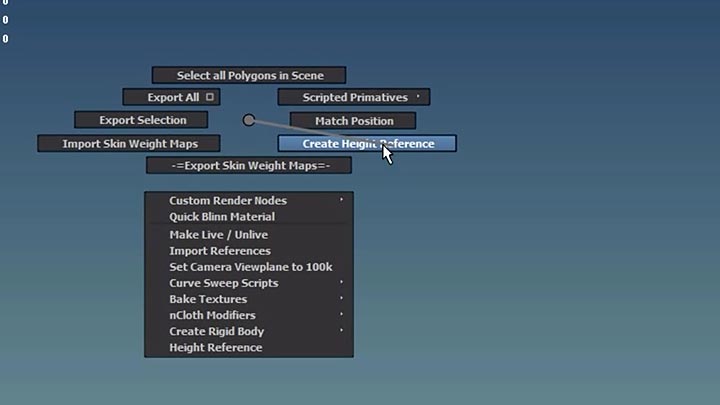
I wish browser extensions could pop up floating, undecorated, arbitrarily shaped, alpha-channeled popup windows, whose appearance you can define with any web technology you wanted, which could capture the mouse and keyboard to globally track input events, that would go a long way towards implementing pie menus and all kinds of other user interface widgets.
Perhaps you don't want any web page doing that without permission, but at least trusted browser extensions should be able to.
As silly as it sounds this might just be enough to get me to use Firefox as my main browser on macOS. I have played around with Nightly recently and love the new UI design. Can't wait for this to hit release.
I really wanted to like safari since it’s the most power efficient, and when I got my M1 I went all-in on it, but I went back to Firefox after three months.
I predict JavaScript will be the Fortran of 2040
And I'm not saying this because I think it's the best ever, or because I don't learn from history and how things change.
It's the nature of the web. We're still dragging things from HTTP/0.9 and and from HTML 1.0 along.
But also, JS is a capable script engine with millions of USD put into engineering VMs into it, and the networks effects are inescapable. I don't see WASM replacing it either. They'll be used in tandem.
However, it had been through the source control of Theseus; CVS -> SourceSafe -> SVN. When I left there was talk of moving to git, but since the build system checked in binaries that was a serious obstacle. The bug tracking similarly had been through at least one reset.
https://developer.chrome.com/docs/extensions/reference/windo...
Is there a way with that (or any other) API to pop up and precisely measure and position an arbitrarily shaped (alpha channeled) window, without any other chrome or window frames? And then globally capture and track mouse and keyboard events?
Does anyone know if there's now a way for a browser extension to do that in any browser? Or would it require hacking platform specific C++ operating system code?
Here's a demo of an ancient implementation of pie menus I made for ActiveX around 1997, that shows pie menus with arbitrarily shaped windows:
ActiveX Pie Menus: Demo of the free ActiveX Pie Menu Control, developed and demonstrated by Don Hopkins.
https://www.youtube.com/watch?v=nnC8x9x3Xag
ActiveX Pie Menus doc, examples, sources, etc:
https://www.donhopkins.com/home/catalog/piemenus/ActiveXPieM...
https://www.donhopkins.com/home/catalog/piemenus/PieMenuDesc...
I did all the drawing with Win32 calls, so you could configure the fonts and colors and sizes and window shapes and styles, but you couldn't style everything arbitrarily with css, embed arbitrary web content, or anything nice like that.
At the end of the demo video, I concluded that:
>I ran up into a wall of complexity with this ActiveX control, in that I wanted to be able to have as the menu items animated gifs, mpeg movies, fonts with nice attributes, and things like that.
>So the first thought was "well let's just put a whole web browser in every item!"
>But that was a little heavy-handed. So instead, I put the pie menus into the web browser as a Dynamic HTML Component. Which I'll show next.
Of course it makes a lot more sense to draw and style the pie menus with the browser's renderer, but I still want the best of both worlds, where I can pop browser-drawn pie menus in arbitrarily shaped and positioned operating system windows, and track the mouse globally (capturing the mouse and keyboard events and receiving mouse motion and up and key events outside the window, to pop up and track sub-menus properly).
JavaScript Pie Menus: Pie menus for JavaScript on Internet Explorer version 5, configured in XML, rendered with dynamic HTML, by Don Hopkins:
https://www.youtube.com/watch?v=R5k4gJK-aWw&ab_channel=DonHo...
I think it's sufficient to override the ‘contextmenu’ event and signal to your app where to show the menu and what to show in it. You can even implement the menu itself in something like Hammerspoon on Mac, with Lua APIs—dunno about Linux. However you'll have to define the whole menu yourself, since you don't have info on the browser's one.
Though it might possibly be easier and more performant to have websocket communication with the app—it means the app will have to stay open, but that's not much of a problem in this case. OTOH I'm not sure that browsers won't start blocking requests to localhost servers, after the privacy issues.
If it has to run in a separate app, then that app must embed its own separate browser than the one popping up the pie menus.
Since it's a lot easier on the Mac to embed a Safari browser than a Chrome browser, it might be amusing to have Safari handling the pop-up pie menus of Chrome, but it wouldn't be the optimal solution of Chrome (or Safari or Firefox) drawing its own pie menus.
Chrome's browser window extension api almost but not quite works for my purposes, and I wonder if or why it was a design decision not to make it more flexible. Security? Browser extensions, like clowns, can already get away with murder.
A power-user software that makes heavy use of mouse manipulation is perfect for those kind of "enhancements" of traditional ui elements.
The marking menu style made the learning was more pleasant than let's say the very keyboard shortcut heavy interface of Blender. But I feel like after struggling a while with the shortcuts, using Blender felt faster after the learning curve.
So maybe there's some niche between expert systems and beginner friendly apps or in embedded devices where such "intermediate UI" solutions are better at home.
But it looks pretty dubious from the perspective of Fitts' law. The items to the left and right are vaguely okay-ish: they're long in the direction of cursor movement, however you need to hit the narrow vertical profile while there's empty space above and below each item. The top and bottom items, though, are narrow in the direction of cursor movement while being far enough from the mouse that the movement will have some speed. It's the same problem as Windows' menus have, only closer to the mouse so not that pronounced.
Meanwhile, in a classical radial menu, the items are closer to the cursor and they should have considerable depth in the dimension of cursor movement if they use icons of non-microscopic size.
There's at least a current attempt at the same idea, posting to test it later: https://addons.mozilla.org/en-US/firefox/addon/easygestures-...
I know you can force-click on laptops, but, not everyone is on a laptop all the time, and force-clicking doesn't allow you to choose the selection, which can be quite problematic for languages that doesn't use spaces.
Indeed, it was first described against MacOS 8.5… that's a memory trip!
>Blake Ross
>Comment 5 • 21 years ago
>How easy/hard would this be?
Blake Ross[0] was 15 years old at the time of that comment. It was two years before he, Dave Hyatt, and Joe Hewitt published the first version of Firefox.
https://techcrunch.com/2015/09/04/the-founder-of-firefox-wro...
I loved Camino as well. A truly excellent browser.
It’s a real shame. Gecko is a nice engine but XUL is a much harder sell.
"I can't argue, but it's a time thing."
21 years later...
"Fixed."
https://www.youtube.com/watch?v=u729hGPyi6M&ab_channel=Silve...
Have they removed it all? I can find old stuff in the archived github repo, but that's about it. What's the official entry point?
all categories: https://www.mozilla.org/en-US/contribute/
unsure how you can help? https://whatcanidoformozilla.org
I've found the contribute page, but that leads straight to https://github.com/mdn/archived-content/tree/main/files/en-u...
It's kind of nice to see that they will, eventually, get round to issues like this.
> Yes, WONTFIX and INVALID seem a bit much. We'll just keep it in the database for eons.
That joke aged exceptionally well!
When I read a webpage, I often select some words (technical terms, movie names, etc), right-click, and press "S" in the keyboard for quickly googling the words. I tried it in Firefox Developer Edition (equivalent to Firefox Beta) which already has native context menus, and it didn't work.
Can't believe this happens to me: https://xkcd.com/1172/
You have to share your entire screen to show someone all the available options in the context/drop-down menu.
Also, this is especially useful for people using dark mode, since native context menus match that setting.
I mean, compare it to this bug report:
https://bugzilla.mozilla.org/show_bug.cgi?id=309807
First the response was ‘just use an extension’. I did that happily, until the extension API was neutered, making the extension non-functional. When people brought that up, Mozilla closed comments on the bug report. Now it is closed as WONTFIX with this laughable excuse:
> Extension APIs (which I know aren't yet available) would be the solution for implementing this if there is enough demand.
Meanwhile, Chromium had this from day one. It works a bit differently now, but it’s still there, I just checked. Doable? Perfectly doable.
Edit: Bumped from P3 -> P1 3 months ago :)
I wish I could donate just to fix this bug for everybody.