The 2FA services that allow >1 YubiKey are good, I can have a backup key locked up some place and use them as intended.
Of course, it depends what you want to defend against with your backup - this works fine for a broken OpenPGP smart card (;)) but in the event that it's lost or stolen.. well the best that can be said is that it gives you some window to create a revocation cert, login, and change the single registered FIDO device to a (third) newly provisioned one (or your second one, the backup, provisioned with a new key after logging in).
Or you could use a different method as your backup (IME if they only allow one they do at least also have backup codes, app-based, etc.) in order to login and change the device to the backup provisioned with a different key. (So it can be generated on the device in this case.)
We've used https://rsc.io/2fa to share TOTP keys between multiple individuals. We store the secret key in a shared password store that's also behind a separate 2FA login.
For U2F, check out https://github.com/github/SoftU2F
WebAuthn / U2F are explicitly designed to allow multiple authenticators. The W3C WebAuthn spec. explicitly calls out that you should allow users to register more than one authenticator, and might want to provide a nice way for your users to label them, e.g. "Yubikey", "iPhone", "Greg's key" or whatever. Every site I've used that offers WebAuthn does this correctly except AWS and you'd have to take that up with Amazon.
https://www.youtube.com/watch?v=l-fcfGwepog
Now, electrifying that would be neat!
I used it for testing smart meters in Norway, so we did not need to run to the lab to trigger events. The best part is that the whole menu is interactive by just one physical button, a great job for a Bluetooth button pusher + Python.
It is also capacitive so it work on the phone screen, and YubiKeys (?)
I wonder if one could design a similar solution without requiring a bridge. Although of course given the power consumption adding WiFi on the actuators might not be a great idea.
That is a gross overstatement. As someone who works for a pre-IPO startup and been in the bay in various startups for a number of years, I'd hazard that only 5-10% of the engineers had YubiKey, let alone "work in tech".
Whether or not we _should_ is another question.
But yes in e.g. banking the security systems had been created long before there where really good USB based security keys so it's probably most times actual smartcards.
But then it also turned out that many smartcatd drivers are just REALY bad and complex potentially making your system more vulnerable so I can totally see companies switching away from them.
The author must live in some kind of bubble. This may only be true at Big Tech companies or other companies with a atypically strong security focus.
Edit: To be clear, I've had plenty of _other_ 2FA devices.
I hope for their customers' sakes they have solved their reliability problem.
My biggest beef is lack of NFC in MacBook. I wan’t a key in card factor because who the hell has keys these days. Maybe add hardware button on the card. It would work on on mobile and laptops. Banks could use their own credit cards for logging in...
I can't swear Google has never known one my phone numbers in the many, many years I've had an account, though they don't have one recorded now. However I can tell you with certainty I have three WebAuthn authenticators, and no SMS-style 2FA authorised on my Google account now.
It happened to Jack Dorsey. And attacks tend to become easier over time. Any employee of an at&t store could do it to you right now.
The reason we know Dorsey was the victim of a sim swap attack is probably that he's important enough that when he was hacked he couldn't be dismissed with the "You probably messed up and leaked your password" dismissal.
1. Plug the yubikey into the monitor
2. Use an extension cord (as they did)
3. Switch back to an otp app (eg Google authenticator or Duo)
4. Credit to conk [1] or agl [2]: extend the conductivity via conductive foil or other material, connect to ground to simulate touch
Ways you can improve convenience while reducing security:
1. This!
2. Disable 2fa (credit to another commenter)
If 2fa is required by your company, circumventing it by eliminating the security benefit should be severely reprimanded.
Why not build a different shitty robot?
I hate that people say that.
By adding some security (protecting against some threat) to another security (protecting against same threat) you gain no security, after all: 1+1=1 in binary, so security is binary in this way as well.
By protecting the same thing with two different security mechanisms, you have multiplication, and in binary 1×0=0 so security is binary in this way.
And so on.
Security is about identifying threat-actors and devising cost-based challenges that exceed the value to others of compromise. In that way, it is absolutely a binary thing -- you are either secure from those specific threat-actors or you are not.
It's a real problem that without perfect knowledge, you don't actually know if you are secure from those threat-actors: Someone can discover a cool factorisation trick, or your computer might make weird noises when multiplying certain numbers, or it might allow authenticated users faster responses than unauthenticated ones. Threat-modelling in the face of those kinds of thing is nearly impossible, but even against basic stuff (the stuff we already know) it can be really hard. For these reasons and more, weakening some security in what you may perceive as a small way can actually be absolutely catastrophic to the security against the intended threat-model. So don't do that: Start from the other side, decide what you're trying to protect and from whom, and convince yourself that they really can't gain anything with what they've got.
Script kiddies using a ten year old version of metasploit? The finger is probably safe for all the reasons you're thinking, but if they find a way in, someone else is going to strace/gdb/dtruss all the things and find you've got a lot of secrets in RAM - if any of those belong to an even higher-value target, you can bet that is automatically harvested, collected, and shipped back to "home base" for use.
> This mechanism is more secure than no 2FA,
You can't meaningfully say more or less secure without saying who the threat-model is.
For threats I worry about, this is much less secure. I also believe that's true for most yubikey users, including the ones with the technical ability to do something like this.
> the thing will move and you’ll hopefully realise you’re haxx’d.
If the yubikey cannot be triggered by my PC because there isn't a wire connecting the two together, then there is zero risk from a remote attacker who does have access to my PC -- unless you believe the airgap grants you nothing in the first place.
I mean, I hope the airgap means something, but I don't hope that I will always be awake and in front of the finger paying attention to its gyrations and undulations.
1) I really wanted to give out the free advice that people should plug their yubikeys into their monitors. Get two so you can have one in the monitor and one in the laptop (or laptop bag). Also, you don't need a USB c key for the monitor.
2) there's the specific question of "what is the surface area of attack?" With a yubikey, you limit that surface to "people who have physical access to your device"
I didn't make the case that security is binary. I simply pointed out that they are severely compromising their security posture by re adding remote users as a surface of attack.
If someone compromises their machine and watches what steps they take to access eg a production network, the attacker will trivially see the yubikey being triggered. They don't need to know what it is or why it's being run. They'll just know that after you ssh you run this script.
    if mount | grep cdrom ; then
      echo hotdog
    else
      echo nothotdog
fihttps://interestingengineering.com/mcdonalds-burger-survives...
I know... layers of unlikelihood.. but I'd probably opt for a physical "good button" gapped from my computer as sort of a closed electrical extension of my finger.
Even a virtual 2fa button is useful. It prevents people using your stolen credentials to login to websites unless you click the button, even if it's just a virtual button.
Sure your computer can be compromised, but it's probably still more secure than sms 2fa.
Compliance?
If you allow for a YubiKey, or any other physical artifact in that matter, to be remotely invoked it negates its utility as an authentication factor in the physical domain.
Say you click on a link that looks like Google but it's not. You enter your credentials -> these are now in possession of the attacker. If you have 2FA enabled AND you use a security key, the key digitally signs the hostname of the site you're browsing. This second factor won't be valid on the real google.com site because it was created on the phishing site.
Phishing protection is a core feature unique to security keys, and it's completely independent whether you keep the key in your laptop or you bring it with you.
How does this work? Does the browser talk with the key? I thought the key is primarily an input device.
I have a second one on my keychain.
I would highly recommend to have two keys: one for backup one for daily use.
In situations where laptop is not under your control, you can remove it.
Similar to this fake finger, it was a cool hack at the time but defeated the purpose of 2FA.
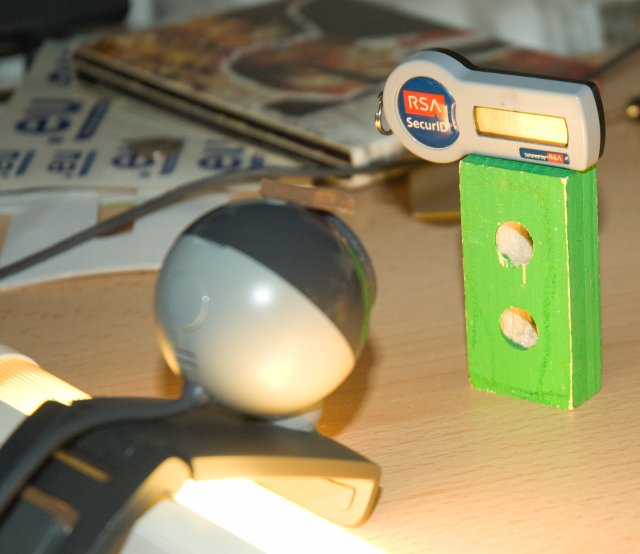
https://www.google.com/search?q=webcam+rsa+token&source=lnms...
To access my account with the former an attacker needs my phone and me to log in to it for them.
To access my account with the latter an attacker just needs to hardware key.
I usually have my phone on me whereas I don't want to have to keep track of a tiny USB device and am likely to just leave it plugged into my laptop. My laptop is the most valuable item in my home and so most likely to be stolen, along with the attached key.
It is difficult to assess one choices as "more" or "less" secure without a threat model.
You've focused on the threat from attackers willing to use a mixture of a physical attack (stealing the phone or laptop, perhaps mugging you for it) and a digital attack (accessing online accounts using credentials they stole) but those are very rare.
On the other hand Phishing and other purely online attacks are extremely common. I probably see two or three attempts per week. Most of them are crude but not all, and they work.
Authy emits TOTP codes, so those can be phished. The phishing site gets you to enter your TOTP code, which it passes over to the genuine site, signing in the attacker with your 100% authentic working codes.
But a Yubikey (and dozens of cheaper alternatives including Yubico's own Security Key) can also be used with WebAuthn, which cannot be phished.
Bam, someone now have the ability to authenticate as you without even needing physical contact and without you ever noticing - this could run for years without any trace. With yubikey you will notice that it is missing.
There is a yubikey with fingerprint sensor that is supposed to come soon as well.
In my case, the biggest case against a phone app is that the most likely disruption would be either that my phone was stolen (though not specifically to get my credentials) or just break from a fall or something.
And until there is a decent fallback from that passwords are the better choice for me. (Yubikeys aren't that much better in that regard either)
It was announced 11 months ago with no status updates since then. Its really not clear that this product will ever get released.
Rogue trigger of a security token isn't really an issue when using the recommended U2F standard.
U2F uses the domain as part of the challenge-response in U2F so that phishing\spoofing attacks can be defeated.
Good meeting you at the FLL competition last year! -Cody
"Why not just press the button?" ... "Don’t you get it? This button BAD, but this button GOOD. Me want to press GOOD button."
The odds any malware would both locate this api, and actionably utilize a generated otp, is slim to zero.
You can do the entire OTP entirely in software. Just be sure that the location you place the secret is encrypted:
https://battlepenguin.com/tech/replacing-okta-verify-with-op...
Like there is literally 0% chance I’m going to let myself get permanently locked out of my accounts if my keys and phone get stolen.
Don't do this.
Actually seriously, don't do most of this.
The fact that your computer cannot induce the yubikey to provide its key material (or evidence of the key material) is where it gets "security" from in the first place. As soon as someone can convince your computer to do something there's an increased chance they can get it to do something else.
Some suggestions:
- Wire the F14 key up separately to "the finger" (and not to wifi)
- Use a yubikey simulator[1]. If your sysadmin won't trust you with the key material inside the yubikey so you can use a simulator, they definitely won't trust yourself to emulate the simulator with the finger either.
good job bert!
Cause if it's only capacitative there is an easier way:
But all other operation modes (FIDO,FIDO-U2F,PIV, OpenPGP) do not have that problem.
So when possible I use password manager + FIDO(-U2F), where no it's password manager + TOTP using the yubikey (I plug the USB-c yubikey into my phone accessing the keys TOTP functionality through the authenticator app).
> And if you work on a political campaign or as a journalist, you should definitely have one (or something similar).
It's tough, tptacek & idlewords have been facing an uphill battle with that:
https://idlewords.com/2019/05/what_i_learned_trying_to_secur...
One of my team members did a write up about it years ago: https://obviate.io/2015/04/16/making-of-the-mfa-phone-becaus...
But isn't the whole idea that it shouldn't be possible to trigger it from software?
This is gold.
They are quite versatile and can be used for many different use cases which is part of the problem in my opinion. While not a total dummy, I found yubikey software and documentation to be difficult to use and configure and a pain to find how to setup the key for common scenarios. This brings me back to ideal users, probably corporate use where a dedicated team can support users for the specific use cases.
Does anyone know why that is?
I have worked in tech for 10+ years and I haven’t heard about this product until today.
I guess it’s more likely to own a macbook/ dell / hp / etc than a yubikey.
Still, if someone said “If you work in tech, you probably have a macbook”, they wouldn’t be taken seriously.
It makes me laugh that such a small problem (pressing a yubikey at an awkward angle, which sometimes doesn't register properly) can be solved with such a delightful over engineered solution.
Then the article turned into a joke.
It's an entirely useless device. All you need is a pw manager that saves you from non-malware attacks (email compromise aside). Yubikey cannot save you from persistent malware, which makes it useless in almost all scenarios. The only hardware device that makes sense is the one with a screen (like trezor). Simple click-to-use devices carry no protections that you wouldn't otherwise get with a pw manager.