Definitely a situation for reader mode.
Edit: No, actually that is because I have uBlock Origin enabled on Firefox.
- atop (great for finding out what's causing system-wide slowness when you're not sure whether it's CPU/disk/network/temperature/etc.)
- iotop/iftop/sar (top equivalents for disk IO, network traffic, and sysstat counters)
- glances/nmon/dstat/iptraf-ng (pretty monitoring CLI-GUI utils with more colors)
- systemd-analyze blame (track down cause of slow boot times)
- docker stats (htop equivalent for docker containers)
- zpool iostat -v <poolname> 1 (iotop equivalent for ZFS pools)
- nvtop (NVIDIA GPUs htop like monitoring tool)
- radeontop (top-like GPU utilization for AMD Radeon GPUs)
From my own experience, if I've been away from a project for a while sometimes there's this snowball of guilt that just keeps building up, and if there's people saying "hey what the hell?" it just adds to it. Understanding that and making sure there's no implied accusation can go a long way to getting someone to break their silence.
It's nice to see users of an abandoned project happy that it's because the developer (apparently) abandoned it, as long as he's okay.
fd and ag (or rg) just do what I expect them to, I don't need to think about how to use them. Both find and grep's syntax trip me up, even after 20 years of using them.
It's written by the same developer as fd
echo '{"some_json": "value"}' | python -m json.tool ... | python -m json.tool | python -m pygments -l json
... | python -m json.tool | pygmentize -l json
python -m http.server 12345
I'll stop now, but I love how Python module developers add these "hidden" command-line features.
P.S.: You can — and, at this point in history, probably should — s/python/python3/ in all these examples.
I've created this domain (and olddit.com/path) to redirect the urlpath to old.reddit.com using only a single CloudFlare Page Rule.
If like me you never bothered to look into it just hit F2 in a running htop and start browsing the options.
I found a workaround that seems to work though, once you're happy with your defaults you can do:
chmod a-w ~/.config/htop/htoprc
Also I had to add "vim_mode=1" directly in the rc file because I couldn't find the option in the menus.
Unfortunately it seems that git only stores the eXecutable bit of the files in the index, so you can't really commit a file as read-only, so you have to remember to do it one every one of your machines (or script it in a git hook I suppose).
So I have a /usr/local/bin/htop that does
    #!/bin/bash

    rm -rf ~/.config/htop
/usr/bin/htopmpv is one tool I think handles a kind of similar thing nicely: it has a main config file for long term settings, but also allows you to use Q instead of q to quit and save state (eg. playback position, speed, volume, etc.) in .config/mpv/watchlater/hashofurl (a separate file for each URL you play).
htop could save the single-keypress-changeable settings in, say, .config/htop/viewstate and only keep the other stuff that’s buried in the setup menu in the htoprc
You really shouldn't put troubleshooting tools in your container images. You can join a "toolbox" container to a running container's namespace to get your tools there when you need them. That avoids unnecessarily large images, extra build time, and extra dependencies in your image.
All of these are mandatory for containers, though... ? </joke>
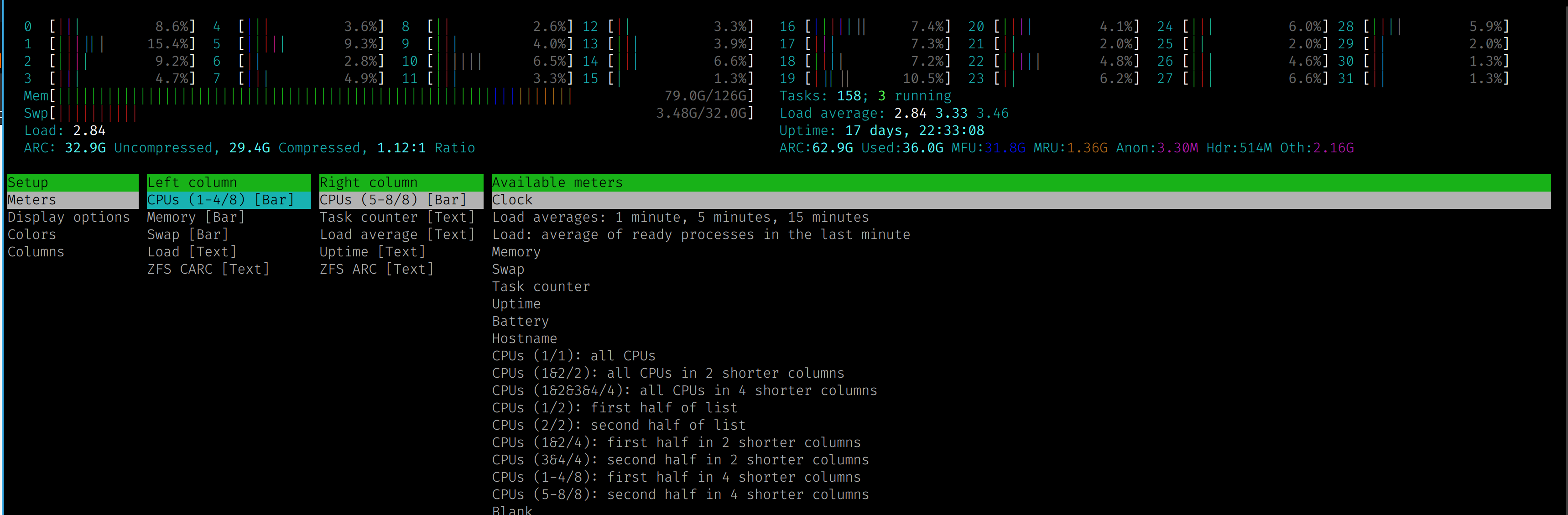
Here's a screenshot of my server with 32threads/cpus. https://www.simcop2387.info/htop3.png
This is i configured with 8 cpus per line
https://github.com/htop-dev/htop/blob/master/ChangeLog
Perhaps it originally linked to their site, which is:
Today I noticed that Arch is already on this release. Albeit with this[0] patch applied.