I've been using regexs for most of my career, and still struggle to get them right on first writing.
The #1 problem I run into is:
what is a literal character and what is a control character?
for example, both these are very common:
- match a parenthesis character or a period character
- use a parenthesis to group a match or use a period to match any one character
You would think I would learn it once, and be good.
but my #2 problem confounds this:
what is a literal character and what is a control character - in the language I am using?
for example I might need to escape a period to make it a literal for a regex.
If I am checking the files filexc and file.c and want to match the second, the regex I want is
^.*\.c$
  $rx = "^.*\\.c\$";    ($" is a thing)
  if ($f =~ /$regex/) { ...
if ($f =~ /^.*\.c$/) {...
m = re.search("^.*\\.c$",f)
m = re.search(r'^.*\.c$', f)
grep "^.*\\.c$"
It's similar to SQL when you think about it. You set up a query to get the data you need and move on to other things. And every RDBMs implements their own flavor of SQL which can complicate things.
This has been exactly my situation. I love regex because it's so powerful but damn do I hate working with it due to the relearning process.
The only regex engine where this is a problem is Vim's, because there are characters that a special unless escaped, and characters that are normal but become special when escaped. And as if that wasn't enough, there are config options to determine which characters those are. My usual practice is to prefix all Vim regexes with \v so that all the special characters are at least consistent.
I think the problem is that it's like shooting off a boat in choppy waters. You not only have to decide what you're aiming at (problem #1), you have to anticipate how the motion of the boat will affect it (problem #2).
You can do things like write a more generic regex and then select your language (e.g Python 2 or 3, Java, Perl, so on), And a few common actions, such as "iterate over all matches in a string" and it will auto-generate a code stub for you. Whenever teammates of mine are working on a weird regex they usually email me to double check it for them. (My response is usually that they're trying to do too much with one regex, haha)
actually, very good.
doesn't seem to address problem #2 unless I missed something
I read a tip back in the Perl 5 book, that you can just escape any character if you don't remember if it has a special meaning. (You'll still get the literal character even if it didn't need escaping.)
So I basically do that a lot. Never had any issue with control characters.
for me it took a few tries to get filexc to not match and file.c to match in my example in the 3 languages.
For any tutorial about regular expressions I think the second thing (beyond a very simple example regex) to show should be how to actually execute one in code. Is it that all the tutorials want to be language-agnostic? Maybe just show a javascript example and point out which part is the js function/method call and which part is the actual regex.
It's nice to be told what /[aeiou]/ means but without actually typing it in and executing it (against various inputs, not just one) it wouldn't really sink in for me.
The defensible form of this argument is that one should prefer a serialization library or a properly normalized database rather than trying to "stringly type" data and then pull it out via regexes.
What should one use instead of manual use?
On another note, since this is supposed to be a book and all, is there a simple way to get this on one a single page and make it easier to print?
That's on my TODO!
- https://github.com/shreyasminocha/regex-for-regular-folk/iss... - https://github.com/shreyasminocha/regex-for-regular-folk/iss...
I was having some trouble with wkhtmltopdf, but I'll try to figure this out ASAP.
Nice approach. You’ve made a valuable thing and implemented a powerful idea.
Docs are really good for discovery and should cover many topics shallowly so you can glean a big picture quickly. I generally don't like going to them for specs that could have just been an error message, a type, or a better naming convention.
However, I'd suggest to reorganize the chapters so that features not yet introduced aren't shown in examples without explanations. For example, you explain anchors and quantifiers many chapters later but use them liberally in earlier chapters without explaining them.
I'll work on making things clearer.
- Literal strings - Optional characters - Optional strings of characters (using groups) - Alternations (using groups) - Repetitions (using groups)
Then move onto to things like character classes.
IMO character classes are quite an advanced feature (or at least confusing for beginners) because of being character orientated. They also don't tend to very useful unless you've already covered repetition.
:)
Edit: I mean like:
Target text is abcde
Regex is /abe/
Is there a tool that will tell me it matched a and b and then failed trying to match e ?
Those sites are great resources but they are showing pass/fail and do show an excellent breakdown when something satisfies the expression, but I’m just wondering if there is something that shows partial matching until the failure point?
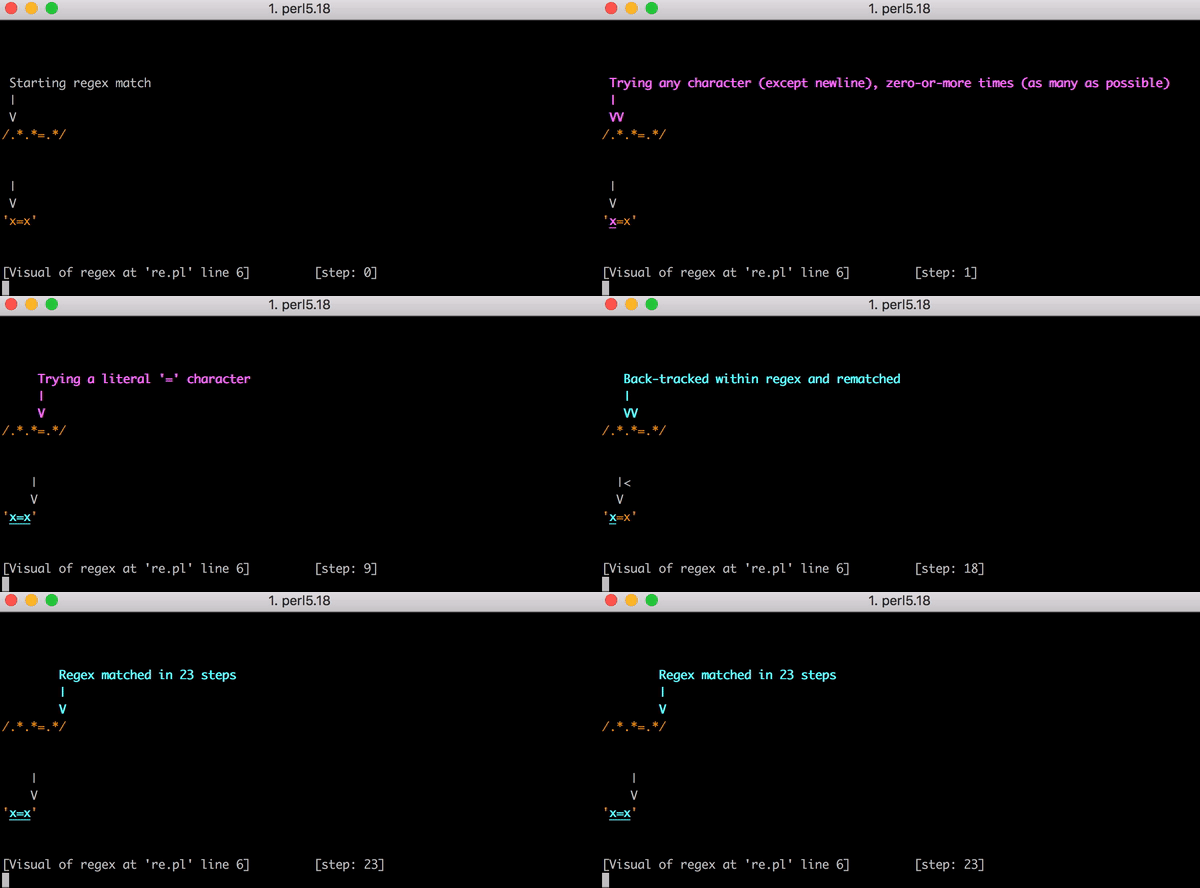
rxrx -e'"abcde" =~ /abe/'
Demo: https://blog-cloudflare-com-assets.storage.googleapis.com/20...
http://p3rl.org/re#'debug'-mode
perl -Mre=debug -e'"abcde" =~ /abe/'
----
https://stackoverflow.com/questions/2348694/how-do-you-debug...
Feedback:
- In the chapter https://refrf.shreyasminocha.me/chapters/character-classes an example is given which uses:
  o ^ character outside brackets

  o $ end of line

  o +
I took a compilers class in college where one of the projects was to implement a simple regex matcher using NFAs. Bashing my head against this for a week really helped with being able to "read" a regex. Not sure if this was due to finally understanding the algorithm, or the fact that I was just constantly staring at broken regex matches all day.
IMO it was a fairly small time investment for something that is so widely used.
I'll recommend this post that's been on HN many times: https://swtch.com/~rsc/regexp/regexp1.html
For example, even something as simple a phone number can have all sorts of weird but valid variants. Be sure you really need to even validate it's format and not just that it's present.
Trying to handle all of those variants via regex expression is doable but a pain. And in practice you as the programmer should not be defining those variants that are valid as it's up to the business itself to define what type of data it considers to be valid for the field.
That said I've also worked for companies with small engineering teams where the goal has always been to be as efficient with development time as possible, as opposed to making a near ideal system. Software has different needs when it's used by a thousand people than when it's used by millions.
I also recommend that people learn how to read a regex by writing a small recursive program to match specific regexes. After you look at a regex and think about how it might work, intuition follows.
Actually writing the bit that turns the regex expression into said program isn't as important though. Doing that by hand 5 times is enough IMO.
Good regex book: https://www.amazon.com/gp/product/0596528124/
Good regex website: https://www.regular-expressions.info/
Interesting regex links: https://github.com/aloisdg/awesome-regex
https://swtch.com/~rsc/regexp/regexp1.html
https://swtch.com/~rsc/regexp/regexp2.html
And actual implementations based on these articles: https://github.com/google/re2 and https://github.com/rust-lang/regex
More regex resources I rely on:
https://gchq.github.io/CyberChef
https://regexper.com/#.%3F%5Bv%2Ci%5D.*
https://cheatography.com/davechild/cheat-sheets/regular-expr...
Also, those are some amazing resources, especially CyberChef.
However from what i quickly read from the links on the front page, the tutorials itself seem really high quality!
Feedback:
The highlighting of matches is slightly shifted to the left for me in Firefox 75 but not in Chrome (both on Ubuntu 16.04). The shift is subtle but enough to make me have to look two or three times at most examples, as the highlight covers half of the character before the match and only half of the last character in the match. Can I suggest adding Firefox to your test regimen, if you haven't already? :)
Also, on the Anchors page, I believe "carat" should be spelled "caret."
Thanks for this once again! I will definitely be revisiting this site to brush up and learn new tricks. Especially lookaround, which I have never quite wrapped my head around!
Oh, I thought I had fixed that. I primarily test with Firefox, so this is a bit of a surprise. I'll check it out—I think it's something to do with CSS's `letter-spacing`.
I've fixed the typo, thanks for pointing it out.
Thanks for the comments!
The BASIC lesson doesn't mention anything about /g. Having not touched regex in years I had no idea what that was and kept thinking 'why isn't he showing it matching a g if he has that in the example'.
- What are escapes are and what needs to be escaped?
- The <character-class><repetitions> structure of a regex.
- Syntax around things like capture (is the parens part of some matcher? what to escape?)
We should have a version of regex that separates characters, character classes and operators, or whatever the regex jargon for those things are. Half the things I usually want to regex for, like parens on a function or dot accessors need to be escaped!
A quick example for illustration purposes (please don't point out why this grammar wont map to regex):
<startofline>(['a' or 'b']<2,4,greedy>, captureAs="prefix")[number or '.']<2><endofline>
Maybe someone makes a wasm regex-simple transformer we can use in multiple languages. Regex is too useful to have such a scary syntax for newcomers!
However I'd argue that it's not actually very hard to learn and its brevity makes it easier to retain. (personally I did so using https://www.regular-expressions.info/tutorial.html)
I agree that escaping is a problem, mainly because languages have often different rules for this.
I noticed that in the "Escapes" chapter, the "Next" link at the bottom of the page goes back to the introduction when it should go to "Groups".
I poked around in your repo to try and submit a pull request, but I can't tell where the edit needs to go; the meta.json file seems to have an array with the right chapter headings which was my guess about the problem.
Anyway, there is a typo. Sorry I can't be more helpful when you've put together such a great resource.
https://github.com/shreyasminocha/regex-for-regular-folk/blo...
It was fairly unintuitive for someone unfamiliar with the source, so no worries :D
[1] https://github.com/learnbyexample/py_regular_expressions/blo...
This is not a book for regular folk.
A regular HN reader, sure. A technically inclined interested party who wants to break the ice with Regexes, sure. But not regular folk.
Here is what I'm talking about:
> Introduction
> Regular expressions (“regexes”) allow defining a pattern
Ok, with you so far. As a layman, though, I would be very much be looking for you to expand on what you mean by 'pattern'.
> and executing it against strings.
"Executing" gets a wrinkled brow. "Strings" gets a squinty eye. "executing against strings" and you've lost me. There's now too much new information in this sentence for me to be on board with it. If I knew what all those terms meant and the context with which they are meaningful, I probably wouldn't be trying to read 'RegEx for Regular Folk'.
> Substrings which match the pattern are termed “matches”.
As above, but it's also slightly confusing here that we're defining matches and we haven't even talked about what a pattern is yet. As such, I can't even visualise or conceptualise what I would be matching or similar. If I press on regardless, this is just some unresolved debt that I will have to reconcile later or I will just get frustrated and put the book down.
> A regular expression is a sequence of characters that define a search pattern.
Ah, good, we're defining a pattern after we've already described a 'match'.
> Regex finds utility in:
>input validation
And straight out the bat we're hit with a term that is only going to be relevant for techie people. Unless you are aiming this at techie people. But aren't we aiming this at 'regular folk'?
The above is really just my long drawn out beef with 'x for the masses', 'y for mere mortals' and the like. For me the best explanation of regular expressions comes from Al Sweigart in 'Automate the Boring Stuff with Python' [1]. He not only gives a pretty thorough explanation of pattern matching before bringing in any domain-specific terms, but he also motivates why you would want to pattern match in the first place. He gives context for circumstances under which you might reach for regex as a tool.
I'm looking through the later pages of this book and as a techperson I'm thinking 'this is beautiful. I can see the examples clearly, there is a clear correlation between the visuals and the exercise.' I'm also thinking as a folk person 'when the hell will I need a match? Under what circumstances and I going to need to know that there is one 'p' in 'grape' but two 'p's in 'apple'? What use is writing a pattern to match against certain fruits and utility items?
So yes, basically, after all that I can summarise "good book, bad title".
I'll try easing the curve, especially early on and make clearer the intended audience.
For some reason I enjoy figuring regexes out. What I usually do is TDD them, I have a mini test suite of examples of strings I want to match and strings I don't want to match and I write some code to apply a candidate regex to them all and validate, and then I iterate until it passes. Then I rewrite the regex in extended regex format and add comments so that other people or future me understand what's going on.
Doing what a good regex can do with regular code instead (which you might do with the goal of readability or maintainability) is usually much much MUCH slower, FYI
You explain [^ ...] So the use of these examples without explanation is .. unexpected. If you use examples which don't depend on * or + or $ I agree it's 'boring' but for a class of learner these surprise moments interfere with learning.
You only casually mention capitalised \thing is inversion of \thing \d and \D I think you would want to repeat that \w and \W and \s and \S and after three.. it's established.
I see this a lot in e.g. Haskell tutorials: simple inductive constructive learning examples littered with 'oh I explain that later just ignore it for now' syntactic constructs.
\( and \) are dangerous in substitution. Their meaning shifts from regex to variable-marker. Surely this needs to be noted in passing?
This site is my goto whenever I need to write a complex regex. It's got syntax highlighting, explanations and a tested all rolled into one!
One visual enhancement that could be really helpful would be to hover over the regex or the match and see the reciprocal highlighted.
If you're building a complex regular expression, setting smaller parts in variables and dropping them in with (?:${part}) makes things a bit more readable.
It also exposes a real weakness of most regex engines. In particular, alternation is a first-class operation, but complement and intersection, while theoretically possible[1] are typically not.
A person might guess that to match three keywords is /.keyword1.&.keyword2.&.keyword3./
Or maybe /.keyword1.&(.keyword2.)!/ to match keyword1 and not keyword2.
But those won't work, so it's a good idea to explain some options, an obvious one being /keyword1/.test() && !/keyword2/.test()
In the section on lookaround assertions, it's probably useful to note that (?=thing1)(?=thing2) can match both, and it's a good mental model for it, but that it comes with a few gotchas.
[1]: https://www.researchgate.net/publication/220994310_Succinctn...
This guide, along with a simple web-based regex tester would be great for this...
But it's missing a 3rd part: regex plugins for common non-programmers tools, like for ms office, the windows explorer, etc.
For example,
(a|c|d|e|f|g|...|z) uses only notional groups and basic alternation while [abcdefghi...xyz] shows character classes, and [a-z] shows ranges - each step builds on the previous step and shows how to make them easier. For the learner this seems to act as building blocks rather than "separate things that are kind of alike I need to learn"
This is similar to how you can talk about repetition as
aaaaa, then aaaaaaaaaaaaa, then a, then aa, then a+, then a?, a{0,1}, a{0,5}, a{1,5}, a{,10}, etc. which simplifies, then generalizes the idea of repetition from a very natural concept build on concatenation to an opaque looking syntax that turns out to be both general and powerful
After that, most of the time I need to explain how capturing works, and how to turn it off and so on. Good tools help here and it starts to move away from a whiteboard exercise into something more active. But if students have followed you to this point it starts to make them feel very powerful as they're suddenly parsing things apart and transforming them.
At the end I usually follow up with a big on anchors (^ and $) and other odds and ends (case insensitivity, global search, greedy and non-greedy, etc.) and usually turn people loose after that. I've rarely found people who actually need lookarounds and other advanced topics and those are usually covered one-on-one as they need.
But this is fairly minor quibbling and is just rearrangement of what's here. I think this is overall a nice clear explanation. Regex syntax is honestly pretty simple once the syntax magic is explained.
What I think would be really helpful is a tool where somebody can type in a regex, have it checked for syntax and then generate the list of strings that would match it (within the constraints of limits on infinite repetition operators, like turning * to {0,2} or something.
Also – reading it was just a useful look into systems mapping (which is what language is!) with insights that apply in many contexts.
One thought: it would be great to highlight a given match on hover. I know that each match has its own undertie and it's explicitly mentioned early on but it might help really drive it home if each match reacted individually when hovered.