I have been impressed with jQuery DataTables. jQuery DataTables has a lot of features, including export to Excel. jQuery DataTables works with Vue without any issues so long as you never mutate the table data. Mutating table data in Vue can be accommodated, but requires watching for data changes in Vue and making calls to the DataTables API.
I have a few questions about this library. Can it detect rows being clicked on (and emit an event, for example)? Can the searching be customized (I may want to display numbers in a locale-specific format, but match even when the search doesn't include the formatting)? Can sorting be customized (I may wish to the sorting for a field to depend on another, possibly hidden, field)?
What do people use in Vue-land for tables? Is there anything that approaches the feature set of jQuery DataTables?
- Searching/Filter is quite advanced. You can search/filter on any derived model of the data regardless of the display or format of that data.
- Sorting can also be 100% customized and can be configured to use any derived sorting mechanism that you choose or build, regardless of display or format.
React Table in this version is headless meaning it just provides the backend functionality but requires you to implement the HTML rendering with your own JSX/components so you get the most control over the output. Detecting clicks is just putting a onclick handler for your rows. Searching is up to you wiring up a textbox and filtering the array of data you provide to the table. Sorting can be handled with custom sort functions.
Vue has plenty of table components too: https://vuejsexamples.com/tag/table/
Vue Tables 2 is a solid full-featured option: https://www.npmjs.com/package/vue-tables-2
Also AG-Grid for a universal JS option that competes with datatables: https://www.ag-grid.com/
If this is the case, why are we putting this logic in React hooks? Shouldn’t the logic be portable across different frameworks? What does the hook API provide which couldn’t be provided using a class or even pure javascript functions?
One disturbing development I’ve seen with React hooks is that APIs which would normally be done with pure javascript are now done with React hooks for popularity’s sake, with the result being code which is vendor-locked into the React runtime.
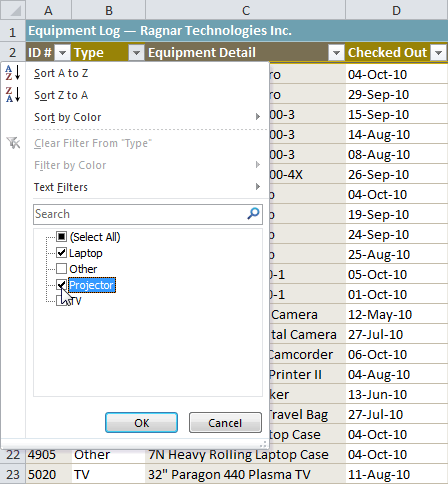
This little widget : https://media.gcflearnfree.org/ctassets/topics/175/filtering...
Can’t speak for all the folks in Vue-land, but IMO this is pretty super. You do have to add a couple of bells and whistles (like a search field - 5-10 lines of js) to make it awesome.
I am not affiliated with them, just a very happy customer
Ag Grid is INSANE. The client side version churns through our entire set like butter.
Even if it weren’t, I was prepared to dive into the graphQL implementation but haven’t needed to.
The only negative I have is the bloat. But I’m p sure v22 solves that by letting you load on demand vs the whole thing.
I can’t imagine ever using datatables again or having to make a server call to sort or filter.
Supposed to set some time aside to investigate how to possibly port a small subsection of tables to use Vue Data Tables; it looks like there are a bevy of tools for Vue-based Data Tables here: https://madewithvuejs.com/blog/best-vue-js-datatables.
https://slickgrid.net/ have a look at the https://6pac.github.io/SlickGrid/examples/
https://xaksis.github.io/vue-good-table/
haven't tried them yet, current personal vue favorites
keeping for reference when will need to use
The fundamental reason why you end up back at canvas is that if you are scrolling a full-screen table fast, even at 30 FPS you are going to have to rerender about half the table on each frame. So "virtualized DOM" doesn't really work; it's all about render speed. And canvas allows you to achieve unbeatable render speeds by specializing your drawing algorithm for your particular scenario.
As for React Table, I have never run into a situation where drawing a table to canvas has ever been necessary. I guess I'll consider myself lucky, but I would still love to hear your use-case in a more structured format. Maybe a blog post?
Canvas is great, you could even get extra oomph with webgl but those break basic things. You have to spend a lot of time recreating basic things like copy paste.
Dom virtualization gets you pretty fast and very usable tables. 30FPS rendering is quite doable with react and friends. Just gotta ensure the layout paint/cycles are small and you’re compositing as much with the GPU.
Like using translate3d instead of using scrollTop
Basically we need a middle ground primitive, something higher than canvas that still allows drawing text real fast but still has copy paste and usual accessibility features but low level enough to be insanely fast.
Google sheets doesn’t even do smooth scrolling that really annoys me. Excel 365 online feels so much smoother.
WebAssembly engine can handle 1mm+ rows, and can be run virtually in node.js, Python or C++. Does filtering, pivoting on multiple axes, sorting, linking, click events, and more.
I've written software using virtual lists in languages from VB6 to React. They're not a hack; they've been a staple of UI libraries for decades.
Your text editor is not painting all the text in a large file , how would you feel if you had to display a large file in an html view you had to paginate it and do all the work that the textarea should have done by itself.
Here's a popular one: https://github.com/bvaughn/react-virtualized
Is it a useful way to separate look-and-feel concerns from functional concerns, or is it just another layer of indirection?
Another example of this pattern is `downshift`, which is a headless autocomplete library: https://github.com/downshift-js/downshift
I would love to see a datepicker component that used this design. I have some choice words for the various datepicker libs I've used over my career and none of them are friendly.
The best reusable components are the ones that have exactly one look, which you're fine with, and are just plug in and go.
None of that is a problem with the logic behind the component though, just the display. So for something complex that has a bunch of logic behind it, it's a real nice idea to just be able to reuse that logic and whack some html and css over the top of it instead of having to read some 6 page doc every time you want to increase the width of a border or something.
* Support for virtualized rows/columns * Support for fixed headers * Support for frozen columns * Support for resizable columns * Support for re-ordering columns * Dealing with page / container resizing. * Support for context menus in the context of all of the above * Support for master/detail views * Support for tree data
My take is that the inverse is true. Structure/Pagination/sorting/filtering of data sets is pretty trivial and in most cases the out-of-the-box functionality that libs provide for these is insufficient and ends up being overwritten anyway. The above list is exactly what I'm looking to outsource when looking at a grid library.
Being a headless UI library doesn't necessarily mean that it has no business being in charge of your UI, it's more about the way that you interact with the API. If you look closely at React Table, it absolutely does take charge of your UI via prop-getters and inversion-of-control integrated into your table markup.
There are plenty of table libraries that do exactly what you are referring to by handling the things you want to "outsource" pertaining to UI-specific features. Ag-Grid comes to mind here, which is a fantastic library and might do what you're looking for. However, the main takeaway here is that markup-bound APIs that are designed to be totally "in charge of your UI" may not always get out of the way when you need them to. Take it from a maintainer who has seen hundreds and hundreds of "issues" and "feature requests" that essentially amount to "how can I take back control of the [markup, styles, scrolling, pagination, resizing magic, frozen columns, etc]".
It's true that there is a bit more work involved in managing this on your own, but you're not really on your own after all. Fostering a good community of examples and resources around a low-level library like React Table v7 relieves most of that pain and you'll find that the amount of work to build and control your own table markup and styles is not only easy, but liberating.
Also, I don't really think it's fair to generalize structure/pagination/sorting/filtering as trivial tasks. Conceptually they are all very simple, for sure. But, marrying all of these features together in a way that is extremely performant across all of the many flexible permutations of features is very difficult. Ask any table library author and they will likely tell you that those 4 seemingly simple tasks are the ones that complicate everything else by a magnitude of difficulty.
Thanks for your feedback!
I think the magic could really come when you have full headless component libraries and full sets of libraries that skin them. You can always roll your own skin. But that's better than having to roll your own entire component library just to get around last-mile issues.
We are slowly but surely working towards higher and higher levels of code reusability at all levels of the stack. Reusable UI is massively important to productivity.
Naturally, I imagine someone will make basic-react-table or something so you don't have to write the code to render the table. I appreciate that the bottom-most level of libraries is this customizable but frequently I don't want to draw all that code.
Still, perhaps the right place for that code is examples rather than a library. Hmm.
[0] https://github.com/tannerlinsley/react-table/blob/master/doc...
I'm happy with the low-level + examples approach.
Any thoughts on whether this impression is right or wrong?
Hooks are a proper interface for modularization of logic, in the same way that components modularize markup (and potentially styles, eg css-in-js).
Since React Table v7 is just a collection of hooks, it is no more an attempt at separation of concerns than the core React hooks are.
In similarity, it is merely a utility that encapsulates configuration, state and side-effects into a modular unit that can be used to build your UI. Sounds exactly like React if you ask me.
Had someone asked if there were similar tables libraries, I would have expected this response and welcomed it. Ag-Grid is a great library and their free-tier is very robust, but I don't see how the above comment is anything more than a drop-in marketing attempt.
We're using it in the document and annotation views and it provides pagination, sorting, etc.
I'm a bit nervous about this 7.0 release not providing a basic table UI as that was one of the wins for us migrating.
For example, here's a screenshot of the document repository:
https://getpolarized.io/#document-repository
... which is sort of the main view. React table allows you to sort by progress, creation time, update time, etc.
We used the same react table code to build the annotation viewer:
https://getpolarized.io/#annotation-viewer
One big issue we had was with context menus and selecting multiple items.
This doesn't come out of the box (of course) but I think platform-consistent multi-select is important so we had to implement all that functionality.
We're still a way from a more clear cut API for managing this stuff on the web + desktop + mobile.
I REALLY wish I could have web technology transparently work on mobile!
It’s almost like react-table v7 and {insert UI component library here} are made for each other and it’s incredibly valuable, more so than the previous react-table.
Absolute kudos to the developer and I look forward to UI component libraries writing their table display components to target the semantics of react-table v7.
This has some real potential for any UI library to get first-class table functionality without sweating and needlessly repeating the implementation details.
Thanks!
So no, React Table is not a reimplementation.
Also, remember that it's still in beta, so your frustration doesn't have to be silent or permanent! File an issue and I'll see what I can do.