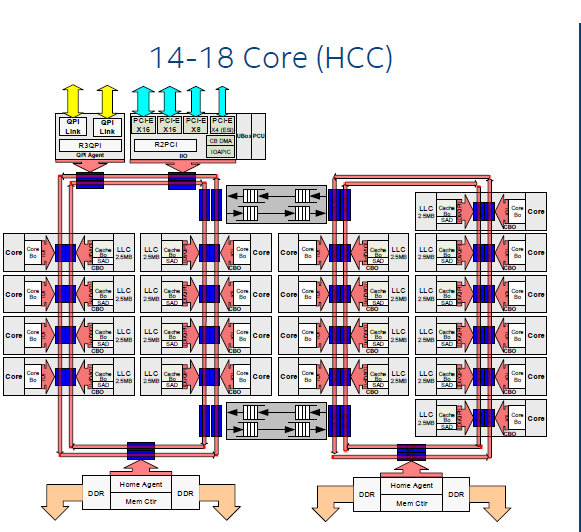
On a TR 1920x system:
  $ numactl --hardware
  available: 1 nodes (0)
  node 0 cpus: 0 1 2 3 4 5 6 7 8 9 10 11 12 13 14 15 16 17 18 19 20 21 22 23
  node 0 size: 32107 MB
  node 0 free: 20738 MB
  node distances:
  node   0
0: 10There's a BIOS setting. I personally enabled it using AMD's "Ryzen Master" program to setup NUMA mode (aka: "Local" mode in Ryzen Master).
[1] - https://www.anandtech.com/show/11697/the-amd-ryzen-threadrip...
  e7-4860:~ Mon Jun 11
  03:06 PM william$ numactl --hardware
  available: 4 nodes (0-3)
  node 0 cpus: 0 1 2 3 4 5 6 7 8 9 40 41 42 43 44 45 46 47 48 49
  node 0 size: 16035 MB
  node 0 free: 1306 MB
  node 1 cpus: 10 11 12 13 14 15 16 17 18 19 50 51 52 53 54 55 56 57 58 59
  node 1 size: 16125 MB
  node 1 free: 3237 MB
  node 2 cpus: 20 21 22 23 24 25 26 27 28 29 60 61 62 63 64 65 66 67 68 69
  node 2 size: 16125 MB
  node 2 free: 11004 MB
  node 3 cpus: 30 31 32 33 34 35 36 37 38 39 70 71 72 73 74 75 76 77 78 79
  node 3 size: 16123 MB
  node 3 free: 12044 MB
  node distances:
  node   0   1   2   3
    0:  10  20  20  20
    1:  20  10  20  20
    2:  20  20  10  20
    3:  20  20  20  10
On this server, CPU socket 0 is hardwired to ram slots 0-15
CPU 1 to ram slots 16-31
CPU 2 to ram slots 32-47
CPU 3 to ram slots 48-63
If CPU 0 wanted to read something outside of its local ram slots, it would have execute something on CPU n, then copy that segment to its local ram group.
I've got a Threadripper 1950x and got 2x NUMA nodes. You gotta enable a BIOS setting.
Second: "$ numactl --hardware " is a Linux command. The Windows equivalent is coreinfo.
https://docs.microsoft.com/en-us/sysinternals/downloads/core...