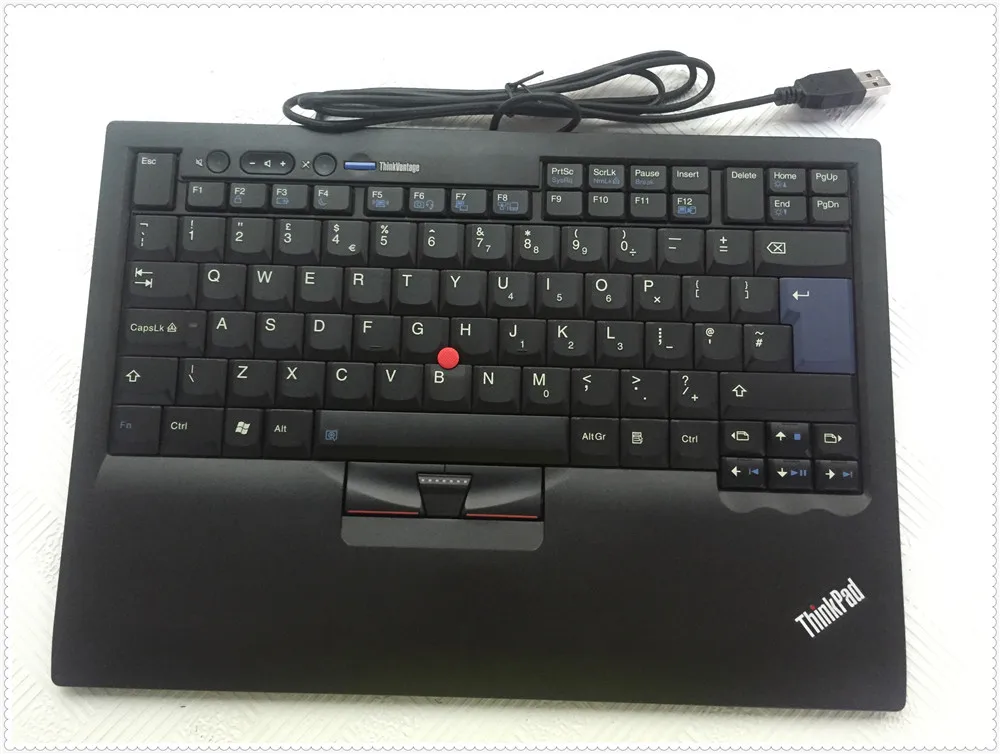
Business laptops have the following advantages over consumer laptops: - they're much more reliable - better support - a lot fewer problems with drivers and other incompatibilities - they are designed for work, which means you will have fewer problems with things like virtualization - generally speaking, the keyboard and the track-pad will be better
And the good thing is that some of the disadvantages of business laptops like size and bulkiness have also disappeared. You can now find business ultra-books that look good and work well.
Oh, and the ease of maintenance. To open it, you get one screw on Dell Latitude, maybe two on Lenovo/IBM ThinkPad. 10+ on acers/asuses and whatnot. Not to mention you can't even open some of those. And with the NBD warranty comes that they will just send you parts you request and can replace yourself, without taking the notebook from you.
The build quality is also somewhere else. I would never a buy a "consumer" laptop, nor I would recommend anyone to buy them. I'm convinced they are intentionally designed like crap.
All of the thinkpads from that T61 on have seemed like filmsy crap. They look sturdy, but the "metal hinges" are just covers over regular hinges, and there are lots of unsupported plastic bits that are squishy. Try pushing on the bezel at the bottom of your screen. Squish. I also hated the bit of wavy plastic with rattly buttons they put above the keyboard, which just screamed low-quality. My friend's 240 had the same issues. It seems like the thinkpad line is the same as everything else now, they just happen to have chunky industrial styling.
But I am not sure the price is worth it. XPS is very good.
http://www.dell.com/learn/us/en/84/campaigns/xps-vs-latitude...
[1] http://www.dell.com/uk/business/p/latitude-13-7370-laptop/pd
[2] http://www.theverge.com/2016/1/6/10720212/dell-latitude-13-w...
Of course, I do have my desktop for 'actual' computing. But I rarely feel the laptop is low on poke.
Slight issues on battery but I use it powered so for an 8 year old laptop I am not complaining.
I've started to look at current models to see if I could replace it and for now it seems to be very difficult. Of course they all tend to be smaller and lighter and with more autonomy and a CPU that can be faster, at least for short period of times, but current models also seems to be plagued by either some various quality or design pb (like the XPS 15 or the Surface Book), or have some specs that I don't like (glossy screen, bad keyboard, extremely off-centered touchpad, ...) or even directly disqualify them (RAM < 16G -- I already have 16G on my 3 years old laptop, why would I buy a new one with less RAM?)
I might consider an MBP, despite the glossy screen. It seems to have less quality / design issues than even very high end PCs. And as a bonus the screen ratio is slightly less stupid.
On the overall thread topic: One reason I don't consider a Mac is that I can't (or don't want to) live without a touch screen any more. Yes it's "glare", but I can live with that more easily than not being able to just point at what I want with a finger, or scroll. I rarely use the touchpad.
The XPS 13 is a compromise: At home I'm equipped with 24 and 32 inch displays on a 16 GB RAM PC with SSD, I wanted something as lightweight as possible to carry around. It's heavy enough already - I'm eagerly awaiting 500 gram 17 inch display foldable mobile computers...
Deal-breaker, right there. I had a hard enough time with a previous dell/ubuntu combo pulling this trick and roasting itself alive in my bag, and I've no desire to repeat.
Hot summer's day, arrive at a customer meeting. My previously fully charged Dell laptop has been running since I was on the hot and stuffy underground whilst shoved in to its laptop bag. It's now a nuclear ball of fire, with just 15% battery left and how it didn't suffer a complete meltdown is a strong testament to the quality of the hardware.
This happened a bunch of times. Add to this random BSODs, keyboards that would break far too easily, the sheer weight of the thing and more inconveniences I'm surprised I stuck with it for as long as I did.
5 years ago I switched to Apple MacBooks and will never go back.
Luckily, it's easy to disable all wake up events in Windows. But for average user this is a deal-breaker!
It's a big laptop, you'll use it on a desk, so the battery life is fine.
I use my XPS 9550 for work and carry around a MBP13 for email / reading / surfing.
The biggest problem with the 9550 by far is the keyboard. The MBP keyboard is amazing in comparison. However it is a laptop keyboard, I have yet to encounter a good one (old Thinkpads come the closest). Just buy a decent mechanical keyboard and plug it in.
On my 1440p 23" desktop, things seem to render just fine. On my 11" lenovo helix and on my 15" macbook pro (while running linux), it's definitely noticeable.
I mainly use either Gnome or MATE desktop on Ubuntu. MATE seems to handle scaling the desktop elements better than straight Gnome. But it's still a bit off.
The worst part is browsing the web. Firefox has relatively decent HiDPI support these days, but Chrome on Linux is just terrible. A site like Facebook on Chrome shows the newsfeed as this 3" wide centered column, and you have massive white space on the left and right of it. But reboot into Windows and they make that column much wider and easier to read. On imgur on chrome/linux, I find most of the images are "too tall". If I'm watching an animated gif, I find that one edge is vertically outside of my viewport.
Your only fixes is to change the scaling. As you do this, you start to lose the advantages of the higher resolution:
http://www.pcworld.com/article/2911509/how-to-make-linuxs-de...
Ultimately, things are still usable, video playback is fantastic, but most of the applications really need to improve their Ux on high resolution screens under Linux.
Battery life with Linux isn't great and there were flicker problems, especially with Chrome. Updating the kernel and setting various Chrome flags helped considerably.
EDIT: I should mention I'm using Unity on Ubuntu 16.04
hidpi is not handled well in some (or many) applications, but the window manager (or linux as a kernel) has no problem with it. (and i still have very good eyes)
the usb-c dell adapter works perfectly (hdmi, vga, ethernet), i get up to 8 hours of battery, it's light, solid, quite and fast...
just a bit hot when charging.
the only big issue that i have still to solve is, getting a second monitor to work (mirroring somehow works)... but this is what you get when you don't use a destkop environment and have just a minimal install... (the ubuntu that comes pre-installed has no problems with the external monitor)
Of course this kind of thing is very personal, it depends on a lot of factors.
The 9550 keyboard just feels cheap and wobbly. The action is otherwise actually pretty pleasing. It wants to be the MBP keyboard but just isn't quite there.
Building a computer to play with and learn from is great. But when you have to get work done, it pays to get the best. Spending time fooling around with problems that shouldn't be there in the first place is a time & money waste.
Right, but "the best" is completely subjective. I've wasted more time trying to get OS X and Macs to do what I want than I've ever spent building my own desktop machines or getting Windows to do what I want.
That's the reason why the vast majority of businesses don't run OS X too. It's not the best for them. Not even close.
If I had to use OS X daily, it would be death by a thousand cuts for me since it's missing so many features. The things that it's missing are really stupid and simple too, like the ability to just disable a monitor without having to unplug it. I can't spend all day hunting down third party solutions to every problem in OS X. There are too many. Nevermind the fact that the software that many businesses run wouldn't work on a Mac unless you virtualized it.
Using Mac hardware without OS X turns that nice hardware into crap, so that's exactly what Mac hardware is worth to me. I need to buy it to test stuff for iOS though, so I always buy refurbished desktop Macs since Apple won't let you upgrade their laptops.
IMO all laptops suck anyway. I don't get why people buy them. All my work is done at a nice fat PC desktop with 32 GB of RAM, a fast CPU and multiple SSDs which was thrown together from commodity parts...for cheap...which is easily upgradeable...and which also smokes the refurb Mac Pro (Mid-2012) that I also bought.
(When I go to a meeting I bring my Dell XPS or my Surface Pro, both of which are over 5 years old and still working very reliably with no problems - meanwhile my old 2008 MBP will not be able to run macOS sierra next year.)
Which is a shame because the XPS 15 looks neat--way smaller footprint than the rMBP 15".
There are definitely benefits to it but there are drawbacks too.
And while there are some production runs of Macs with faults (including the coil whine mentioned, it was an issue back a few years ago for some runs), if you are unlucky to chance on one, you can trade it in (or sell it -- Macs always keep a high resale price).
The problems of the PC laptops, on the other hand, are by design, and not fixable that easily.
It's the most impressive laptop I've ever used. Great 3:2 screen, excellent build quality, a real touchscreen (i.e., multitouch, pen support with pressure, etc), MacBook-tier trackpad. Convertible tablet mode is far more useful than I anticipated and is nice for showing off. The new Linux subsystem is still a bit buggy but is very impressive (I was able to compile and run emacs with a GUI as if I was running Ubuntu natively, for example).
Also it's still limited to 16GB RAM on the upper end right?
Also, do you consider a 64GB SSD to be sufficient for a developer?
If SD storage was reliable, which in my personal experience is not, then that would be a killer machine indeed.
It amazes me that it's 2016 and none of the windows based laptop makes have come out with anything that approaches the macbook pro. Microsoft seem closest with their surface book line, but that seems beset by driver issues, and Razer might have something with their Blade series, but that doesn't seem to be available in the UK 3 or 4 years on from launch. ASUS also seem close but again beset by a few odd build quality issues.
If I knew anything at all about this kind of thing i'd be tempted to do a kickstarter to fund the development of a quality developer laptop that was windows/*nix based that aped the macbook pro as much as possible.
The problem I see is that Apple sells a business quality laptop at premium pricing yet people compare them to consumer junk on the Windows side of things. The problem is these models aren't at Best Buy, so a lot consumers don't see them, and if they do they balk at the price because a laptop should be $599, not $1099. You just can't compete with a macbook at $599 or $699.
I find the Thinkpad line in general is really nice. HP and Dell also have a business line of lighter/thinner laptops that compare in quality, but cost just as much.
Do people really notice coil whine that much? When I built my PC last year with a 970 GTX every review I read mentioned the horrible coil whine. I don't notice it at all. I also helped build my roommates computer with the same 970 GTX and I didn't notice the coil whine at all on that one either. It's possible that both those cards were "lucky" but it seems like literally every single 970 GTX review mentioned coil whine and I have yet to notice it.
I think that moving forwards an Apple laptop is going to be a hard requirement before I work for an organisation. It's not that other companies don't make good laptops, it's that Apple doesn't make bad laptops, so I know if the company has a policy of buying them I'm guaranteed to get something good, instead of the POS Lenovo that the IT department bought.
The touchpad/clickpad/whatever drivers have been a challenge since day one. I've learned how to customize the Windows registry settings to make it mostly cooperate with what I want and they were mostly fixed by the time Windows 10 was released.
I've actually thought the device itself has been a pretty good performer, battery life is not awful but not great, and mechanically it's pretty durable. The screen is pretty amazing (I have the first slightly less than 4k IGZO panel which I run at 1920x1080).
My biggest complaint is the lack of dedicated home/end/pgup/pgdn keys. But this is a problem on pretty much every laptop made with chicklet style keyboard and it is SO STUPID.
I was considering the new XPS 15 since mine is now three years old and I have the screen glitch, but the fact that they haven't fixed the coil whine problem shows me they just don't care. (That said I've read that not everyone reports this problem.)
I've generally had good luck with the Dell Latitudes though screen quality can be a big variable from model to model and year to year. I've also looked hard at their Precision line from time to time.
I do nearly all my programming on a desktop with a real keyboard. My biggest gripe using a laptop for programming is the lack of the home/end/pgup/pgdn keys and numpad on most models.
Let's see how it turns out this time.
Another issue is the crappy broadcom wifi card that shipped with it. Wifi connection would just randomly disappear and only return after multiple retry/reboot combinations. Replaced it with an intel card and haven't had any problems since.
I do like the laptop but do not believe these problems should exist on a laptop with such a high pricetag.
Edit: Also, my use case tends to be database development, data analysis, and virtualization.
Thinkpads look like a brick, but that is because they are. My X220 has lasted 6-7 years and barely shows it. I've spilled coffee on it, dropped it, and it just keeps on going fine.
What I did so far:
  - updated all the firmware to the latest (thunderbolt has a separate firmware)
  - bumblebee automatically disables the nvidia gpu on startup (i don't need the extra power or power draw)
I used to have the first XPS13 model with linux support officially from dell and this laptop is just as good and even better due to better hardware. Slightly larger and heavier but not an issue for me.
Palm detection support is ass and might have to look into it more as it's driving me crazy. There is also some firmware bug where the screen won't start after sleep.
With proper hidpi support and remaining firmware fixes from dell this will be a nice laptop even with linux.
It sucks that you have to carry around the extra weight of an NVidia GPU that's never used though.
- disable palm detection completely
- turn off "disable touchpad while typing" completely (`pkill syndaemon` in a startup script)
- use synaptics AreaX settings to ignore taps and drags starting too close to the edge
- tune the tap / doubletap timing
Here are my custom settings for last 2 points:
  AreaLeftEdge 1700
  AreaRightEdge 5100
  MaxDoubleTapTime 180
SingleTapTimeout 180FFWD to today, I have a quiet laptop. Doesn't flicker on white background when dimmed 30%. Doesn't squeak anywhere. Doesn't wake up randomly. The keyboard is fine. Is easy to open. Fans are not spinning when charging. No coil whine, this shit still happens? Only thing in four years that broke was the battery. Bought a new one for €40.
Thanks for sharing the experience though, seems like I still have to stick to Apple for a while for my mobile computing. Unfortunately it comes with this horrible window manager and dumbed down desktop. That said, the cons list of the XPS15 is more than enough reason to cope with OSX.
I'm quite disappointed by it, and I was hoping to push our company to move over the XPS line.
We got the HD display with touch screen. Although it's a decent display, there's substantial glare. In fact, scrub the useless touch and get the matte, which also boosts the brightness a little bit. Not to mention, the laptop is so light that attempting to touch the display will just flip the laptop. This is my first "not antiglade" display since the CRT era, and I regret it a lot.
After several months of usage, the display developed several uneven backlighting issues (some spots are quite bright), and I noticed the black is not as black anymore compared to an unused one (we have 24 of them with several to spare). We moved from the HP EliteBook series (which also has their issues), and while the contrast is much better than any elitebook I've used, we never had uneven backlighting with HP.
The keyboard was a big issue, and I see that XPS does not realize how important it is. In fairness, the X1 keyboard is not too bad, except for the awful placement of the Home/End keys. No squeaking and decent feedback. But the small keys such as the arrow keys work very poorly. The rubber dome behind them is so small that if you don't press the key with some little extra force it will "pop" but not activate. In particular, this is especially bad for the up arrow, which of the 24 laptops we have was horrifying. If you use bash, remember the up arrow is "recall history". The problem is that the key is slightly slated (for "ergonomics"), causing the dome to be pressed unevenly. I fixed mine by some careful placement of scotch, but it's still not the same accuracy of other keys.
The trackpad is awful for some reason. HP was much better here. No amount of tweaking would allow me to perform fine movements.
Battery life is the same on both linux and windows (around 7 hours new for random workload), so no complaints here. Power management works. But, the HP EliteBook G4 we where using before has a super-easy replaceable battery, and we changed many over the years. The G4 is around 6 hours of battery runtime. Not much difference honestly. Not to mention the G4 is very easily serviceable.
On linux I still have problems with the intel drivers with the carbon. The "old" drivers work, but the modesetting drivers cause "twitching" of the image especially on the second external output. Incredibly annoying to the point that I'm still using the legacy one. This is a classic issue with intel, and unfortunately it's the same for any laptop nowdays.
Overall, the display is still a bit better than whan HP offers, but the rest is worse. The laptop is a bit thinner and lighter, but honestly there's not much difference here. The appreciated the serviceability of the HP line as components started to fail. Although opening an X1 is not hard, there's not much you can swap without replacing the entire laptop.
I've had much worse luck (see my post elsewhere in this thread) when trying an XPS, in the end I ended up getting a new Thinkpad (I don't think they are great but they definitely seem to be more consistent).
> The keyboard was a big issue, and I see that XPS does not realize how important it is. In fairness, the X1 keyboard is not too bad, except for the awful placement of the Home/End keys.
I found that the keyboards actually got worse from gen1 to gen3 (the plastic feels cheaper, more flimsy) -- I'm really unclear why companies make $1500-2000 laptops and than save $10-15 on the keyboards ( Apple is the only company that doesn't seem to fuck up like this ). I will say I do greatly prefer the thinkpad trackpad buttons to tapping and that's something that always bothered me on a MBP as well.
> Although opening an X1 is not hard, there's not much you can swap without replacing the entire laptop.
The T460S is better at this (you can swap the Ram / SSD) - on the minus side I think the screen quality is slightly worse.
> On linux I still have problems with the intel drivers with the carbon. The "old" drivers work, but the modesetting drivers cause "twitching" of the image especially on the second external output. Incredibly annoying to the point that I'm still using the legacy one. This is a classic issue with intel, and unfortunately it's the same for any laptop nowdays.
Which kernel are you running? I'm running 4.6.4 and I think it should be fixed in 4.6.X.
Note that the modesetting drivers also incur in several performance hits compared to the regular xorg-video-intel. For instance, I can see libreoffice dialogs REPAINT, while inkscape works at 1/4 of the refresh speed.
This is not lenovo specific though. Intel drivers typically lag 1-2 years behind current models at the time you can consider them "bug free enough". This was true for any laptop I've been using the last 10 years.
I cannot fathom how broken the skylake driver is right now.
I have to use a very expensive HP Z-Book for work with a power adapter that has a loud coil whine. I've fixed it by not using the power adapter and only plugging it in when I'm away for lunch or on the toilet.
1) Constant problems with Broadcom wireles. Supposedly they employ someone to work on Linux drivers but I never heard back from them.
2) As has been mentioned HiDpi support in Linux is not good, I ended up using 1920x1080 anyways.
3) Defects. I did not have coil buzz, but accidentally shaking the laptop too hard (e.g. in one's bag, or tapping the bottom) would cause screen/gpu to glitch and require a hard restart.
4) Dual video support on Linux is also quite poor. In practice running Bumblebee gave only marginal improvements.
Compared to a MacBook Pro: build quality is worse, it is heavier, battery is worse, wifi problems as mentioned. I would stay away from any Dell products in the future.
This is my favorite right now: http://www.notebookcheck.net/Asus-G501VW-FY081T-Notebook-Rev... Sadly, the last time I checked it didn't sell in my country.
These two points are enough for me to immediately dismiss a laptop. Especially the home / end keys are vital when writing code (for me at least)
Yes, you can get something with the exact same hardware specs for cheaper, but when you also consider size, weight, battery life, high-quality trackpad and other components, there are very few products that compare - and those that do are at the same or higher price level.
In general I have found that laptops are generally 'fast enough' for the dev I'm doing and creature comforts such as battery life, keyboard, screen, and case quality are far more important.
[1] http://store.hp.com/us/en/mdp/Laptops/spectre-x360-211501--1...!
http://www.dell.com/learn/us/en/555/campaigns/xps-linux-lapt...
I am using a previous generation model (Precision M3800) and am quite happy with it so far. I get ~4 hours of battery on Linux. This includes a lot of browsing, watching a few videos. I also have the ability to get a higher capacity battery (from 60Whr to 90Whr) in the future. It is also quite easy to take apart and upgrade any internals you want.
The only minor annoyance was the lack of driver support for the Alps touchpad hardware. Thankfully, after poking and prodding enough people I was able to get specifications and implement driver support. I do wish that Dell, et al would be more proactive in pushing their vendors to merge driver support but oh well.
All-in-all, I'm very pleased with the machine.
But it failed at future-proofing, no USB Type C connector. At the price range £750-800 I would expect a premium laptop to have one. Seeing cheaper sub £500 laptops are equip with them.
I plug into Ethernet and need to expand at work, but this is where it stopped for me.
I've had two past terrible experiences with Dell so I beg myself not to make the same mistake when I see something irresistible or too good to be true. Still searching for good dev machine. I may wait a while until Lenovo announces their new line up for 7th Gen Intel but that could be nearer to 2017.
So, earlier my laptops have typically been with me for nearly 6 years each, these days, with the constant upgrades it feels like Iam buying a mobile phone that is sealed shut and demands an upgrade every 2 years. I've now stopped updating OSes as a result of the slowdowns I see everytime I upgrade the OS.
I confirm there's sometimes a slight squeak when I press the left of the spacebar but it's hardly a dealbreaker.
So overall I'm very happy with it: gorgeous 4k screen, reasonably powerful dedicated GPU, firm keyboard with enough key travel.